

Lusha
B2B contact data platform for finding verified emails and phone numbers. Build targeted prospect lists directly from LinkedIn with AI-powered recommendations.
Start Free →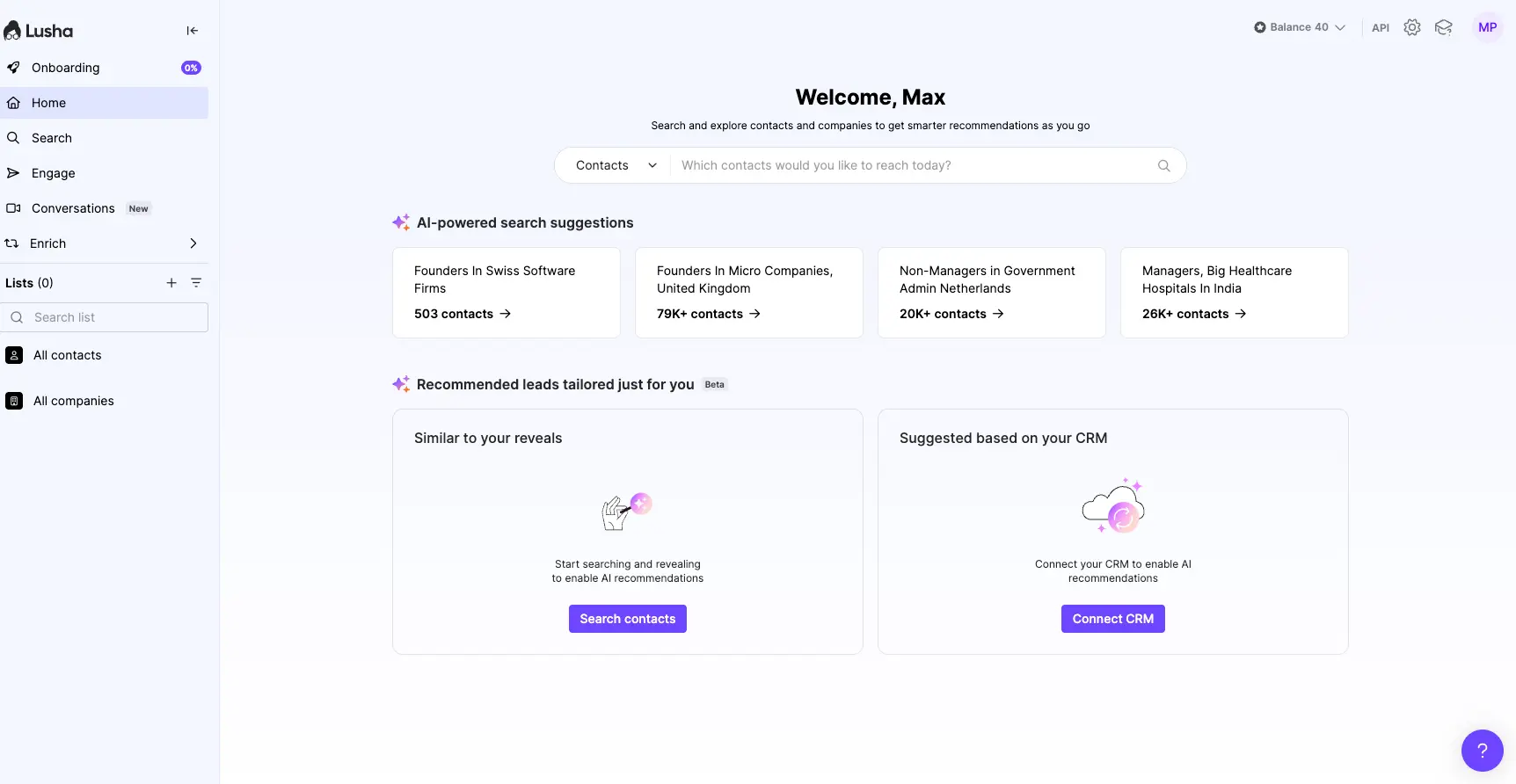
Solid B2B Contact Finder
for LinkedIn-First Teams
Lusha excels at what it does best: fast LinkedIn contact discovery with reliable phone numbers for US/UK markets. The Chrome extension is genuinely intuitive, and the new AI recommendations help surface high-value prospects. Best for SDRs who need quick access to decision-maker contact details without the complexity of enterprise platforms.
✓ What We Love
- Seamless Chrome extension for LinkedIn
- Strong direct dial accuracy for tech/SaaS
- AI-powered lead recommendations
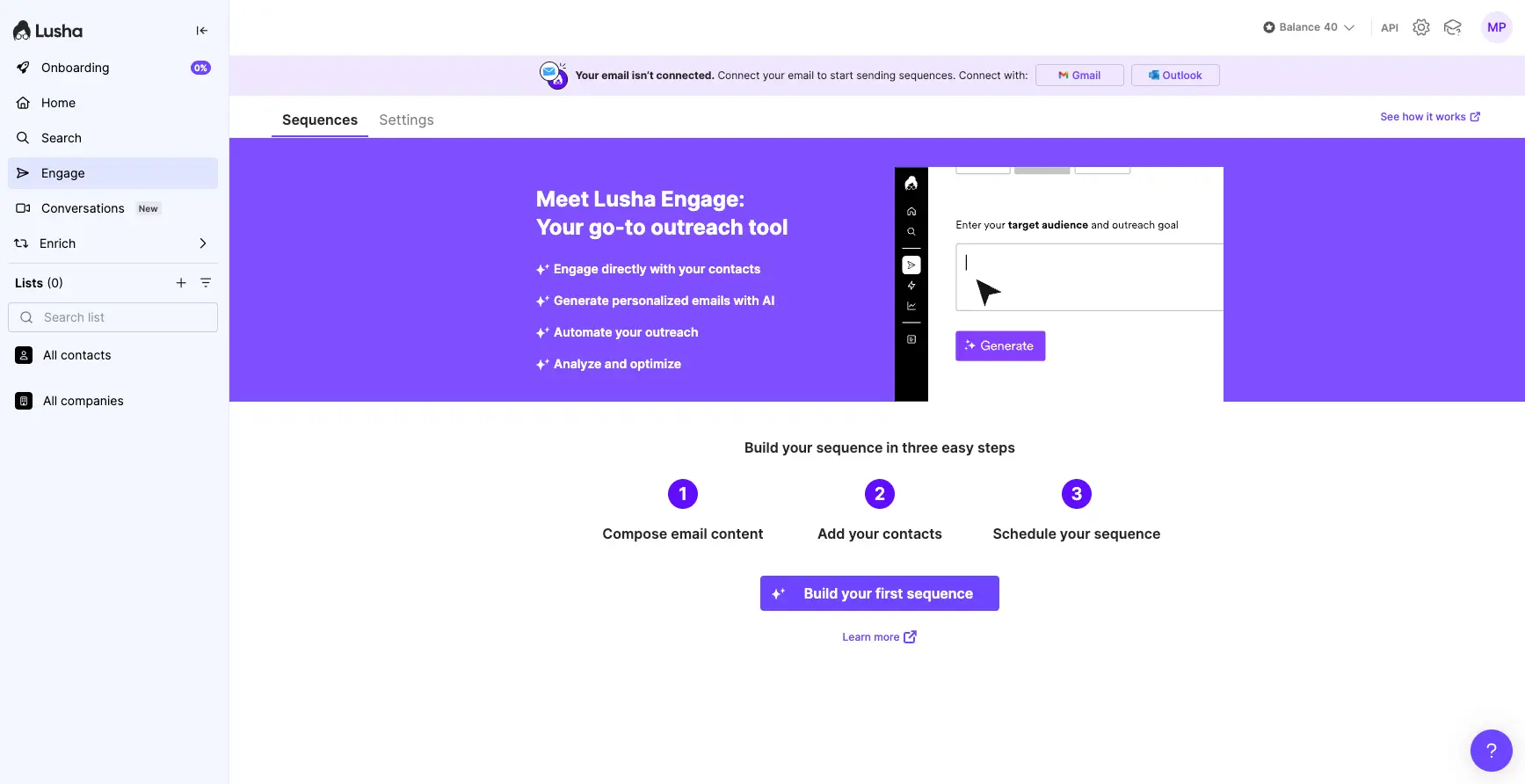
- Built-in email sequences (Engage)
! Could Be Better
- Coverage weaker outside US/UK
- Credits used even for outdated data
- Limited company intelligence vs competitors
See Lusha in Action
Real screenshots from our hands-on testing of Lusha's key features.
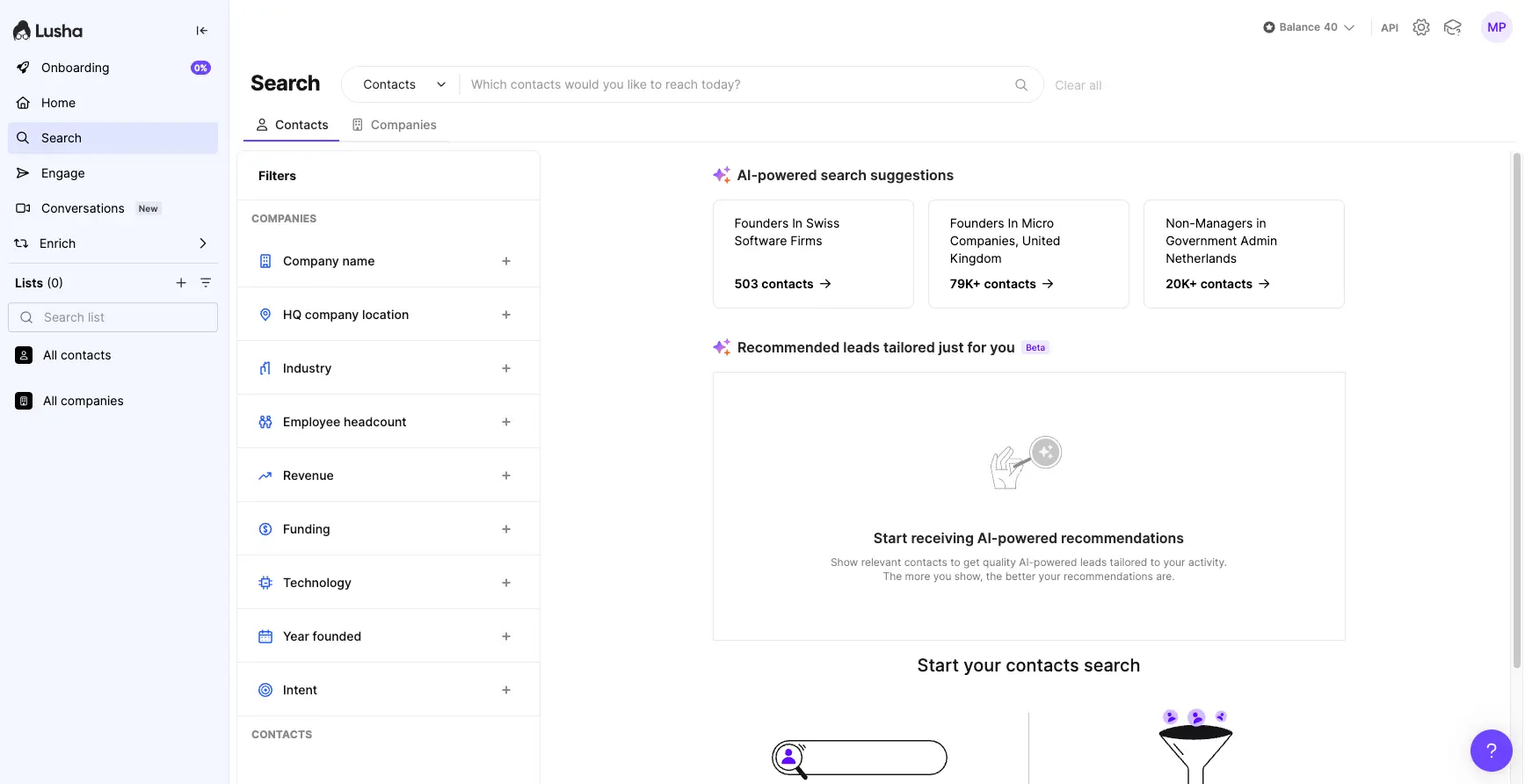
AI-Powered Search Filters
Find your ideal prospects with advanced filtering options
AI Lead Recommendations
Get personalized prospect suggestions based on your activity
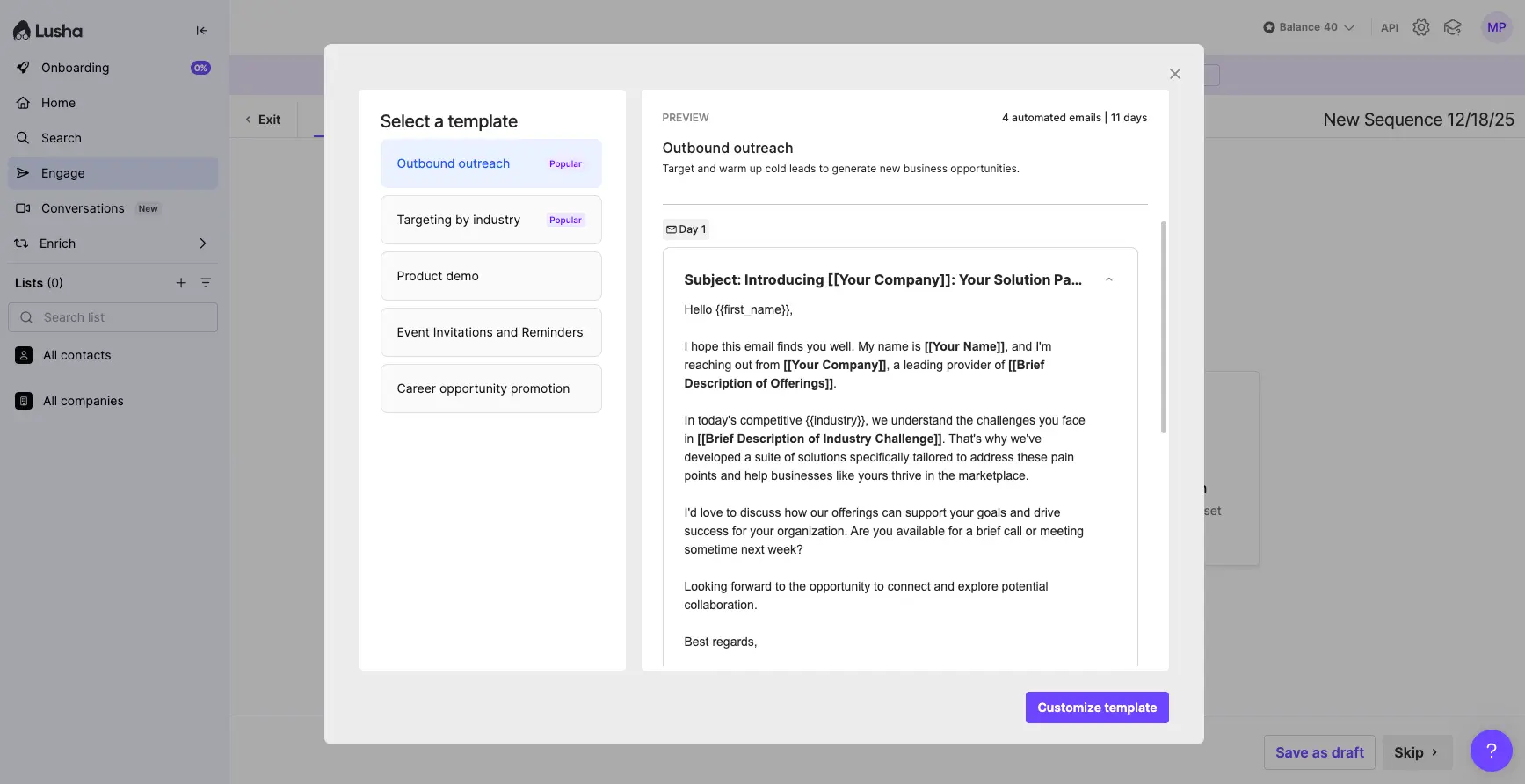
Lusha Engage: Email Sequences
Build and automate multi-step email campaigns
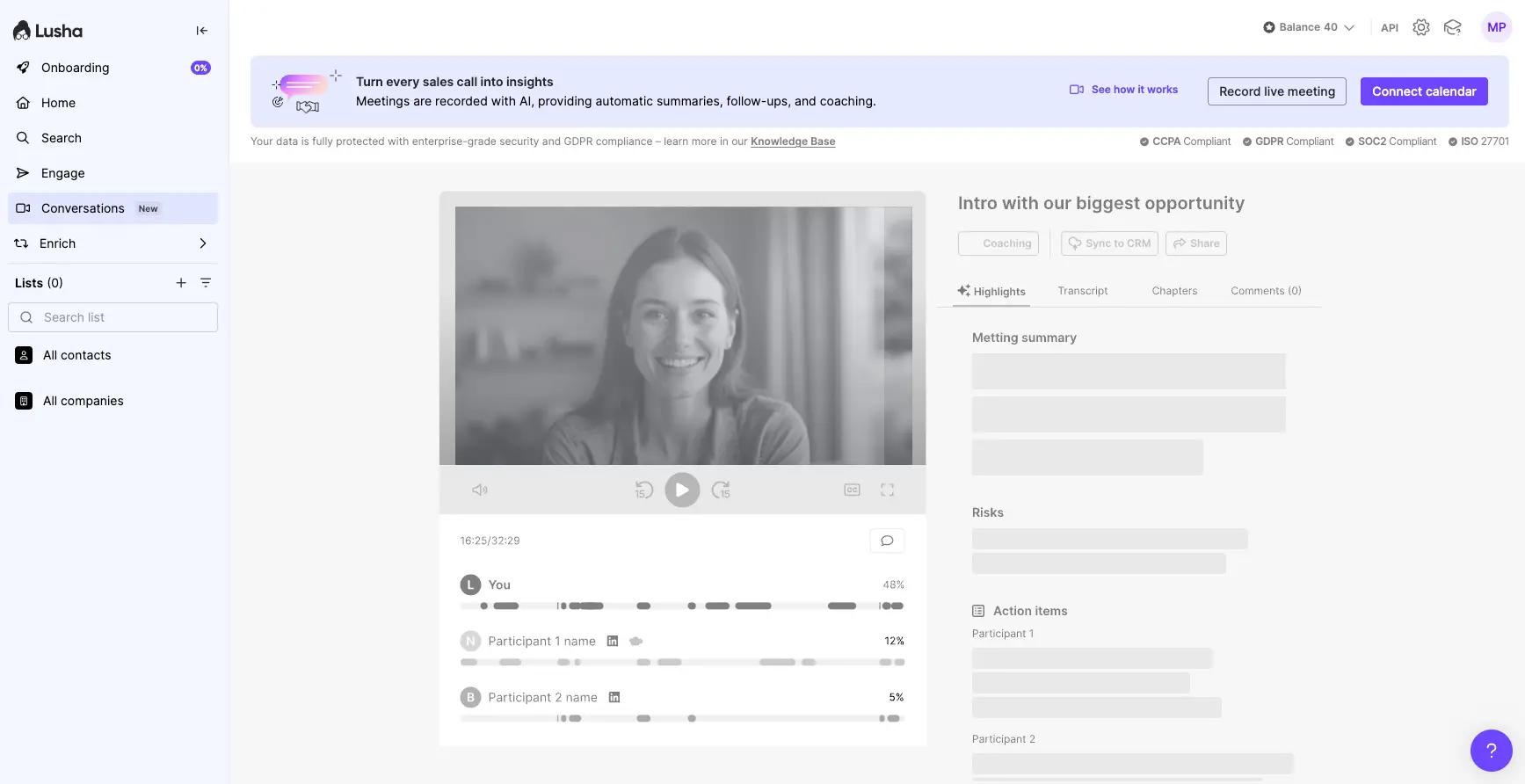
Conversations: AI Call Insights
Record calls and get AI-powered summaries and coaching
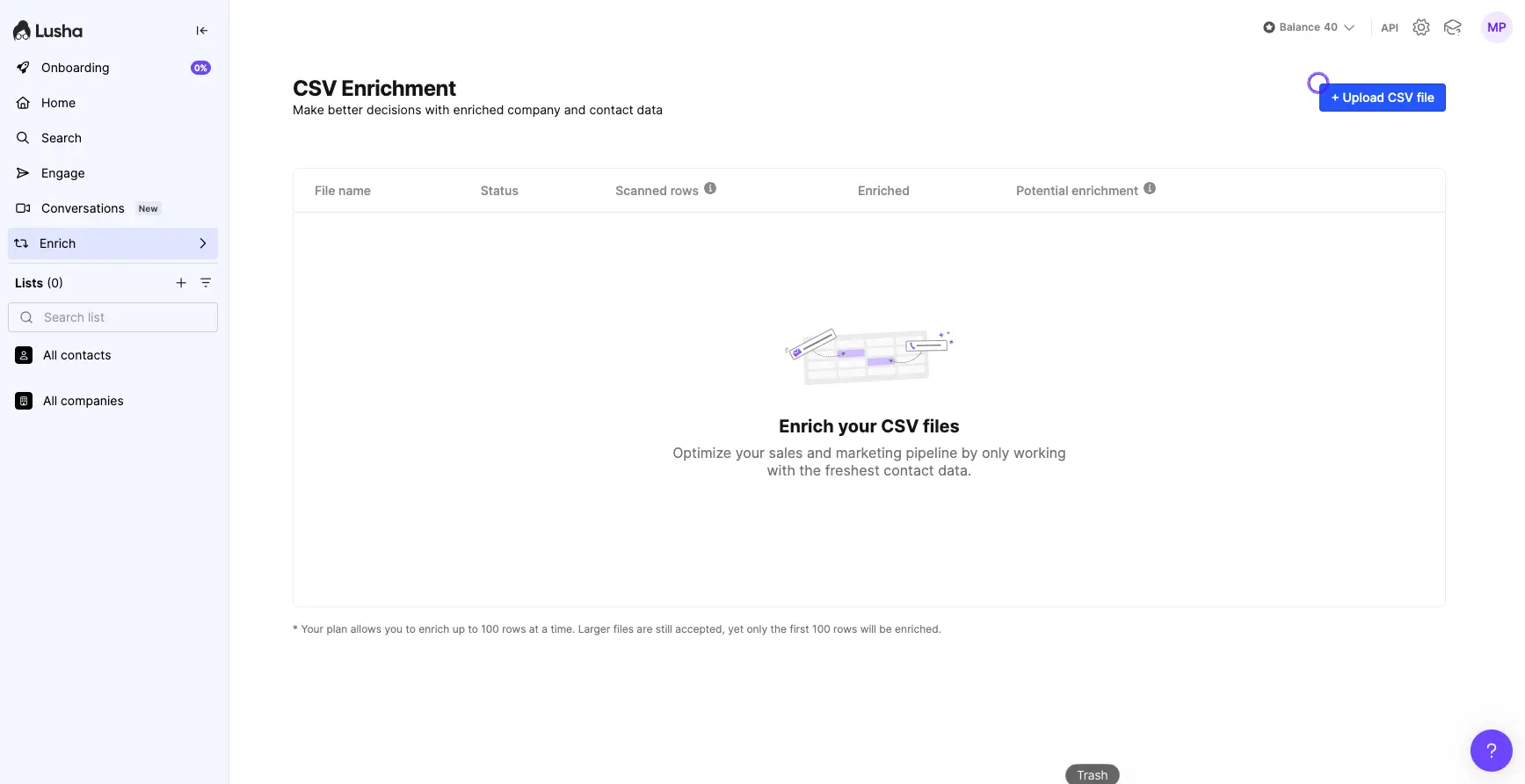
CSV Enrichment
Upload contact lists and enrich with fresh data
Ready to build your prospect list?
Start Free with Lusha →Free plan • 5 credits/month • No credit cardHow Lusha Works
Install the Chrome Extension
Add Lusha to your browser in seconds. It works as an overlay on LinkedIn, company websites, and other supported pages.
Search or Browse LinkedIn
Navigate to any LinkedIn profile or company page. Click the Lusha icon to reveal contact information including emails and phone numbers.
Build Your Prospect List
Save contacts to lists, export to CSV, or push directly to your CRM (Salesforce, HubSpot, Pipedrive, and more).
Launch Outreach
Use Lusha Engage to create email sequences, or export your list to your preferred outreach tool and start connecting.
Enterprise-Grade Compliance
Lusha maintains GDPR, CCPA, SOC2, and ISO 27701 certifications. They analyze business contact data—not personal information—and provide opt-out mechanisms for individuals.
Key Lusha Features
Contact Search
Find verified B2B emails and direct dials with advanced filters for company size, industry, job title, and more.
Chrome Extension
Reveal contact details directly on LinkedIn profiles and company websites without leaving your browser.
AI Recommendations
Get personalized lead suggestions based on your search patterns and CRM data. Surfaces prospects you might miss.
Lusha Engage
Build automated email sequences with AI-generated personalization. Track opens, clicks, and replies.
Conversations
Record sales calls with AI summaries, transcripts, and coaching insights. Sync highlights to your CRM.
CSV Enrichment
Upload existing contact lists to enrich with fresh emails, phone numbers, and company data.
Team Lists
Collaborate on prospect lists with your team. Share contacts, assign follow-ups, and track progress.
CRM Integrations
Push contacts directly to Salesforce, HubSpot, Pipedrive, Outreach, and more. API available for custom workflows.
Lusha Pricing Plans
Credit-based pricing with a generous free tier for testing.
Pro
Note: Credits are consumed per contact reveal. Annual billing available for additional savings.
Understanding the Credit System
Pro tip: Start with the free plan to test data quality on your specific target market before upgrading.
Lusha Pros and Cons
✓ Pros
The browser extension is genuinely intuitive. Reveal contacts on LinkedIn with one click, no page-switching required.
For US/UK tech and SaaS contacts, direct dial accuracy is notably good—helpful for teams doing cold calling.
The new AI suggestions feature surfaces prospects similar to your successful contacts and CRM data patterns.
Create email sequences without leaving Lusha. Includes AI-generated personalization for scale.
GDPR, CCPA, SOC2, and ISO 27701 compliant. Provides peace of mind for compliance-conscious teams.
✗ Cons
Data quality is strongest in US and UK. Coverage for European, APAC, and other markets is more limited.
Credits are consumed even when revealed data turns out to be outdated. No automatic refunds for invalid contacts.
Focused on contact discovery. Less depth in firmographics, technographics, and intent data compared to enterprise tools.
Batch enrichment limited to 100 rows at a time on standard plans. High-volume teams may find this constraining.
While the extension is simple, features like Engage and Conversations require more setup and learning.
Lusha vs Alternatives
How does Lusha compare to other B2B contact data tools?
| Feature | Lusha | ZoomInfo | Apollo.io | Cognism |
|---|---|---|---|---|
| Starting Price | $49/mo | $10K+/year | $49/mo | Custom |
| Free Plan | ✓ 5 credits/mo | None | ✓ Free tier | None |
| Database Size | 100M+ contacts | 130M+ contacts | 220M+ contacts | 70M+ verified |
| Best Coverage | US/UK | Global | Global | EMEA/UK |
| Built-in Outreach | ✓ Engage | ✓ Advanced | ✓ Full platform | Limited |
| Intent Data | Scale plan only | ✓ Included | ✓ Included | ✓ Included |
| Best For | SMB SDRs | Enterprise | SMB All-in-one | EU Teams |
Which Tool Is Right For You?
Lusha
Simple & FastBest for: Solo SDRs and small sales teams who work primarily on LinkedIn and need quick access to US/UK contacts. Ideal if you already have an outreach tool and just need reliable contact data.

ZoomInfo
EnterpriseBest for: Large sales organizations needing comprehensive sales intelligence, global coverage, deep company data, and intent signals. Higher investment but more complete solution.

Apollo.io
Free TierBest for: SMBs wanting an all-in-one platform combining contact data with email sequences, dialer, and analytics. Often better value than Lusha + separate outreach tool.

Cognism
EU-FocusedBest for: European teams needing GDPR-first data with strong EMEA coverage and verified mobile numbers. Premium pricing but excellent for EU-centric prospecting.

UpLead
Verified DataBest for: Teams who want guaranteed data accuracy with refunds for invalid emails. Real-time verification means less wasted spend on bad data.

Seamless.AI
High VolumeBest for: High-volume prospecting teams who need to build large lists quickly. AI-powered real-time enrichment for aggressive outbound campaigns.

Reply.io
Outreach-FirstBest for: Teams who prioritize outreach automation over data sourcing. Excellent multi-channel sequences with AI assistance. Pairs well with Lusha for data.

Jeeva AI
AI SDRBest for: Teams wanting to automate the entire SDR workflow with AI agents. Handles prospecting, outreach, and follow-ups autonomously while you focus on closing deals.
Frequently Asked Questions
Should You Try Lusha?
Lusha delivers on its core promise: fast, simple B2B contact discovery directly from LinkedIn. The Chrome extension is genuinely best-in-class for usability, and phone number accuracy for US/UK tech contacts is notably strong.
The main considerations are regional coverage (weaker outside core markets) and the credit model that doesn't refund outdated data. For SMBs doing LinkedIn-first prospecting in North America or UK, Lusha is a solid choice. For global teams or those needing deep company intelligence, alternatives like ZoomInfo or Apollo.io may serve you better.
Our Recommendation
Start with the free plan (5 credits/month) to test data quality on your specific target audience. This gives you a risk-free way to evaluate accuracy before committing to a paid subscription.
Ready to Find Your Next Customers?
Join 1M+ sales professionals using Lusha for B2B prospecting