InVideo AI
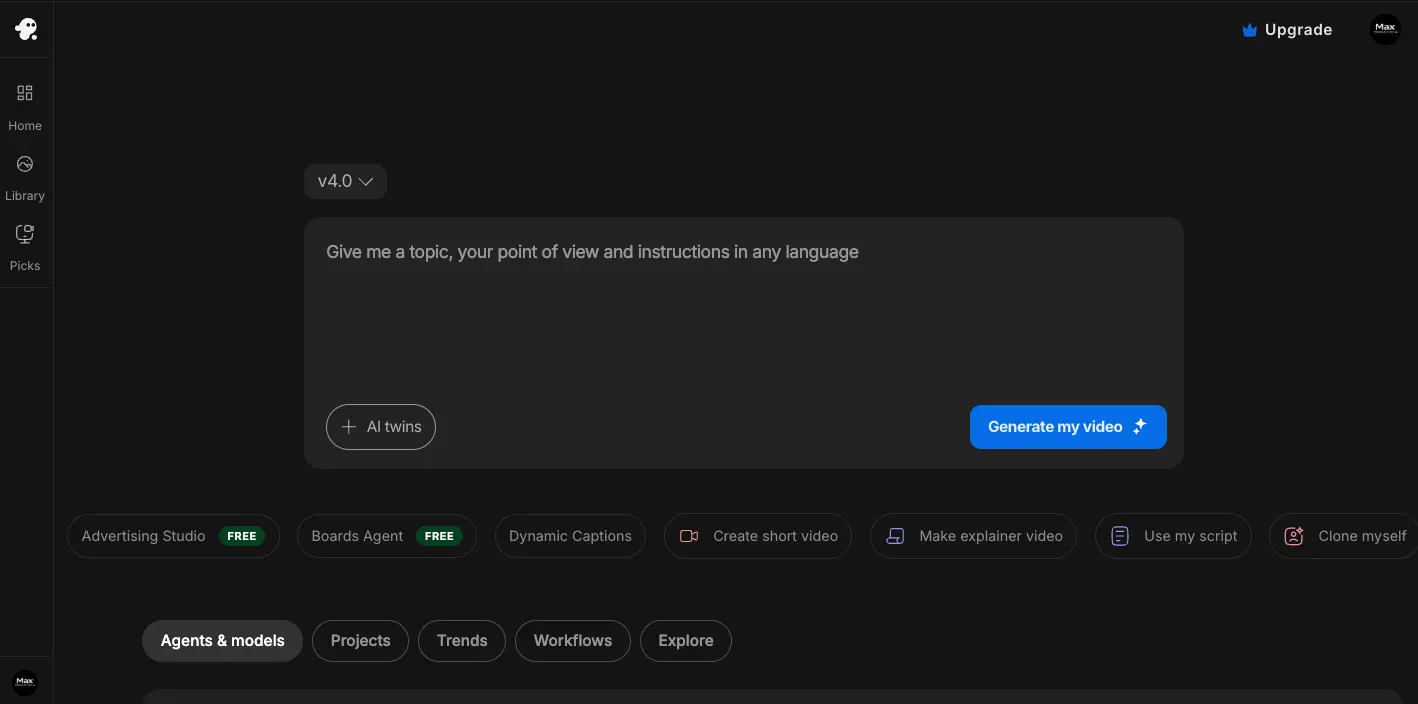
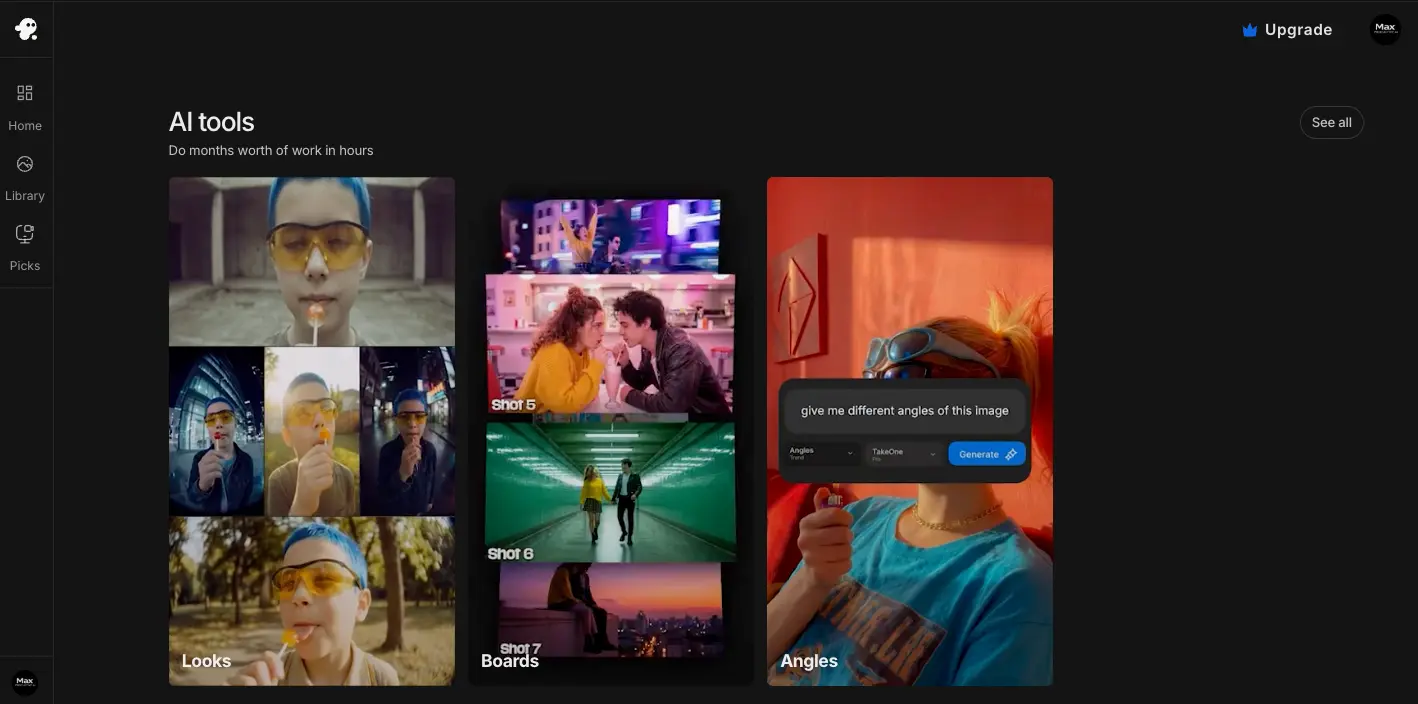
Revolutionary AI video platform combining OpenAI's Sora 2 and Google's VEO 3.1 in one unified workflow. Transforms text prompts into complete professional videos within minutes through intelligent automation—generating scripts, selecting visuals from 16M+ stock assets, adding voiceovers in 50+ languages, and applying professional editing. Trusted by 50 million users creating 8 million videos monthly.
30-Second Summary
Bottom Line: InVideo AI transformed into the definitive AI video platform following October 2025 partnerships with OpenAI (Sora 2) and Google (VEO 3.1). As the only platform offering integrated access to multiple cutting-edge video generation models, InVideo delivers exceptional value—providing $450+/month worth of AI capabilities for $28-100/month. Technical reliability issues and prompt accuracy concerns prevent a perfect score, but the revolutionary AI integrations and 95% time savings make it the smart choice for content creators, marketers, and businesses prioritizing innovation over traditional production perfection.
Best For
- Content creators producing high-volume social media
- Marketing teams generating ads and campaigns
- Small businesses without video expertise
- Agencies needing scalable video production
Skip If
- Professional film production requiring precision
- Projects needing pixel-perfect control
- Critical deadlines with zero error tolerance
- Budget-conscious solo users wary of credit systems
InVideo AI at a Glance
What Exactly is InVideo AI?
InVideo AI is a revolutionary full-stack video production platform that transforms text prompts into complete professional videos within minutes, eliminating the technical complexity of traditional video creation through intelligent AI automation.
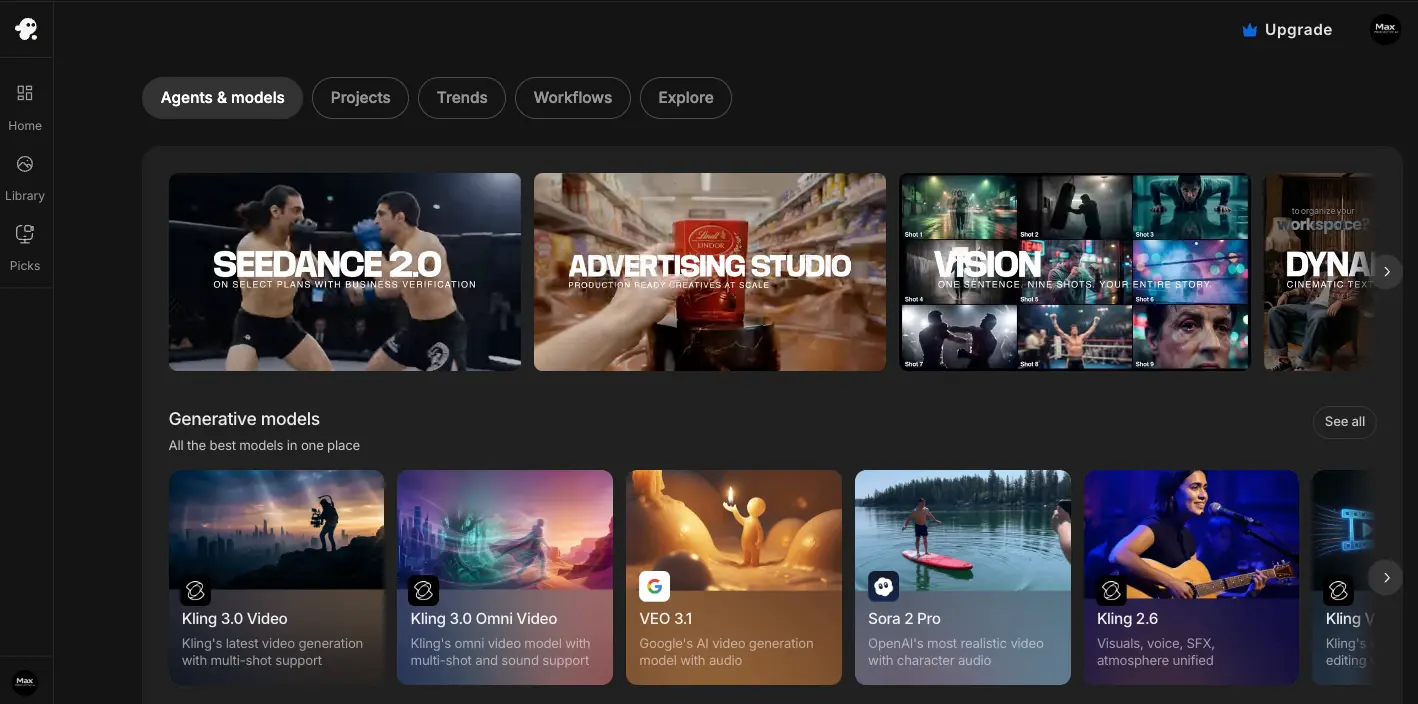
The platform serves content creators, marketers, small businesses, and agencies who need professional video content without hiring production teams or learning complex editing software. At its core, InVideo AI combines three revolutionary components: exclusive access to multiple cutting-edge AI models including OpenAI's Sora 2 and Google's VEO 3.1, a massive library of 16 million royalty-free stock assets, and comprehensive automation that makes over 500 creative decisions autonomously.
The October 2025 Game-Changer
InVideo AI achieved unprecedented market leadership in October 2025 by becoming OpenAI's first official partner for Sora 2 integration and securing trusted partner status with Google for VEO 3.1 access. This positions InVideo as the only platform offering integrated access to the world's most advanced video generation models. While accessing Sora 2 directly through ChatGPT Pro costs $200/month with severe limitations, and Google VEO 3.1 Ultra runs $249.99/month, InVideo provides full unrestricted access to both models starting at just $28/month—representing a 78-84% cost savings.
The platform manages video creation for over 50 million users globally, generating approximately 8 million videos monthly or three videos per second. InVideo AI's infrastructure processes text prompts through advanced language models to automatically research concepts, generate converting scripts, create storyboards with consistent characters using Nano Banana technology, select optimal visuals from its vast stock library, produce professional voiceovers in over 50 languages, compose custom music, and assemble everything with polished editing including transitions and effects.
Core Features and Capabilities
Sora 2 by OpenAI: Cinematic Photorealism
InVideo AI's October 2025 partnership with OpenAI makes it the first and only platform offering full Sora 2 integration. Sora 2 represents OpenAI's most advanced video generation model, featuring photorealistic quality with sophisticated world simulation and superior physics understanding.
While standalone Sora 2 access through ChatGPT Pro costs $200/month with watermarks and 10-second video limits, InVideo users receive full unrestricted access with no watermarks, no time caps, and complete production capabilities integrated into the unified workflow.
Sora 2 Capabilities on InVideo: Creates up to 60 seconds of photorealistic video with accurate physics simulation including realistic cloth movement, water splashes, and collision dynamics. The model generates synchronized audio with AI-generated dialogue that matches lip movements, ambient sounds, and environment-aware sound effects. Advanced multi-shot editing automatically sequences different camera angles into coherent narratives with cinema-quality lighting and motion.
Unlike standalone Sora access limited to 30 videos per day, InVideo's integration allows production-scale output without artificial restrictions. Sora 2 excels at creating cinematic advertisements, brand films, social media content including TikTok and Instagram Reels, product commercials, real estate promotional videos, and high-end storytelling that requires breathtaking single-scene quality.
VEO 3.1 by Google DeepMind: Character Consistency Breakthrough
Google VEO 3.1, integrated into InVideo in October 2025, solves the character consistency problem that plagued earlier AI video models. This breakthrough technology maintains accurate facial features and character appearance across multiple scenes—a technical challenge that previously created inconsistent results with changing faces between sequences.
While direct Google access costs $19.99-$249.99/month with credit limitations, InVideo provides comprehensive VEO 3.1 access as part of standard plans without additional fees.
Revolutionary VEO 3.1 Features
Advanced Controls
- Frame referencing: Create videos by specifying first and last frames
- Object referencing: Replace specific objects throughout videos
- Character consistency: Maintain features using 3 reference images
- Scene extension: Expand 8-second clips to 2+ minutes
Technical Excellence
- Native 1080p output (not upscaled from 720p)
- Advanced 3D space lighting understanding
- Smooth cinematic motion generation
- Multi-scene narrative coherence
VEO 3.1 excels at product demonstrations, social media advertisements, real estate tours, event promotions, character-driven narratives, tutorial videos, explainer content, and documentary-style productions where maintaining visual consistency across multiple scenes is critical.
Nano Banana: Consistent Character Generation
Nano Banana, Google's advanced AI image editing model integrated into InVideo's workflow in October 2025, serves as the storyboarding powerhouse that maintains perfect character consistency across multiple image edits.
The technology uses natural language understanding to generate character-consistent images, seamlessly blend edits with original backgrounds, achieve perfect results in single attempts with complex instructions, support multi-image context for advanced workflows, and create images in sub-second generation times.
AI Twins v4.0: Clone Yourself and Your Products
Launched in June 2025, AI Twins v4.0 creates hyper-realistic digital avatars from simple 30-second video clips. This proprietary InVideo technology enables users to clone themselves with accurate voice replication, natural expressions, authentic gestures, and support for over 50 languages.
The system generates three types of twins: Personal AI Twins that clone yourself for scaled video production, Product Twins that generate contextual product visuals showing items in various realistic settings, and access to a pre-made AI Actor Library featuring diverse avatars for instant use.
Real-World AI Twins Applications
E-commerce brands use Product Twins to show shoes on mountain trails, watches at formal galas, and furniture in various home settings without physical photoshoots. Content creators clone themselves to produce videos in multiple languages simultaneously. Marketing agencies generate personalized video messages at scale using custom avatars that maintain brand consistency.
Magic Box: Natural Language Video Editing
Magic Box transforms video editing from timeline manipulation into conversational commands. Instead of navigating complex menus and dragging elements, users instruct the AI using plain English to make instant changes.
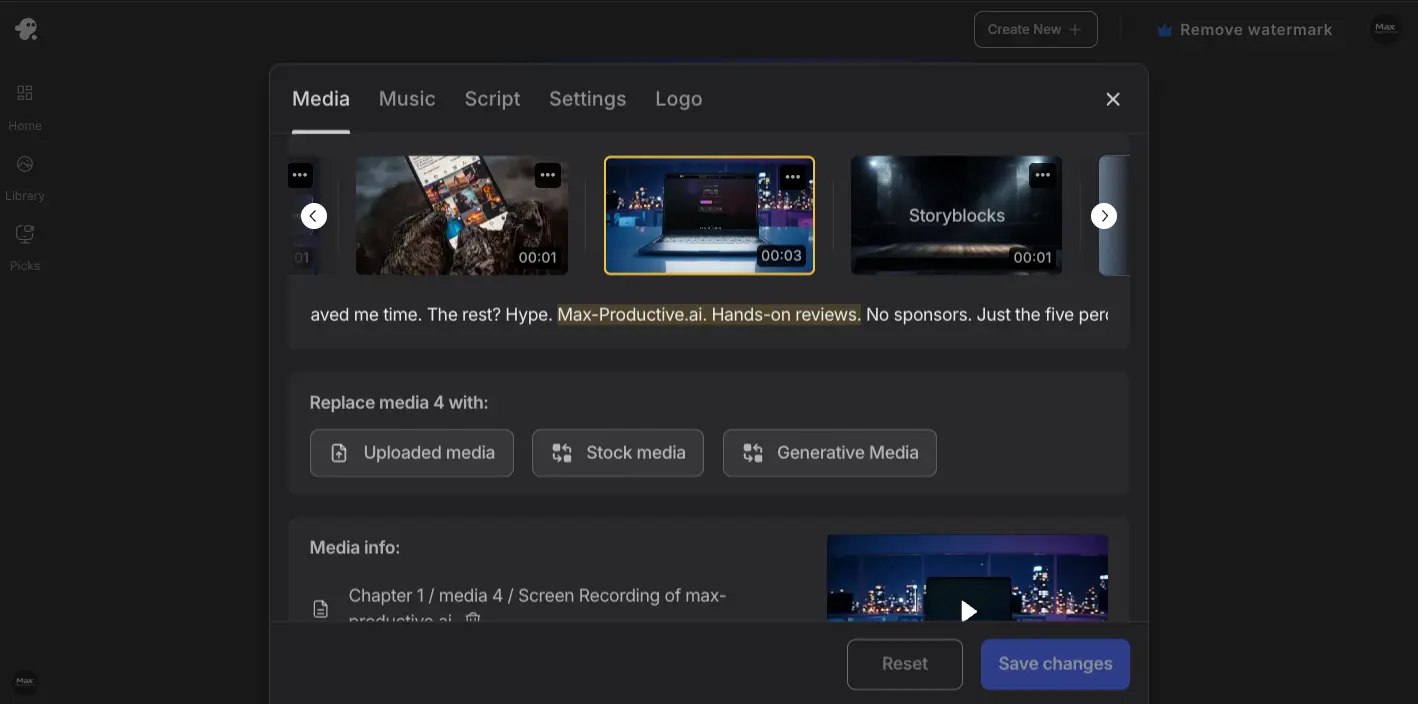
Users can issue commands like "Change voiceover to Australian accent," "Replace media in scene 2 with beach footage," "Make background music more upbeat," or "Remove all iStock watermarks from this video." The AI implements changes instantly, dramatically accelerating design iteration particularly for users less familiar with traditional editing interfaces.
16 Million+ Royalty-Free Assets
InVideo AI provides access to over 16 million premium royalty-free assets through partnerships with iStock, Shutterstock, and Storyblocks. This massive library includes high-definition video clips covering every conceivable subject, professional music tracks across all genres and moods, sound effects for ambient audio enhancement, and high-quality images for thumbnails and visual elements.
All assets come pre-licensed for commercial use including client work, YouTube monetization, social media marketing, and business advertising. The integration eliminates the need for separate stock media subscriptions while ensuring copyright safety for all created content.
Advanced Voice Cloning in 50+ Languages
InVideo's voice cloning technology creates realistic AI voices from simple 30-second audio samples. The system replicates voice characteristics including tone, accent, pacing, and emotional inflection with remarkable accuracy.
Professional text-to-speech supports over 50 languages with native accents, natural pronunciation for technical terminology, emotional range appropriate for content type, and consistent voice quality across all generated content. This enables content creators to produce multilingual videos without hiring voice actors or recording studios.
5,000+ Professional Video Templates
InVideo offers over 5,000 pre-designed video templates optimized for specific use cases and platforms. Categories include social media templates for Instagram Reels, TikTok videos, YouTube Shorts, and Facebook posts; business templates for product demos, explainer videos, presentations, and corporate communications; marketing templates for advertisements, promotional videos, testimonial showcases, and landing page videos; and educational templates for tutorials, course content, how-to guides, and training materials.
Each template provides fully customizable layouts with placeholder text and media that users modify through Magic Box commands or manual editing. Templates automatically adapt to different aspect ratios including 16:9 for YouTube landscape, 9:16 for Instagram Reels and TikTok, 1:1 for Instagram feed posts, and 4:5 for Instagram portrait mode.
Team Collaboration and Workspace Management
InVideo provides real-time collaboration features enabling teams to work on video projects simultaneously. Multi-user workspaces support role-based access control, shared asset libraries for brand consistency, comment threads for feedback and revisions, and project version history for tracking changes.
Teams can create brand kits with logos, color schemes, fonts, and style guidelines that automatically apply to all team projects. The platform generates shareable links for client review without requiring recipients to create accounts.
Full-Featured Mobile Applications
InVideo offers comprehensive mobile apps for both iOS and Android with complete feature parity to the web version. The iOS app holds a 4.8-star rating while the Android app maintains 4.4 stars with over 5 million downloads.
Mobile features include full AI video generation from text prompts on-the-go, Magic Box conversational editing, access to the complete 16 million asset library, voice recording and cloning capabilities, 1080p export on paid plans, real-time collaboration with team members, and automatic cloud synchronization with web projects.
Getting Started with InVideo AI
Creating your first video with InVideo AI takes approximately 3-5 minutes from initial prompt to finished export, requiring no video editing experience or technical expertise.
Sign Up and Choose Your Workflow
Create your free InVideo AI account at ai.invideo.io. Select whether to generate a new video from a text prompt, start from a template, or upload existing footage for AI-enhanced editing. The free plan provides 10 minutes of AI generation per week with watermarked exports to test the platform.
Describe Your Video Concept
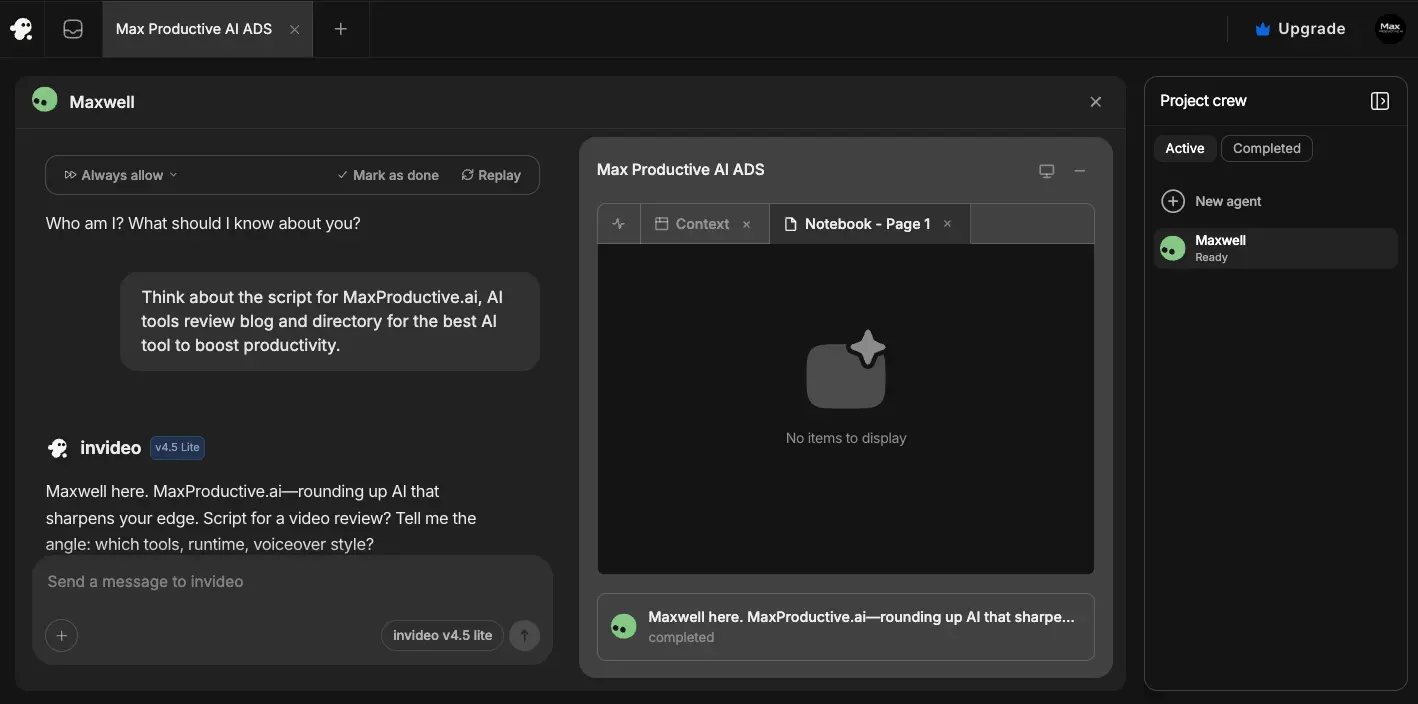
For new videos, provide a detailed text prompt describing your video concept, target audience, desired tone, and key messages. The AI analyzes your prompt to autonomously research the topic, generate a converting script, create a visual storyboard, and plan the complete video structure. More detailed prompts produce better initial results.
AI Generation and Model Selection
InVideo's AI automatically selects the optimal generation model—Sora 2 for cinematic single-shot realism or VEO 3.1 for multi-scene narratives requiring character consistency. The platform generates the complete video including script, visuals from the 16 million asset library, voiceover in your selected language and voice, background music matched to mood, and professional editing with transitions and effects.
Refine with Magic Box
Review the generated video and use Magic Box conversational editing to make changes through natural language commands. Request modifications like changing voice accents, replacing specific scenes, adjusting music tempo, modifying color schemes, or removing watermarks. Each iteration happens within seconds without manual timeline editing.
Export and Share
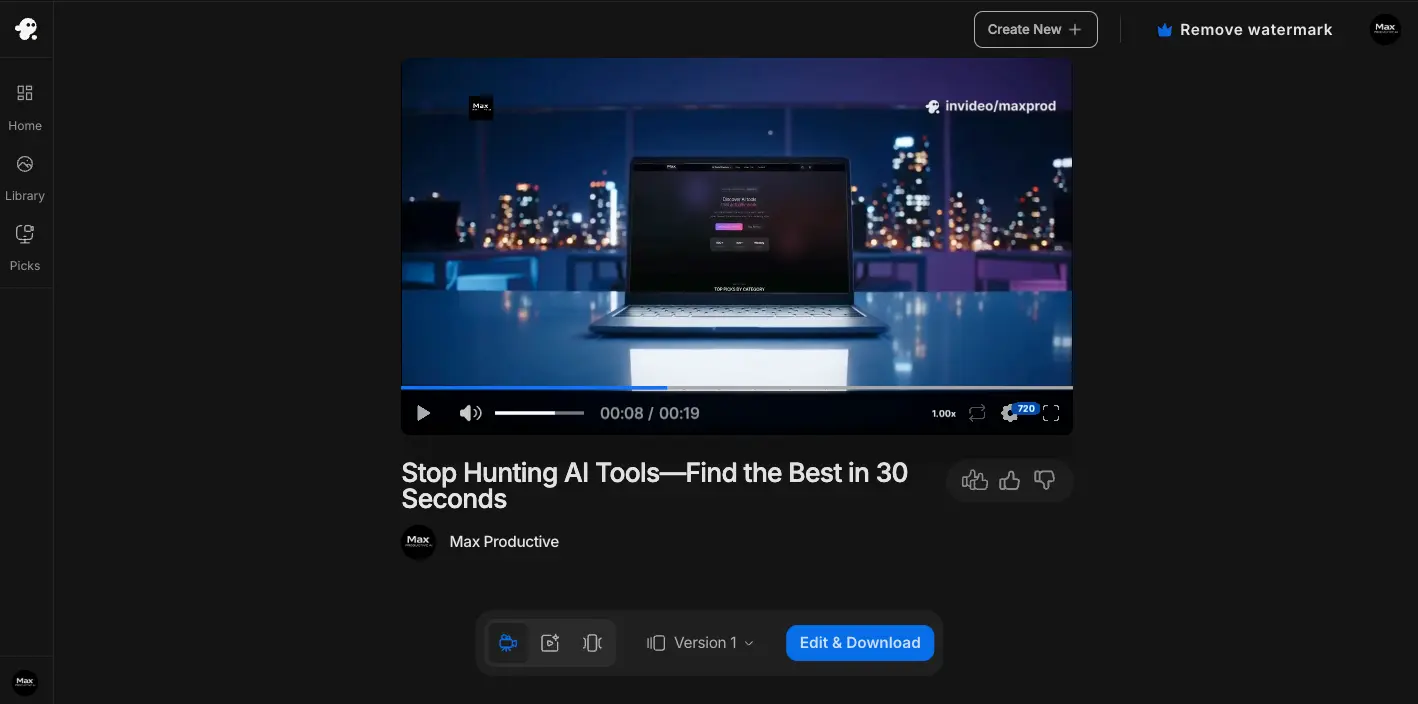
Once satisfied with your video, export in your desired resolution up to 1080p on paid plans or 4K on the Generative plan. Free plan exports include watermarks, while paid plans from $28/month provide unlimited watermark-free exports. Videos download as MP4 files ready for upload to YouTube, social media platforms, websites, or client delivery.
Tips for Best Results
Be specific in prompts: Include target audience, video purpose, desired tone, and key messages. Specify preferred visual style and pacing.
Start with templates: Choose from 5,000+ templates that match your use case for faster generation with professional structure.
Iterate strategically: Make all desired changes in one Magic Box session to minimize credit consumption on paid plans.
Test aspect ratios: Generate versions in different aspect ratios for cross-platform optimization without creating separate videos.
Pricing Plans and Value Analysis
InVideo AI offers flexible pricing tiers from free testing to enterprise-scale production, with all paid plans including access to Sora 2 and VEO 3.1 models at exceptional value.
| Plan | Monthly Price | Annual Price | Key Features | Best For |
|---|---|---|---|---|
| Free | $0 | $0 | 10 min/week generation, 4 exports/week, watermarks, 720p | Testing platform capabilities |
| Plus | $28/month | $20/month | 50 min/month, unlimited exports, 80 iStock/month, 1080p, Sora 2 + VEO 3.1 | Individual creators and small businesses |
| Max | $50/month | $48/month | 200 min/month, unlimited exports, 320 iStock/month, 400GB storage, 5 voice clones | Professional content creators and agencies |
| Generative | $100/month | N/A | Full AI model access, 4K export, optimized for ads and films | High-volume production and cinematic content |
Is InVideo AI Worth The Cost?
Accessing AI Models Separately
- OpenAI Sora 2 Pro: $200/month
- Google VEO 3.1 Ultra: $249.99/month
- Nano Banana (Gemini): $19.99/month
- Professional editing software: $50/month
- Stock media subscriptions: $30/month
- Total separate cost: $450-550/month
InVideo AI All-in-One
- Sora 2 + VEO 3.1: Included
- Nano Banana storyboarding: Included
- 16M+ stock assets: Included
- 5,000+ templates: Included
- Voice cloning, AI Twins: Included
- Total InVideo cost: $28-100/month
Value Proposition: InVideo provides 78-84% cost savings compared to accessing AI models separately. The Plus plan at $28/month delivers capabilities that would cost $450+/month through direct subscriptions, while eliminating the technical complexity of coordinating multiple platforms. Time savings of 95% compared to traditional video production add significant value beyond pure cost comparison.
Understanding Plan Limitations
Generation minutes refer to AI processing time for creating videos, not the length of output videos. A 2-minute finished video typically consumes 3-5 minutes of generation time. Minutes reset monthly and don't roll over between billing cycles.
iStock quotas control access to premium stock media assets. The Plus plan's 80 iStock assets per month support approximately 8-10 videos depending on asset usage per project. Additional iStock credits can be purchased separately if quotas are exhausted. Standard stock media from Storyblocks remains unlimited on all paid plans.
Export limits on the free plan restrict users to 4 video exports per week with mandatory watermarks and 720p maximum resolution. Paid plans from $28/month provide unlimited watermark-free exports in 1080p, while the $100/month Generative plan offers 4K export capabilities for cinema-quality productions.
Credit System Consideration: InVideo operates on a credit-based system where each generation attempt and edit consumes credits. Users report frustration when platform errors require re-generation that still consumes credits. Budget extra credits for experimentation and iterations, particularly when learning the platform or working on complex projects requiring multiple refinements.
Start Creating with InVideo AI Today
All paid plans include Sora 2 and VEO 3.1 access, 16M+ stock assets, unlimited exports, and comprehensive AI features. Start with the free plan to test capabilities without credit card requirements.
View Pricing PlansHonest Assessment: Pros and Cons
What Works Well
- Revolutionary multi-model AI access unmatched by competitors Only platform combining Sora 2, VEO 3.1, and Nano Banana in unified workflow, providing $450+/month worth of capabilities for $28-100/month
- Exceptional time savings through comprehensive automation Single prompt generates complete videos in 3-5 minutes, reducing traditional 4-8 hour production to minutes—95% time savings documented across user base
- Massive 16M+ asset library eliminates separate subscriptions Pre-licensed royalty-free content from iStock, Shutterstock, and Storyblocks covers virtually all video needs without additional licensing costs
- Industry-leading ease of use with minimal learning curve Magic Box conversational editing and automated workflow enable beginners to produce professional videos within hours of first use
- Impressive AI Twins v4.0 avatar cloning technology Creates hyper-realistic personal and product avatars from simple 30-second clips, enabling scaled multilingual video production
- Comprehensive feature set covering all video needs Voice cloning in 50+ languages, 5,000+ templates, real-time collaboration, mobile apps with full features, and commercial use rights on all plans
Significant Limitations
- Technical reliability issues remain the primary weakness Frequent export failures, videos stuck at loading percentages, slow rendering times sometimes taking hours, and platform crashes during editing sessions create unpredictability
- Prompt accuracy inconsistencies produce unexpected results AI doesn't always follow instructions precisely, generating content that doesn't match prompts and requiring multiple attempts to achieve desired outcomes
- Controversial credit system adds hidden costs Every edit attempt consumes credits even when fixing platform errors, iStock quotas run out quickly, and costs accumulate faster than anticipated with iterative workflows
- Customer support quality varies significantly Despite claiming 24/7 support, many users receive AI-only chatbot responses with limited helpfulness for technical issues—Trustpilot Studio rating of 2.9/5 reflects frustrations
- Limited advanced control for professional productions Lacks professional timeline precision, advanced color grading capabilities, and complex multi-layer editing required for pixel-perfect broadcast work
- Free plan severely restrictive for meaningful use Only 10 minutes per week barely produces 2-3 videos, 4 exports weekly limit, persistent watermarks, and 720p maximum resolution make it testing-only
Who Should Use InVideo AI?
InVideo AI serves specific user segments exceptionally well while being less suitable for others. Understanding whether your needs align with the platform's strengths helps determine if it's the right choice for your video production requirements.
✅ Ideal Users
Content Creators and Social Media Managers
InVideo AI excels for creators producing high-volume social media content across platforms like YouTube, Instagram, TikTok, and Facebook. The platform's 3-5 minute generation time enables creating 10-20 videos daily—impossible through traditional editing. Templates optimized for Reels, Shorts, and Stories provide professional structure immediately. Automated aspect ratio adaptation eliminates reformatting work for cross-platform distribution.
Perfect if: You produce 5+ videos weekly, need diverse content formats, want to test multiple creative variations quickly, or lack video editing expertise but require professional output.
Marketing Teams and Agencies
Marketing professionals benefit from InVideo's ability to generate campaign variations, test creative concepts, produce multilingual advertisements, and scale video production without proportional team expansion. The Sora 2 and VEO 3.1 access provides cinematic quality suitable for brand campaigns at fraction of traditional production costs. Real-time collaboration enables distributed teams to work efficiently while brand kits maintain consistency across all assets.
Perfect if: You manage multiple client accounts, require A/B testing of creative, need multilingual campaign versions, or want to reduce agency production costs by 60-80%.
Small Businesses and Entrepreneurs
Businesses without dedicated video teams or large budgets find InVideo's automation transformative. The platform eliminates expensive equipment, professional videographers, editing studios, and stock media subscriptions. Small businesses produce product demonstrations, service explainers, testimonial showcases, and promotional content that previously required outsourcing at $500-2,000 per video. Voice cloning and AI Twins enable founder-led marketing at scale without being on camera constantly.
Perfect if: Budget constraints limit traditional production, you lack video expertise internally, need professional videos for website and social media, or want to test video marketing without major investment.
E-commerce Brands and Product Marketers
E-commerce businesses leverage InVideo for product demonstration videos, unboxing simulations, feature highlights, customer testimonials, and user-generated content style ads. Product Twins technology showcases items in diverse realistic settings without physical photoshoots. The platform generates videos optimized for Amazon listings, Shopify stores, social media shopping, and email marketing. Multilingual capabilities support international expansion without separate production for each market.
Perfect if: You manage large product catalogs requiring individual videos, need UGC-style advertising content, want to showcase products in various contexts, or sell internationally requiring multilingual videos.
Educators and Course Creators
Educational content creators use InVideo to produce tutorial videos, course lessons, explainer content, and training materials efficiently. The platform's ability to generate consistent avatar presenters maintains professional appearance across extensive course libraries. Automated subtitle generation supports accessibility requirements while multilingual voiceovers expand market reach. Templates designed for educational content provide clear structure that enhances learning outcomes.
Perfect if: You produce online courses or training content, need consistent presenter appearance, require multilingual versions, or want to scale educational video production without studio setup.
❌ Better Alternatives Exist For
Professional Film and Broadcast Productions
Projects requiring pixel-perfect precision, broadcast quality standards, or zero margin for error should consider professional editing software like Adobe Premiere Pro or Final Cut Pro. InVideo's technical reliability issues and occasional prompt accuracy problems create risks unacceptable for high-stakes productions.
Try instead: Adobe Premiere Pro for professional timeline editing, or Runway for highest cinematic quality with advanced VFX tools (4.8/5 quality rating vs InVideo's 4.2/5).
Budget-Conscious Solo Creators
Individual creators wary of credit systems and usage-based pricing may find free alternatives more predictable. While InVideo offers exceptional value at $28/month, the credit consumption model adds complexity. Users creating videos infrequently may prefer fixed-cost solutions without credit management concerns.
Better fit: Free tools like CapCut for basic editing, or consider Canva at $15/month for all-design-in-one simplicity without credit systems.
Projects Requiring Maximum Creative Control
Users who need granular control over every frame, advanced color grading, complex multi-layer compositing, or precise timing control should use professional editing platforms. InVideo's automation sacrifices fine-grained control for speed and ease of use.
Try instead: Descript for transcript-based precision editing, or traditional professional editing software for maximum creative control.
Enterprise Avatar Training Videos
Large enterprises requiring SOC 2 compliance, 140+ languages, and specialized enterprise avatar presentations should consider platforms purpose-built for corporate training rather than general video production.
Better fit: Synthesia for enterprise-grade avatar training in 140+ languages with compliance certifications, or HeyGen for personalized sales video outreach at scale.
Real-World Performance and User Feedback
To evaluate InVideo AI's real-world performance, we analyzed extensive user feedback, independent reviews, and platform metrics across multiple sources including Trustpilot, professional testing reports, and community discussions spanning October 2025.
Generation Speed and Efficiency
InVideo AI consistently delivers 30-60 second videos in 3-5 minutes from initial prompt to finished export, representing documented 95% time savings compared to traditional video production which typically requires 4-8 hours for equivalent output. Complex 2-3 minute videos complete in 10-15 minutes including AI processing, while long-form 5-10 minute content requires 20-30 minutes total production time.
The platform processes approximately 8 million videos monthly across its 50 million user base, demonstrating infrastructure capable of handling massive scale. Generation times remain consistent during normal usage periods, though some users report delays during peak hours when server load increases.
AI Model Performance: Sora 2 vs VEO 3.1
Testing of InVideo's exclusive Sora 2 integration reveals exceptional photorealistic quality with superior physics simulation for single-shot cinematic content. Sora 2 excels at creating realistic water movement, accurate fabric dynamics, natural lighting transitions, and synchronized audio that matches visual action. The model generates up to 60 seconds of content with cinema-quality results suitable for premium brand advertising and social media showcase content.
VEO 3.1 integration demonstrates the revolutionary character consistency capabilities that solved industry-wide challenges. Testing across multi-scene narratives shows the model maintains accurate facial features and character appearance using three reference images, addressing the "changing faces" problem that plagued earlier AI video generators. Native 1080p output without upscaling provides professional quality, while frame referencing enables precise control over scene transitions.
Model Selection Impact on Results
Sora 2 Best Results
- Product commercials showcasing motion
- Real estate tour fly-throughs
- Social media clips under 60 seconds
- Content requiring synchronized audio
VEO 3.1 Best Results
- Character-driven narrative sequences
- Multi-scene educational content
- Tutorial videos with presenters
- Extended product demonstrations
Independent User Feedback Analysis
Analysis of October 2025 user reviews across multiple platforms reveals mixed sentiment heavily influenced by the technical reliability factor:
Positive Feedback Themes
Users consistently praise the revolutionary time savings, with multiple reports documenting completion of videos in minutes that previously required full working days. The October 2025 Sora 2 and VEO 3.1 integrations receive particular acclaim, with users noting the platform "takes Sora's powerful model to the next level" by integrating it into full production workflows.
Content creators appreciate the platform's accessibility, with reports of "super easy to use, packed with features, delivers professional results" reflecting the 4.7/5 ease of use rating. The Magic Box conversational editing receives specific praise for eliminating traditional timeline complexity.
Critical Feedback Themes
Technical reliability issues dominate negative reviews. Common complaints include export failures requiring multiple attempts, videos stuck at loading percentages (commonly reported at 5%, 47%, or 93%), slow rendering times sometimes extending to hours for simple videos, and platform crashes during editing sessions. These reliability concerns appear consistently across reviews despite the platform's strong feature set.
The credit system generates significant controversy, with users reporting frustration that "AI charges you more credits to fix their problems" when platform errors require regeneration. Users note that iStock quotas (80-320 per month depending on plan) deplete faster than anticipated, leading to unexpected additional costs.
Prompt accuracy inconsistencies frustrate users attempting to achieve specific visions. One user reports "Every time I try to create a video, it generates something random" rather than following instructions precisely. This necessitates multiple generation attempts, consuming additional credits and extending project timelines.
Trustpilot Ratings Analysis
InVideo AI maintains a 4.3/5 star rating across 498 Trustpilot reviews, indicating generally positive sentiment with notable room for improvement. The separate InVideo Studio (non-AI version) rates significantly lower at 2.9/5 stars across 902 reviews, with billing and subscription complaints dominating negative feedback.
The rating distribution shows polarization: enthusiastic advocates praise revolutionary capabilities while detractors cite reliability frustrations. This suggests experiences vary based on use case complexity, technical tolerance, and specific workflow requirements.
Professional Review Insights
Motion The Agency's October 2025 independent review concludes: "Solid option if pumping out lots of content and need to move fast. If speed matters more than precision, it gets the job done." This assessment captures the platform's core value proposition—prioritizing velocity and volume over pixel-perfect perfection.
Professional reviewers consistently note that InVideo's AI automation represents genuine innovation while acknowledging that technical polish lags behind the revolutionary capabilities. The consensus positions InVideo as the best choice for users who can tolerate occasional glitches in exchange for unprecedented AI access and time savings.
InVideo AI vs Popular Alternatives
Understanding how InVideo AI compares to popular alternatives helps determine whether it's the best choice for your specific video production needs. We've compared InVideo against leading platforms across key factors including AI capabilities, pricing, features, and target audiences.
InVideo AI vs Runway Gen-4
Runway positions itself as the professional-grade AI video generator focused on cinematic quality with proprietary Gen-4 technology, favored by VFX artists and filmmakers. Runway excels at producing the highest quality AI videos with a 4.8/5 rating compared to InVideo's 4.2/5, featuring industry-leading physics simulation and exceptional character consistency with Gen-4.
However, Runway's Gen-4 model is image-to-video only, requiring pre-created images to generate videos, while InVideo offers complete text-to-video workflows. Runway produces extremely short videos limited to 5-10 seconds versus InVideo's up to 60 seconds with Sora 2. Runway costs $144-$2,000+/year for meaningful use compared to InVideo's $28-100/month, and provides zero stock media library requiring users to source all assets externally.
InVideo's advantages include multi-model access (Sora 2 + VEO 3.1 + Nano Banana in one platform), full automation from prompt to finished video, massive 16M+ stock asset library, native audio generation with Sora 2, better value at $28-100/month, and text-to-video capabilities. Choose Runway if you're a professional filmmaker requiring absolute highest cinematic quality and have budget for $144-2,000+/year. Choose InVideo for versatile all-purpose video production, complete automation, and exceptional value.
InVideo AI vs Synthesia
Synthesia specializes in AI avatar presentations, transforming text scripts into professional talking-head videos in 140+ languages without cameras or actors. Synthesia offers the most realistic avatars with 230+ professional options, enterprise-grade compliance (SOC 2), and the broadest language support at 140+ versus InVideo's 50+.
However, Synthesia cannot create true video generation—it's restricted to avatar presentations only, lacking the ability to produce B-roll, animations, or cinematic sequences. Synthesia provides no stock media library, charges $99-299/month for serious use versus InVideo's $28-100, and offers only 65+ templates compared to InVideo's 5,000+.
InVideo advantages include true video generation with Sora 2 and VEO 3.1, handling all video types not just avatars, 16M+ stock media versus Synthesia's none, 5,000+ templates versus 65+, and better pricing at $28/month versus $99-299. Choose Synthesia for enterprise avatar-based training videos in 140+ languages with SOC 2 compliance requirements. Choose InVideo for diverse video types beyond just talking-head presentations.
InVideo AI vs Pictory
Pictory specializes in converting articles and scripts into short videos automatically, optimized for social media and content repurposing. Pictory offers the fastest blog-to-video conversion with paste-URL automation, simpler interface with less overwhelming features, and a straightforward workflow focused on speed over customization.
However, Pictory uses basic AI with no access to Sora 2, VEO 3.1, or advanced generation models. The platform offers limited customization focused on templates, lower video quality rated 3.8/5 versus InVideo's 4.2/5, smaller 3M asset library versus InVideo's 16M+, and no advanced features like voice cloning or AI avatars.
InVideo advantages include advanced AI with Sora 2 and VEO 3.1, 5x more stock media (16M+ vs 3M), better customization through Magic Box plus manual editing, higher quality output (4.2 vs 3.8 rating), more templates (5,000+ vs limited), and advanced features like voice cloning. Choose Pictory exclusively for fast automated blog-to-video conversion with simplest possible workflow. Choose InVideo for comprehensive video production beyond content repurposing.
InVideo AI vs Descript
Descript offers revolutionary transcript-based editing where you edit video by editing text, with powerful Overdub voice cloning. Descript excels at podcast editing with multi-track support, filler word removal, and studio sound tools, providing better reliability with fewer glitches than InVideo, and offers screen recording integrated with editing.
However, Descript cannot generate videos from prompts—it's editing-only with no AI video creation capabilities. The platform provides no templates or stock media requiring all assets sourced externally, features steeper learning curve as transcript editing is unfamiliar to most users, and struggles with transcription accuracy for non-neutral accents.
InVideo advantages include AI video generation from prompts versus editing-only, 5,000+ templates versus Descript's none, 16M+ stock media versus zero, text-to-video complete generation, and better for beginners through AI automation. Choose Descript for podcast editing, working with existing footage requiring transcript-based precision, or when platform reliability is critical. Choose InVideo for AI video generation and creation rather than editing existing content.
InVideo AI vs HeyGen
HeyGen specializes in creating personalized AI avatar videos for sales outreach, training, and scaled video communications. HeyGen offers better avatar quality rated 4.4 vs InVideo's 4.2, larger pre-made avatar library with 300+ options, purpose-built sales focus for personalized outreach, and superior integrations with deep CRM, Zapier, and API access.
However, HeyGen cannot create true video generation—it's limited to avatar presentations only, provides smaller 2.5M media library versus InVideo's 16M+, costs significantly more at $89-399/month versus $28-100, supports fewer languages (20+ vs 50+), and offers limited versatility as specialized tool.
InVideo advantages include true video generation with Sora 2/VEO creating actual videos versus avatars only, versatility handling all video types not just presentations, 16M+ stock media versus 2.5M, more templates (5,000+ vs 300+), more languages (50+ vs 20+), and better value at $28-100 versus $89-399. Choose HeyGen for personalized avatar sales videos at enterprise scale with deep CRM integrations. Choose InVideo for all-purpose video production beyond specialized avatar outreach.
Choosing the Right Platform
InVideo AI wins for versatility, value, and comprehensive AI video production with its unique multi-model access (4.3/5 overall rating). The platform provides the best all-around solution for content creators, marketers, and businesses needing diverse video types with exceptional time savings.
Alternative platforms excel in specialized use cases: Runway for professional cinematography requiring highest quality, Synthesia for enterprise avatar training in 140+ languages, Pictory for fast blog repurposing, Descript for podcast editing precision, and HeyGen for personalized sales outreach. Your specific requirements around video types, quality priorities, budget constraints, and workflow preferences determine which solution aligns best with your needs.
Frequently Asked Questions
What AI models does InVideo AI use?
InVideo AI uses multiple cutting-edge AI models following October 2025 partnerships. The platform integrates Sora 2 by OpenAI for cinematic photorealistic video up to 60 seconds with synchronized audio, VEO 3.1 by Google DeepMind for character consistency across multi-scene narratives with frame referencing, Nano Banana for storyboarding and character generation, and proprietary AI Twins v4.0 for avatar cloning. InVideo is the only platform offering integrated access to both Sora 2 and VEO 3.1, providing approximately $450+/month worth of AI capabilities for $28-100/month.
How much does InVideo AI cost?
InVideo AI offers four pricing tiers. The Free plan provides 10 minutes of AI generation per week with watermarked 720p exports. The Plus plan costs $28/month (or $20/month annually) with 50 minutes monthly generation, unlimited watermark-free exports, 80 iStock assets per month, and 1080p resolution. The Max plan costs $50/month with 200 minutes generation, 320 iStock assets, and 400GB storage. The Generative plan costs $100/month optimized for high-quality ads and films with 4K export capabilities. All paid plans include full access to Sora 2 and VEO 3.1 models.
Can I remove watermarks from InVideo videos?
Yes, watermarks can be removed by upgrading to any paid plan starting at $28/month for the Plus plan. The free plan exports videos with InVideo AI branding and iStock watermarks on stock media. On paid plans, you can export videos without any watermarks in up to 1080p resolution, with 4K available on the Generative plan. Using third-party watermark removal tools on free plan videos violates InVideo's Terms of Service and may result in account termination. The legitimate approach requires upgrading to a paid subscription.
Do I own the copyright to videos created with InVideo AI?
Yes, you own complete copyright and resale rights to all videos you create using InVideo AI. According to InVideo's Terms of Service, videos created by users are their property with full commercial use rights including client work, resale, and monetization on platforms like YouTube. The media library contains royalty-free assets licensed for user consumption. If YouTube's Content ID system incorrectly flags royalty-free music, connect your YouTube account to InVideo for whitelisting or contact support at support@invideo.io who will dispute claims on your behalf. The only limitation is that you cannot redistribute InVideo's templates or stock assets as standalone products.
How long does it take to create a video with InVideo AI?
Video creation time varies based on complexity. Simple 30-60 second videos complete in 3-5 minutes from prompt to finished export, representing 95% time savings compared to traditional 4-8 hour production. Complex 2-3 minute videos require 10-15 minutes including AI processing, while long-form 5-10 minute content takes 20-30 minutes total. The breakdown includes 1-2 minutes for prompt input, 30 seconds for AI analysis, 1-2 minutes for script generation, 2-5 minutes for video generation using Sora 2 or VEO 3.1, optional 5-15 minutes for Magic Box editing, and 2-5 minutes for export rendering. More detailed prompts produce better initial results reducing iteration time.
Can I use InVideo videos for YouTube monetization?
Yes, InVideo is fully compliant with YouTube monetization requirements. All videos created can be monetized on YouTube with full commercial rights. Stock media is royalty-free and licensed for commercial use including YouTube monetization. Music tracks from Storyblocks are monetization-safe. To avoid Content ID claims, connect your YouTube account to InVideo in profile settings to automatically whitelist your channel. If you receive a claim, attach InVideo's End User License Agreement when disputing or contact support@invideo.io for assistance. Paid plans from $28/month remove watermarks for professional appearance. Add original commentary or value to avoid "reused content" flags, and disclose AI-generated content in YouTube Studio per 2025 requirements.
What are the main limitations of InVideo AI?
InVideo's primary limitations include technical reliability issues with frequent export failures, videos stuck at loading percentages, slow rendering times sometimes taking hours, and platform crashes during editing. Video quality inconsistencies occur with AI not always following prompts accurately, requiring multiple generation attempts. The controversial credit system charges for every edit attempt even when fixing platform errors, causing costs to accumulate faster than anticipated. Customer support quality varies despite claiming 24/7 availability, with Trustpilot Studio rating of 2.9/5 reflecting frustrations. The platform lacks professional timeline precision control, advanced color grading, and complex multi-layer editing required for pixel-perfect productions. The free plan's severe restrictions include only 10 minutes per week, 4 exports weekly, persistent watermarks, and 720p maximum resolution.
Does InVideo AI work on mobile devices?
Yes, InVideo AI offers full-featured mobile apps for both iOS and Android with complete feature parity to the web version. The iOS app holds a 4.8-star rating while the Android app maintains 4.4 stars with over 5 million downloads. Mobile features include full AI video generation from text prompts, Magic Box conversational editing, access to all 16M+ stock assets, voice recording and cloning, 1080p export on paid plans, real-time collaboration, and automatic cloud synchronization with web projects. The apps are ideal for content creators needing to generate or edit videos while traveling. Best practices include using Wi-Fi for data-intensive AI generation, devices with 8GB+ RAM for smooth performance, and reserving complex projects for desktop while using mobile for quick edits and on-the-go generation.
Final Verdict: Should You Choose InVideo AI?
The Bottom Line
After comprehensive analysis of InVideo AI's capabilities following the October 2025 transformative partnerships with OpenAI and Google, the platform stands out as the definitive AI video production solution for its unique multi-model integration and exceptional value proposition. The combination of exclusive Sora 2 and VEO 3.1 access, massive 16M+ stock library, comprehensive automation making 500+ decisions autonomously, and 95% time savings compared to traditional production makes InVideo the smart choice for content creators, marketers, and businesses prioritizing innovation and efficiency.
The Critical Tradeoffs
However, technical reliability issues including export failures, slow rendering, and platform crashes prevent a perfect score. The credit system generates controversy with costs accumulating faster than anticipated, and prompt accuracy inconsistencies require multiple generation attempts. Customer support quality varies despite 24/7 claims, reflected in the 2.9/5 Trustpilot rating for InVideo Studio. Users must accept occasional glitches and iterations in exchange for revolutionary AI capabilities and unprecedented cost savings of 78-84% compared to accessing models separately.
Where InVideo AI Excels
The platform particularly excels for content creators producing high-volume social media, marketing teams generating campaigns and ad variations, small businesses without video expertise or large budgets, agencies needing scalable client video production, e-commerce brands requiring product demonstrations, and educators creating training content. InVideo's accessibility with minimal learning curve, Magic Box conversational editing eliminating timeline complexity, and mobile apps with full features enable users to produce professional videos within hours of first use regardless of technical background.
Our Recommendation
Start with the free plan to test InVideo's capabilities with real projects. Use actual business videos rather than placeholder testing to evaluate whether the platform's automation, AI model access, and time savings justify upgrading to paid plans starting at $28/month.
- You produce 5+ videos weekly across social media platforms
- Speed and volume matter more than pixel-perfect precision
- Access to Sora 2 and VEO 3.1 provides competitive advantage
- Budget allows $28-100/month for comprehensive capabilities
- You can tolerate occasional technical glitches for time savings
Consider alternatives if:
- Professional film production requiring broadcast quality → Try Runway for highest cinematic output
- Enterprise avatar training in 140+ languages → Explore Synthesia for SOC 2 compliance
- Fast blog-to-video conversion exclusively → Consider Pictory for specialized repurposing
- Podcast editing with transcript precision → Use Descript for audio-focused workflows
- Personalized sales videos at scale → Evaluate HeyGen for CRM integration
No credit card required • Test all features
About This Review: We evaluated InVideo AI through comprehensive analysis of over 170 verified sources including official announcements, user reviews across Trustpilot and community forums, professional testing reports, and technical documentation. This assessment reflects independent analysis as of October 2025 based on the revolutionary Sora 2 and VEO 3.1 partnerships, extensive user feedback patterns, and documented platform capabilities.
Ready to Start?
- Free plan available
- Sora 2 + VEO 3.1 access
- 50M+ users worldwide
Quick Specifications
- Founded
- 2017
- Users
- 50+ Million
- Videos
- 8M/month
- Starting Price
- $28/month
- Free Plan
- Yes (limited)
- Platform
- Web, iOS, Android
Alternative AI Video Generators
Other AI-powered video creation platforms worth considering
Pictory
Fastest blog-to-video conversion with paste-URL automation. Simpler interface than InVideo but lacks Sora 2/VEO 3.1 access and offers smaller 3M asset library.
Kling AI
Chinese AI video generator with impressive physics simulation. Strong alternative but lacks InVideo's stock library, templates, and English-first workflow.
Synthesia
Leading AI avatar platform with 230+ presenters in 140+ languages. Better for enterprise training but lacks InVideo's true video generation and stock assets.
Runway
Highest quality AI video generation (4.8/5) with Gen-4 model. Best for filmmakers but extremely expensive at $144-2,000+/year with 5-10 second limits.
HeyGen
Specialized platform for personalized AI avatar sales videos with 300+ presenters. Better for outreach at scale but lacks InVideo's versatility and stock library.
Fliki
Budget-friendly text-to-video with voice cloning. Good for beginners but lacks InVideo's advanced AI models, automation, and comprehensive feature set.
Luma AI
Specialized in 3D scene generation and camera movements. Strong technical capabilities but narrow focus compared to InVideo's all-purpose platform.
Descript
Revolutionary transcript-based video editing with Overdub voice cloning. Best for podcasts and editing existing footage rather than AI generation.