Google VEO 3.1: A Breakthrough in AI Video Generation
Updated: October 18, 2025
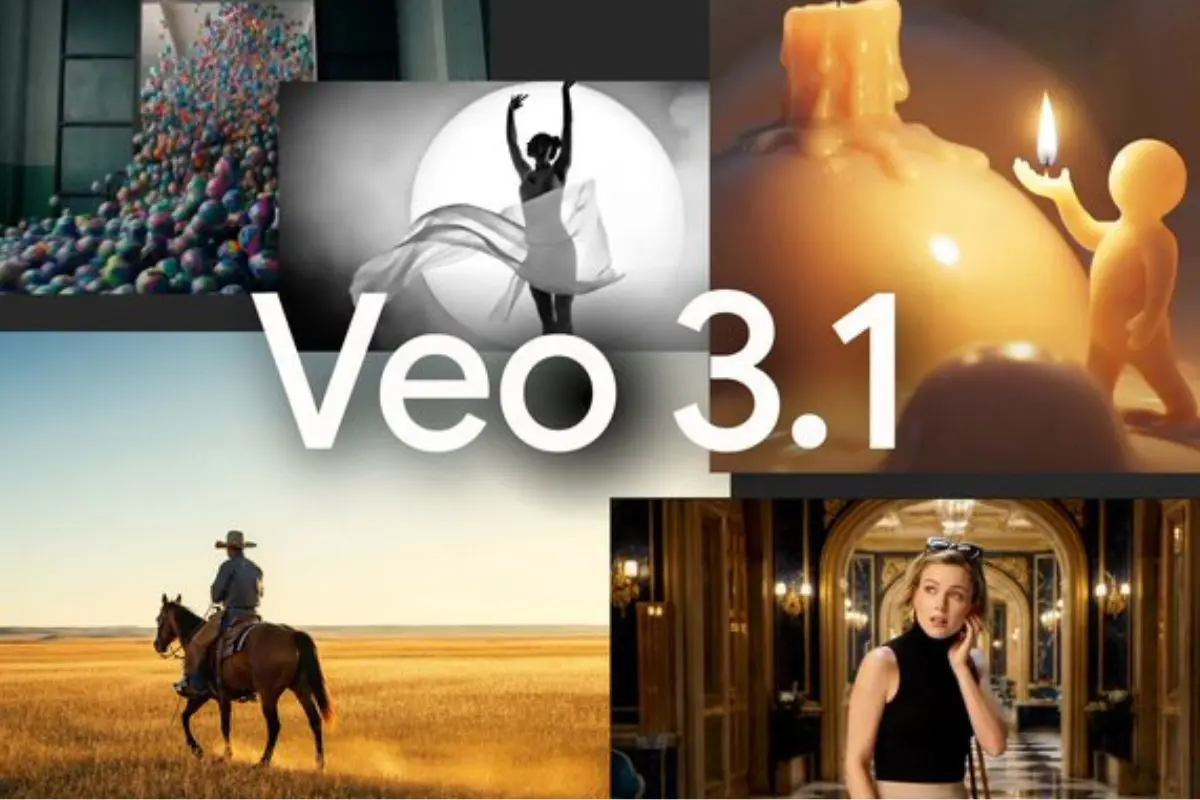
This comprehensive guide covers Google VEO 3.1's official release, including enhanced audio capabilities, 1080p resolution, advanced editing features, pricing structure, availability across platforms, and detailed competitive analysis against OpenAI Sora 2.
Google has released VEO 3.1, the latest evolution of its AI video generation model. Announced on October 14, 2025, this update builds on the already impressive VEO 3 foundation with enhanced audio capabilities, improved realism, and powerful new editing features that directly challenge OpenAI's Sora 2 in the competitive AI video generation market.
The new model delivers significantly richer native audio generation, including natural conversations, synchronized sound effects, and immersive ambient audio that seamlessly integrates with visual content. Combined with enhanced realism that captures true-to-life textures and support for both horizontal and vertical aspect ratios, VEO 3.1 represents a major leap forward in accessible AI-powered video creation.
With availability through multiple Google platforms including the Gemini app, Flow, and enterprise solutions through Vertex AI, VEO 3.1 brings broadcast-quality 1080p video generation with native audio to creators, marketers, and developers worldwide. The release strengthens Google's position in a market where AI video generation tools are rapidly evolving and competing for creative professional adoption.
Bottom Line: Google VEO 3.1 launches October 14, 2025, with native audio generation, 1080p HD resolution, and videos up to 60 seconds. Pricing starts at $0.15/second (Fast) and $0.40/second (Standard) through Gemini API. The model introduces revolutionary Flow integration features including Ingredients to Video, Frames to Video, and Extend capabilities, plus advanced Insert/Remove editing tools. Available through Gemini app, Flow, Vertex AI, and third-party platforms like Freepik—positioning VEO 3.1 as a leading competitor to OpenAI Sora 2 with superior audio capabilities and longer video duration.
What is Google VEO 3.1?
Google VEO 3.1 is the latest version of Google's AI video generation model, representing a significant advancement in AI-powered content creation capabilities. Released on October 14, 2025, VEO 3.1 builds upon its predecessor with enhanced audio generation, improved visual realism, and powerful new editing features integrated directly into Google's Flow filmmaking tool.
The model generates high-quality videos up to 60 seconds in duration at 1080p HD resolution, with native audio generation that includes synchronized sound effects, ambient environmental noise, and natural dialogue with accurate lip-sync. This represents a substantial upgrade from VEO 3, which was limited to 720p landscape format without audio capabilities.
VEO 3.1 is accessible through multiple platforms including the Gemini app for consumer use, Flow for advanced filmmaking features, the Gemini API for developer integration, and Vertex AI for enterprise implementation. Third-party platforms like Freepik's AI Video Generator have also quickly integrated VEO 3.1, making it accessible to creators worldwide without requiring technical API setup.
Read Official VEO 3.1 AnnouncementWhat's New in VEO 3.1: Key Improvements
VEO 3.1 introduces several major enhancements over VEO 3, with audio generation standing out as the most transformative capability. The improvements span audio quality, visual realism, prompt understanding, and technical flexibility, making VEO 3.1 a comprehensive upgrade for professional video creation.
Richer Native Audio Generation
VEO 3.1's standout feature is its significantly enhanced audio capabilities. The model now generates natural conversations, synchronized sound effects, and immersive ambient audio that seamlessly integrates with visual content. This represents a major upgrade from VEO 3, offering creators richer soundscapes and more realistic audio-visual synchronization with approximately 10ms latency between audio and video.
The audio generation includes dialogue with accurate lip-sync, environmental sounds that match scene context, and sound effects that respond to visual actions. This native audio capability eliminates the need for separate audio production workflows, streamlining content creation for platforms like YouTube, TikTok, and Instagram Reels.
Enhanced Realism and True-to-Life Textures
The new model delivers enhanced realism that captures true-to-life textures with unprecedented accuracy. From skin and fur to liquids and surfaces, VEO 3.1 excels at rendering high-fidelity details that make generated videos nearly indistinguishable from real footage. This improvement in photorealistic rendering positions VEO 3.1 competitively against other leading platforms like Kling AI and Sora 2.
Stronger Prompt Adherence
VEO 3.1 offers improved prompt understanding and adherence, resulting in more accurate video generation that closely matches user intentions while reducing unnecessary computational waste. This enhancement ensures that the videos produced align more precisely with creative vision, minimizing the need for multiple generation attempts and conserving credits.
Improved Image-to-Video Quality
When converting images into videos, VEO 3.1 demonstrates superior audiovisual quality and better character consistency across multiple scenes. This makes it ideal for maintaining visual continuity in storytelling projects, similar to capabilities offered by platforms like HeyGen for avatar-based video creation.
Flexible Aspect Ratios
Unlike VEO 3, which was limited to 720p landscape format, VEO 3.1 now supports both horizontal (16:9) and vertical (9:16) aspect ratios. This flexibility makes it perfect for creating content optimized for social media platforms like TikTok, Instagram Reels, and YouTube Shorts, addressing a critical need in modern content creation workflows.
Technical Specifications
VEO 3.1 delivers professional-grade technical specifications that position it for broadcast-quality content creation across multiple platforms and use cases.
Resolution & Duration
- Resolution: Up to 1080p HD (Full HD, native broadcast-quality output)
- Video Duration: Up to 60 seconds of continuous footage
- Frame Rates: Support for 24 fps (cinematic), 30 fps (standard), and 60 fps (smooth motion)
Audio Capabilities
- Native audio generation with synchronized sound effects
- Natural dialogue with accurate lip-sync
- Ambient environmental sounds matching scene context
- Audio-video latency of approximately 10ms for seamless synchronization
Generation Options
VEO 3.1 Standard: High-quality, production-grade video generation with maximum visual fidelity and audio quality. Optimized for professional projects requiring broadcast-quality output.
VEO 3.1 Fast: Optimized for faster generation times with lower computational costs. Ideal for rapid iteration, prototyping, or budget-conscious content creation while maintaining high quality standards.
Revolutionary Flow Integration Features
Google has significantly upgraded its Flow AI filmmaking tool to leverage VEO 3.1's capabilities. For the first time, audio support has been added to existing Flow features, transforming how creators build and edit AI-generated video content.
Ingredients to Video
Upload multiple reference images to control characters, objects, and visual style. Flow synthesizes these elements into a cohesive video with accompanying audio. This feature enables creators to blend separate images of characters, settings, and objects into seamless video content with natural lighting and realistic interactions.
Available in Flow, Gemini app, Vertex AI, and Gemini API, this feature allows up to 3 reference images per generation. Users can specify characters, locations, objects, or visual styles, and VEO 3.1 combines them into fully formed scenes complete with synchronized sound effects and dialogue.
Frames to Video
Provide starting and ending frames, and Flow generates a seamless transition video with synchronized audio bridging the two images. This feature is perfect for creating artful transitions and epic scene changes with complete narrative control over beginning and end points.
Available in Flow, Vertex AI, and Gemini API, Frames to Video excels at creating cinematic transitions, scene changes, and narrative sequences where precise control over starting and ending compositions is essential.
Extend
Create longer videos lasting a minute or more by extending existing clips. Each extension is generated based on the final second of the previous clip, making it ideal for creating longer establishing shots. Audio continuity is maintained from the original content, ensuring seamless transitions between segments.
Available in Flow, Gemini app, Vertex AI, and Gemini API, the Extend feature allows creators to build videos well beyond the 60-second base limit, generating continuous footage that maintains visual and audio coherence across multiple extensions.
Advanced Editing Capabilities
VEO 3.1 introduces powerful new editing features directly within Flow, enabling creators to modify generated videos with precise control over scene elements and environmental details.
Insert Feature
Add new elements to any scene, from realistic details to fantastical creatures. Flow now handles complex details like shadows, scene lighting, and environmental integration to ensure natural-looking results. The Insert feature understands scene context, automatically adjusting lighting, reflections, and shadows to make added elements appear as if they were originally part of the scene.
This capability opens creative possibilities for adding visual effects, enhancing scenes with additional elements, or introducing unexpected components while maintaining photorealistic quality and proper environmental integration.
Remove Feature (Coming Soon)
An upcoming capability will allow users to remove unwanted objects or characters from scenes, with Flow reconstructing the background and surroundings seamlessly. This feature will enable creators to clean up generated videos, eliminate unwanted elements, and refine compositions after initial generation.
Availability & Access Points
VEO 3.1 is available through multiple Google platforms, providing flexible access for consumers, developers, and enterprise organizations.
Consumer Access
- Gemini App: Direct consumer interface for creating videos through natural language prompts
- Flow: AI filmmaking tool with advanced editing features at flow.google
Developer & Enterprise Access
- Gemini API: For developers building custom applications (paid preview)
- Vertex AI: Enterprise-grade implementation with volume discounts
- Google AI Studio: Development and testing environment
The multi-platform availability ensures VEO 3.1 reaches users across different skill levels and use cases, from casual creators using the Gemini app to enterprise developers integrating video generation into production applications through Vertex AI.
Pricing Information
VEO 3.1 pricing follows the Gemini API structure, with different tiers optimized for varying quality and speed requirements.
Gemini API Pricing Structure
VEO 3.1 Standard: $0.40 per second of generated video with audio. This tier provides maximum quality, production-grade output suitable for professional projects and broadcast-quality content.
VEO 3.1 Fast: $0.15 per second. Optimized for lower latency and cost, ideal for rapid iteration, prototyping, or budget-conscious content creation.
Cost Examples
- 8-second clip (VEO 3.1 Standard): Approximately $3.20
- 30-second clip: Approximately $12.00
- 60-second clip: Approximately $24.00
Enterprise customers using Vertex AI may have access to volume-based discounts and provisioned throughput options. During the preview period, some users may receive promotional pricing with potential 15% reductions on standard rates.
Compared to competitors like Synthesia which uses subscription-based pricing, VEO 3.1's pay-per-second model provides flexibility for variable usage patterns and project-based content creation.
Learn More About VEO 3.1VEO 3.1 Now Available on Freepik
Platforms like Freepik have quickly integrated VEO 3.1 into their AI video generation suite, making it accessible to creators worldwide. Freepik previously launched VEO 2 and VEO 3 integration, and their platform offers one of the easiest ways to use VEO models without technical setup.
Through Freepik's AI Video Generator, users can generate videos using simple text prompts or image references, access VEO 3.1 features directly without switching platforms, utilize additional features like audio generation and lip-sync capabilities, and create cinematic content with professional-grade camera movements.
This integration makes VEO 3.1 accessible to creators who prefer a streamlined, user-friendly interface over API-based implementations. Freepik's approach eliminates technical barriers, allowing designers, marketers, and content creators to leverage VEO 3.1's capabilities through an intuitive web interface.
VEO 3.1 vs. Competitors
Understanding how VEO 3.1 compares to other leading AI video generation platforms helps creators and organizations make informed decisions about their video production strategy. The competitive landscape has evolved rapidly throughout 2025, with multiple platforms offering sophisticated video generation capabilities.
VEO 3.1 vs. OpenAI Sora 2
The competition between VEO 3.1 and OpenAI Sora 2 represents the current frontier of AI video generation technology. While Sora 2 excels in photorealism and physics simulation, VEO 3.1 offers distinct advantages in practical content creation workflows.
VEO 3.1 Advantages:
- Longer duration: Up to 60 seconds vs. Sora's typical 10-20 seconds, enabling more complete narratives and establishing shots
- Native audio: Built-in synchronized audio including dialogue, sound effects, and ambient noise vs. Sora's silent output requiring separate audio production
- Competitive pricing: VEO 3.1 Fast at $0.15/second vs. Sora 2 base at $0.10/second, with VEO 3.1 Standard at $0.40/second compared to Sora 2 Pro at $0.30-$0.50/second
- Character consistency: Superior identity preservation across multiple scenes and shots
- Multi-shot editing: Advanced scene transition capabilities through Frames to Video and Extend features
- Aspect ratio flexibility: Both 16:9 and 9:16 support for platform-optimized content
Sora 2 Advantages:
- Lower base pricing tier for budget-conscious users
- Superior photorealistic rendering in certain scenarios
- Strong physics simulation for complex motion and interactions
For content creators prioritizing audio-visual integration, longer video duration, and advanced editing capabilities, VEO 3.1 presents compelling advantages. Projects requiring silent footage with exceptional photorealism may benefit from Sora 2's strengths.
Comparison: Leading AI Video Generation Platforms
The AI video generation market includes multiple platforms with varying strengths, pricing models, and feature sets. This comparison helps organizations evaluate which solution best fits their specific content creation needs.
| Feature | Google VEO 3.1 | OpenAI Sora 2 | Kling AI | HeyGen |
|---|---|---|---|---|
| Maximum Duration | 60 seconds (extendable) | 10-20 seconds | 10 seconds | 5 minutes (avatar-based) |
| Resolution | 1080p HD | 1080p HD | 1080p HD | Up to 4K |
| Native Audio Generation | ✓ Full audio (dialogue, SFX, ambient) | Silent output | Silent output | ✓ AI voice synthesis |
| Audio Latency | ~10ms sync | N/A | N/A | Real-time |
| Aspect Ratios | 16:9 and 9:16 | Multiple ratios | 16:9, 9:16, 1:1 | 16:9, 9:16, 1:1 |
| Image-to-Video | ✓ High quality | ✓ High quality | ✓ Yes | ✓ Avatar photos |
| Advanced Editing | Insert, Remove (coming), Extend | Limited | Limited | Template-based |
| Pricing Model | Per-second ($0.15-$0.40/sec) | Per-second ($0.10-$0.50/sec) | Credit-based | Subscription ($24-$120/month) |
| API Access | ✓ Gemini API, Vertex AI | ✓ OpenAI API | ✓ API available | ✓ Enterprise API |
| Character Consistency | Superior multi-shot | Good single-shot | Moderate | Excellent (avatar-based) |
| Frame Rates | 24, 30, 60 fps | 24, 30 fps | 24, 30 fps | 24, 30 fps |
| Reference Images | Up to 3 images | Limited | Single image | Avatar photos |
| Best Use Case | General content creation with audio | Photorealistic short clips | Social media content | Avatar presentations |
| Platform Availability | Gemini, Flow, Freepik, API | ChatGPT, API | Web app, API | Web app, API |
Key Differentiators for VEO 3.1
Comprehensive Audio Integration: Unlike competitors that produce silent videos, VEO 3.1's native audio generation eliminates the need for separate audio production workflows, significantly accelerating content creation timelines.
Extended Duration Capabilities: The 60-second base duration with extension capabilities positions VEO 3.1 for longer-form content creation compared to competitors typically limited to 10-20 seconds.
Advanced Flow Integration: Revolutionary features like Ingredients to Video, Frames to Video, and Extend provide creative control beyond simple text-to-video generation, enabling sophisticated multi-shot storytelling.
Enterprise-Ready Infrastructure: Integration with Vertex AI and Google AI Studio provides enterprise-grade implementation options with established support, security, and compliance frameworks.
For comprehensive guidance on selecting the right platform for specific use cases, explore our detailed comparison of the best AI video generation tools currently available.
Use Cases & Applications
VEO 3.1's combination of extended duration, native audio, and advanced editing features makes it suitable for diverse content creation scenarios across professional and consumer applications.
Content Creation
The platform excels at creating YouTube videos and Shorts, TikTok content, Instagram Reels, and B-roll footage for productions. The native audio generation eliminates post-production audio work, while flexible aspect ratios ensure content is optimized for each platform's requirements.
Creators can leverage the Extend feature to build longer establishing shots, use Frames to Video for dynamic transitions between scenes, and employ Ingredients to Video for maintaining character consistency across multiple clips—capabilities that streamline content production workflows significantly.
Marketing & Advertising
VEO 3.1 serves marketing teams creating TV commercials, social media campaigns, product advertisements, and brand storytelling content. The ability to generate 60-second videos with synchronized audio provides complete commercial spots without requiring separate production teams for visual and audio elements.
The Insert feature enables marketers to add product placements, branding elements, or visual effects to existing scenes, while the upcoming Remove feature will allow cleaning up unwanted elements from generated content.
Professional Production
Film and video professionals can utilize VEO 3.1 for pre-visualization, music videos, short films, and concept demonstrations. The Frames to Video feature proves particularly valuable for storyboarding and visualizing scene transitions before committing to full production.
Character consistency capabilities ensure visual continuity across multi-shot sequences, making VEO 3.1 suitable for narrative projects requiring recurring characters and locations. The 1080p HD output provides broadcast-quality resolution for professional distribution.
Performance & User Adoption
Since Flow's launch five months ago, users have generated over 275 million videos, demonstrating massive demand for AI video generation tools. This extensive user base provides Google with invaluable feedback data for continuous model refinement and improvement.
The rapid adoption reflects growing confidence in AI video generation quality and the practical value these tools provide for content creators across skill levels. The 275 million video milestone represents substantial production volume that would have required exponentially more time and resources using traditional video production methods.
Google's ability to process this volume while maintaining quality and expanding capabilities with VEO 3.1 demonstrates the scalability of their infrastructure and the effectiveness of their AI video generation approach. The user feedback loop from this massive adoption base directly informs ongoing model improvements and feature development.
Frequently Asked Questions
Google VEO 3.1 is the latest version of Google's AI video generation model, released on October 14, 2025. It creates high-quality videos up to 60 seconds long in 1080p resolution with native audio generation, including synchronized sound effects, ambient noise, and natural dialogue. VEO 3.1 builds on VEO 3 with enhanced realism, stronger prompt adherence, and improved image-to-video conversion capabilities.
VEO 3.1 was officially released on October 14, 2025, through Google's official blog announcement. The model became immediately available through multiple platforms including the Gemini app, Flow video editor, Gemini API, and Vertex AI for enterprise users.
VEO 3.1 pricing follows the Gemini API structure: VEO 3.1 Standard costs approximately $0.40 per second of generated video with audio, while VEO 3.1 Fast costs around $0.15 per second for faster generation. An 8-second video clip costs approximately $3.20, a 30-second video costs around $12.00, and a full 60-second video costs approximately $24.00. Enterprise users may access volume discounts through Vertex AI.
VEO 3.1 improves upon VEO 3 with richer native audio generation including dialogue and sound effects, enhanced realism with true-to-life textures, stronger prompt adherence for more accurate results, improved audiovisual quality for image-to-video conversion, and support for both horizontal (16:9) and vertical (9:16) aspect ratios. VEO 3 was limited to 720p landscape format without audio capabilities.
VEO 3.1 can generate videos up to 60 seconds in duration. Users can create even longer videos using the Extend feature in Flow, which allows continuous extension beyond 60 seconds by generating additional clips based on the final second of previous footage, creating seamless longer-form content.
VEO 3.1 generates videos in 1080p HD resolution (Full HD), a significant upgrade from VEO 3's 720p output. The model supports multiple frame rates including 24 fps for cinematic content, 30 fps for standard video, and 60 fps for smooth motion footage.
VEO 3.1 offers several advantages over Sora 2: longer video duration (60 seconds vs. 10-20 seconds), native audio generation (Sora 2 produces silent videos), better character consistency across multiple scenes, and advanced multi-shot editing capabilities. However, Sora 2 has lower base pricing ($0.10/second vs. $0.15-$0.40/second) and superior photorealistic rendering in some scenarios. VEO 3.1 excels in narrative control and audio-visual synchronization.
VEO 3.1 is accessible through multiple platforms: the Gemini app for consumer use, Flow (Google's AI filmmaking tool) at flow.google, the Gemini API for developers, Vertex AI for enterprise implementation, Google AI Studio for development and testing, and third-party platforms like Freepik that have integrated VEO 3.1 into their AI video generation suite.
Ingredients to Video allows users to upload multiple reference images (up to 3) of different characters, objects, and scenes. VEO 3.1 synthesizes these separate images into a cohesive video with natural lighting, realistic interactions, and synchronized audio. This feature is ideal for maintaining visual consistency and blending different elements into seamless video content.
Frames to Video lets users provide a starting frame and an ending frame, and VEO 3.1 generates a seamless transition video between them with synchronized audio. This feature is perfect for creating artful transitions, epic scene changes, and cinematic sequences with complete narrative control over the beginning and end points.
The Extend feature creates longer videos by continuing existing clips beyond their original duration. Each extension is generated based on the final second of the previous clip, allowing users to build videos lasting well over a minute. Audio continuity is maintained from the original content, making it ideal for creating extended establishing shots or longer narrative sequences.
Yes, VEO 3.1 features native audio generation capabilities, a major improvement over VEO 3. The model generates synchronized sound effects, ambient environmental noise, and natural dialogue with accurate lip-sync. Audio-video latency is approximately 10 milliseconds, ensuring seamless synchronization between visual and audio elements.
Yes, VEO 3.1 introduces advanced editing capabilities through Flow. The Insert feature allows you to add new elements to existing scenes, from realistic details to fantastical creatures, with proper shadow and lighting integration. An upcoming Remove feature will enable object and character removal with seamless background reconstruction. These editing tools handle complex environmental details automatically.
Yes, Freepik has integrated VEO 3.1 into its AI video generation platform, making it accessible to creators worldwide without requiring technical API setup. Through Freepik's interface, users can generate videos using text prompts or reference images, access VEO 3.1's audio capabilities, and create cinematic content with professional camera movements and transitions.
VEO 3.1 supports both horizontal (16:9) and vertical (9:16) aspect ratios, unlike VEO 3 which only supported landscape format. This flexibility makes VEO 3.1 ideal for creating content optimized for various platforms including YouTube (16:9), TikTok, Instagram Reels, and YouTube Shorts (9:16).
VEO 3.1 allows developers to provide up to 3 reference images per video generation request. These reference images can include characters, objects, scenes, or visual styles that guide the AI's video creation process, ensuring consistency and specific visual aesthetics throughout the generated content.
VEO 3.1 Fast is an optimized variant designed for faster generation times and lower computational costs. While VEO 3.1 Standard provides the highest quality production-grade output at $0.40 per second, VEO 3.1 Fast offers quicker turnaround at $0.15 per second, ideal for projects requiring rapid iteration or budget-conscious content creation.
VEO 3.1 demonstrates superior character consistency compared to previous versions, maintaining visual identity across multiple scenes and shots. By using reference images through the Ingredients to Video feature, users can ensure characters remain consistent in appearance, clothing, and style throughout longer video sequences and multi-shot productions.
Yes, VEO 3.1 can generate natural dialogue with accurate lip-sync in generated videos. The audio generation capabilities include spoken conversations, sound effects, and ambient noise, all synchronized with the visual content. Examples from Google's demonstrations include dialogue such as "Hello, is anybody here?" with proper lip movement and audio timing.
VEO 3.1 is a cloud-based AI model, so there are no specific hardware requirements on the user's end. Access is available through web-based interfaces like the Gemini app and Flow, or through API integration for developers. An internet connection and compatible web browser are the only requirements for consumer access through Google's platforms.
VEO 3.1 features significantly improved prompt adherence compared to VEO 3, meaning it more accurately interprets and follows user instructions. This enhancement reduces computational waste and ensures generated videos closely match creative vision. The model better understands cinematic styles, narrative techniques, and specific visual directions provided in text prompts.
Yes, VEO 3.1 can be used for commercial purposes. Google provides access through both consumer platforms (Gemini app, Flow) and enterprise solutions (Vertex AI, Gemini API). Commercial usage terms and pricing are available through Google's Vertex AI pricing structure for enterprise implementations, while individual creators can access the model through various paid tiers.
VEO 3.1 excels at creating cinematic content, product demonstrations, social media content (Reels, Shorts, TikToks), marketing advertisements, B-roll footage, music videos, film pre-visualization, establishing shots, character-driven narratives, and concept demonstrations. The model's audio capabilities and extended duration make it particularly effective for storytelling and immersive content.
Since Flow's launch five months ago, users have generated over 275 million videos using Google's AI video generation technology. This massive adoption demonstrates the significant demand for AI-powered video creation tools and provides Google with extensive feedback data for continuous model improvement.
Current industry analysis positions VEO 3 as a leading AI video generation model, with VEO 3.1 further strengthening this position. VEO 3.1's advantages include the longest video duration (60 seconds), native audio generation, superior character consistency, flexible aspect ratios, and advanced editing capabilities. However, competitors like Sora 2, Kling AI, and HeyGen may excel in specific areas like photorealism, pricing, or avatar-based content for certain use cases.
VEO 3.1 supports multiple frame rate options including 24 fps (frames per second) for cinematic film-like content, 30 fps for standard video applications, and 60 fps for smooth motion footage. This flexibility allows creators to choose the appropriate frame rate based on their specific content needs and platform requirements.
Generation time varies depending on video length, complexity, and whether you're using VEO 3.1 Standard or VEO 3.1 Fast. VEO 3.1 Fast is optimized for quicker turnaround times with reduced computational requirements, while VEO 3.1 Standard prioritizes maximum quality. Specific generation times depend on server load and video specifications, but users can expect results within minutes.
Google's watermark policies for VEO 3.1-generated videos depend on the access method and licensing tier. Enterprise users through Vertex AI typically have different licensing terms than free-tier consumer access. Check Google's specific terms of service for the Gemini API or Vertex AI for detailed information about watermarking and commercial usage rights.
Google Flow is an AI-powered filmmaking tool that integrates VEO 3.1's video generation capabilities with advanced editing features. Flow provides a user-friendly interface for creating videos using features like Ingredients to Video, Frames to Video, Extend, Insert, and upcoming Remove capabilities. It's designed for creators who want powerful AI video tools without requiring technical API integration knowledge.
Yes, VEO 3.1 works with both text-to-video prompts and image-to-video conversion. Users can describe their desired video using natural language prompts, and VEO 3.1 will interpret the description to generate corresponding video content with synchronized audio. The enhanced prompt adherence in VEO 3.1 ensures more accurate interpretation of complex descriptive text.
Related Articles
- OpenAI Sora 2 Launch: Next-Generation AI Video Generation - Comprehensive coverage of Sora 2's release, features, and competitive positioning against VEO 3.1 in the AI video generation market.
- Best AI Video Generation Tools: Complete Platform Comparison - Detailed directory comparing VEO 3.1, Sora 2, Kling AI, HeyGen, and other leading platforms to help you choose the right solution for your video creation needs.
- Freepik AI Video Generator Review: Features, Pricing, and VEO Integration - In-depth look at how Freepik integrates VEO 3.1 and provides accessible AI video generation for creators without technical expertise.
Final Takeaway: Google VEO 3.1, released October 14, 2025, represents a significant advancement in AI video generation with native audio capabilities, 1080p HD resolution, and videos up to 60 seconds. The model's integration with Flow introduces revolutionary features including Ingredients to Video, Frames to Video, Extend, and advanced Insert/Remove editing capabilities. With pricing starting at $0.15/second (Fast) and $0.40/second (Standard), VEO 3.1 challenges competitors like OpenAI Sora 2 by offering longer duration, comprehensive audio-visual synchronization, superior character consistency, and flexible aspect ratios. Available through Gemini app, Flow, Vertex AI, and platforms like Freepik, VEO 3.1 sets a new standard for professional-quality AI-powered video creation. The impressive milestone of 275 million videos generated through Flow demonstrates massive user adoption and positions Google at the forefront of this rapidly advancing technology sector.