
Motion AI
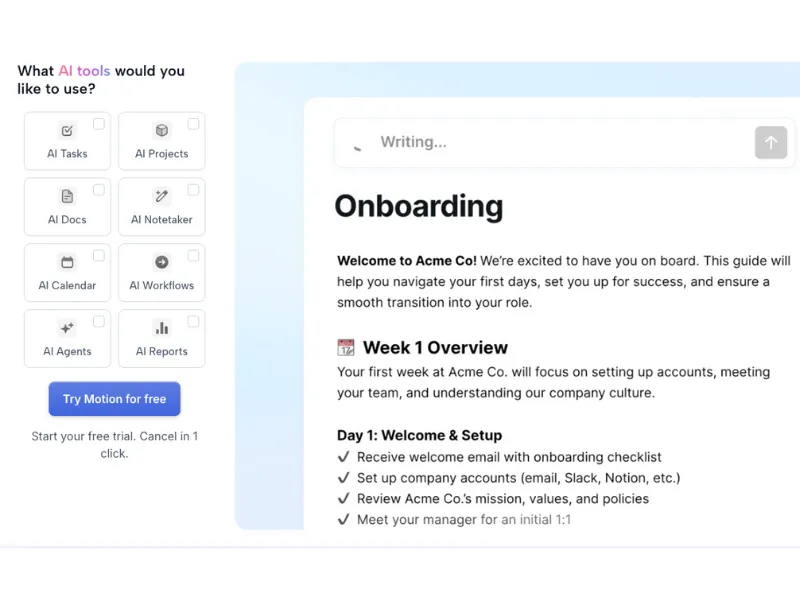
AI Employee SuperApp that automatically schedules tasks, manages projects, and deploys specialized AI agents for sales, support, marketing, and project management. Now positioned as an all-in-one work management system with AI Employees that automate entire business workflows. Trusted by 1+ million professionals globally.
30-Second Summary
Bottom Line: Motion has evolved from an AI scheduler into an "AI Employee SuperApp" with powerful task-to-calendar automation and workflow features. The desktop experience is excellent (G2: 4.5/5), but the mobile app remains frustrating (2.7/5). Requires 2-4 weeks setup investment before value emerges, and pricing has become less transparent in 2026.
Best For
- Solo consultants and freelancers billing $50+/hour
- Busy executives seeking AI-assisted workflow management
- Small teams (3-10 people) with interdependent projects
- Users who primarily work on desktop/web
Skip If
- Budget under $29/month per user
- You need a great mobile app experience
- You want dedicated Focus Time protection (choose Reclaim AI)
- Your team prefers Kanban boards or Gantt charts
Motion at a Glance
What Exactly is Motion AI in 2026?
Motion has transformed from an "AI scheduler" (2023-2024) into an "AI Employee SuperApp" (2025-2026). The platform now positions itself as an all-in-one work management system with AI Employees that automate entire business workflows—not just calendar scheduling.
The official tagline is now "AI Employees That 10x Your Team's Output," with pre-built AI agents for Sales, Support, Marketing, Project Management, HR, and Research—plus custom roles you can create yourself.
Traditional Planning vs Motion AI
Manual Approach
- Spend 30-60 min daily planning schedule
- Manually prioritize conflicting tasks
- Reschedule everything when priorities shift
- Constant context switching between tools
- Forget deadlines or overcommit
With Motion
- AI creates optimal schedule automatically
- Tasks prioritized by urgency, deadlines, dependencies
- Automatic rescheduling when plans change
- Unified workspace for tasks, projects, calendar, docs
- AI Employees handle repetitive workflows
Recent Company Milestones
In December 2025, Motion raised a $60M Series C at a $550M valuation, with Ashu Desai (former Y Combinator Visiting Partner) joining the board. This signals serious momentum and accelerated product development for 2026.
How Motion's AI Works
The core value proposition is time savings through AI automation. Motion analyzes multiple parameters including task priorities, urgency levels, deadlines, dependencies between tasks, meeting schedules, calendar availability, and your work preferences and productivity patterns.
When priorities shift or meetings get scheduled, the AI automatically reorganizes your entire schedule without manual intervention. This intelligent automation is what sets Motion apart from traditional productivity tools.
How Does Motion's AI Scheduling Actually Work?
Motion's intelligence comes from its proprietary AI engine that continuously analyzes your workload and generates optimized schedules. Here's what makes it different from traditional calendar apps:
Intelligent Scheduling Capabilities
✅ What Motion Handles Well
- Deadline pressure management: Automatically prioritizes urgent tasks closer to deadlines
- Conflict resolution: Prevents double-booking and intelligently handles scheduling conflicts
- Dynamic rescheduling: Instantly reorganizes when meetings are added or cancelled
- Dependency awareness: Task B waits for Task A to complete
- Meeting coordination: Finds optimal meeting times across team calendars
⚠️ Current Limitations
- No dedicated Focus Time: Unlike Reclaim AI, you must manually create "No-Meeting Time" blocks
- Setup complexity: Takes 2-4 weeks to "train" the AI with accurate task durations
- AI misjudgments: If you don't provide realistic time estimates, AI makes poor decisions
- Mobile app issues: Desktop version required for reliable functionality
- Not for quick capture: Requires context upfront unlike simpler tools
The Technology Behind Motion
The system processes multiple scheduling parameters with every decision, including task urgency and estimated duration, deadline proximity and hard vs. soft deadlines, team member availability and workload capacity, meeting buffers and transition time, and historical completion patterns and productivity rhythms.
This comprehensive analysis enables Motion to create schedules that genuinely optimize productivity rather than simply filling calendar slots.
Setup Reality: The First 30 Days
Based on extensive user feedback, here's what to realistically expect when getting started with Motion:
Week 1 (Days 1-7): Frustration Phase
This is the most challenging period. You'll experience:
- Overwhelming interface with many options
- "Why is it scheduling things this way?" confusion
- Tasks may not reschedule as expected
- Must manually configure work hours, priorities, task durations
Tip: Don't give up. This frustration is normal and temporary. Focus on accurate time estimates.
Week 2 (Days 8-14): Learning Phase
Things start making more sense:
- Starting to understand priority rules
- Adjusting task duration estimates based on actual completion
- Building trust in AI decisions (slowly)
- Still double-checking everything
Tip: Mark tasks complete accurately to help the AI learn your working pace.
Weeks 3-4 (Days 15-30): Adjustment Phase
The "aha moment" typically happens here:
- "Oh, I see how it works now"
- Confidence in AI decisions builds
- Fewer manual interventions needed
- Workflow starts to feel natural
Tip: Configure focus time blocks for uninterrupted work. Set up meeting booking links.
Week 5+ (30+ Days): Value Phase
This is where ROI becomes obvious:
- Reporting 3-5 hours/week saved on planning
- "Can't imagine going back to manual scheduling"
- Workflow feels effortless
- Invite team members for collaborative project management
Tip: Most users who reach this phase become strong advocates. The key is pushing through weeks 1-2.
- Not estimating task durations accurately → AI makes poor scheduling decisions
- Not setting priority rules clearly → AI doesn't know what matters
- Not defining dependencies → Tasks schedule in wrong order
- Expecting immediate ROI → Takes 2-4 weeks minimum
- Using mobile app primarily → Desktop is where Motion shines
Core AI Features (8 Major Capabilities)
🧠 AI Task Planner
Core FeatureAutomatically creates tasks from natural language input, prioritizes based on deadlines, importance, and dependencies, then schedules tasks directly onto your calendar in optimal time slots. Reschedules dynamically when conflicts arise.
📊 AI Project Manager
Time SaverGenerates entire project plans from descriptions (claimed 90% accuracy), auto-updates task statuses, detects blockers and bottlenecks automatically, and predicts project completion dates based on team capacity. Manages dependencies between tasks.
🎙️ AI Meeting Notetaker
Major FeatureTranscribes meetings (Zoom, Teams, Google Meet), trained on 10,000+ hours of proprietary meeting video data. Claims 80% more accurate than human notes. Auto-generates action items, assigns them to team members, and links to recording timestamps. Can combine AI + handwritten notes into unified summaries.
📝 AI Docs Assistant
EnhancedDrafts, proofreads, and organizes documents. Auto-creates SOPs, briefs, and reports. Links docs directly to projects/tasks. AI searches across all docs instantly.
📅 AI Calendar Assistant
SeamlessAuto-schedules tasks based on priorities, deadlines, and dependencies. Dynamically reschedules when meetings change. Creates booking pages for meeting scheduling. Syncs with Google Calendar, Outlook, and iCloud.
⚡ AI Workflows Builder
Competitive AdvantageCreate SOP in Docs → AI turns it into automated workflow template. Auto-assign tasks to team members based on roles. Reusable templates for recurring processes.
🔍 AI Search
EfficiencySearches across all tasks, projects, docs, notes, and meetings. Natural language queries work well.
📈 AI Business Intelligence
Business AI TierTeam capacity planning (who's over/under capacity), project ETA prediction based on current progress + team availability, bottleneck identification, and ROI per project tracking. Claims "40% efficiency jump" for users who review dashboards.
AI Employees: Motion's 2026 Bet
Motion now markets itself as an "AI Employee Platform" with pre-built AI agents for specific business roles. Here's an honest look at what's available:
🤵 Alfred (Executive Assistant)
Skills: Schedule calendar, prioritize tasks, draft email replies, take meeting notes, send reminders.
💼 Chip (Sales)
Skills: Update CRM automatically, chase opportunities with follow-up automation, find leads, personalized outreach, book intro calls 24/7, generate proposals.
🎧 Clide (Customer Support)
Skills: Respond to tickets, escalate issues based on rules, take actions for customers, solve problems using knowledge base, route to correct department.
📋 Millie (Project Manager)
Skills: Turn account plans into live timelines, schedule follow-ups, forecast close dates, flag stuck deals, generate client-ready proposals.
📣 Suki (Marketer)
Skills: Write blog posts, run SEO, manage social media, write in brand voice, create content calendars.
🔧 Custom AI Employee
You describe what you need → Motion builds a custom AI Employee with specific skills for your workflow.
User feedback on AI Employees is polarizing. Some users report saving 3-5 hours/week on admin tasks and feel like they have an assistant managing their workflow. Others describe them as "useless" and suggest Motion should "fix the core scheduling product first." AI Employees are new (launched 2025), still maturing, and require patience. They work best for users who invest time in proper configuration.
Mobile App Reality Check
This is an area where we must be completely honest: Motion's mobile experience does not match its desktop capabilities.
Desktop vs Mobile Experience
Desktop/Web App ★★★★½
- G2 Rating: 4.5/5 stars
- Users describe as "revolutionary" and "game-changer"
- Full feature access
- Smooth task scheduling and project management
- All AI features work reliably
Mobile App ★★½
- Google Play Rating: 2.7/5 stars (1,000+ reviews)
- Common complaint: "Can't resize for tablets"
- Notifications reported as unreliable
- Recurring events may glitch
- Must edit tasks on desktop for reliability
Motion Pricing: What You Actually Pay (January 2026)
| Plan | Reported Price | AI Credits | Key Features | Best For |
|---|---|---|---|---|
| Free Trial | $0 (7 days) | Full access | All features during trial | Testing the platform |
| Pro AI | ~$29/mo (annual) or ~$49/mo (monthly) | 7,500/month | AI scheduling, task & project management, calendar integration | Solo professionals |
| Business AI | ~$49/mo (annual) or ~$69/mo (monthly) | 15,000/month | Everything in Pro + AI BI dashboards, advanced features | Power users |
| Team Plans | $29-49/user/month | Varies by tier | Team collaboration, shared projects, capacity planning | Teams 3-25 people |
- Annual billing required for most plans—no monthly option
- No prorated refunds if you cancel early (buried in terms of service)
- Team seats come in fixed increments: 1, 3, 10, 25, or custom (you can't buy 7 seats—you'd need 10)
- Pricing instability: Several users report frustration with pricing changes while locked into annual contracts
Is Motion Worth The Cost? ROI Calculator
For Individuals ($50+/hour)
- Time saved: 3-5 hours/week (verified across reviews)
- 3 hours × $50/hour × 4 weeks = $600/month value
- Motion cost: $29-49/month
- ROI: 12-20x return
For Teams (10 people)
- Each person saves 2 hours/week (conservative)
- 10 × 2 hours × 4 weeks = 80 hours/month
- At $50/hour: $4,000/month value
- Motion cost: ~$299/month (10-seat tier)
- ROI: 13x return
Bottom Line: For professionals billing $50+/hour, Motion pays for itself in the first week—IF you invest the 2-4 weeks setup time. The hidden cost is that setup investment. If you give up in week 1-2, there's no ROI.
Honest Assessment: Pros and Cons
What Works Well
- Automatic task-to-calendar scheduling is genuinely powerful Real-time rescheduling when conflicts arise, dependency-aware scheduling. Users report saving 3-5 hours/week (verified across G2, Reddit reviews)
- All-in-one platform reduces tool fatigue Tasks + Calendar + Docs + Meetings + Notes in one place. Estimated value: $70-270/month if you bought these tools separately
- AI Meeting Notetaker is advanced Claims 80% more accurate than human notes. Auto-generates action items. You'd normally need Otter.ai ($10-25/month)
- AI Workflows Builder is unique No competitor (Reclaim, Sunsama) has SOP → automated workflow feature. Saves hours on recurring processes
- Business Intelligence for team capacity planning Identifies bottlenecks, predicts project ETAs. No other scheduler has this feature
- Desktop experience is excellent G2 rating: 4.5/5. Users describe as "revolutionary" and "10x productivity"
- Strong funding and momentum $60M Series C at $550M valuation (Dec 2025) signals serious long-term investment
Areas for Improvement
- Mobile app experience needs work Google Play: 2.7/5 rating. Common issues include unreliable notifications, recurring event glitches, and limited functionality compared to desktop
- No dedicated Focus Time protection Unlike Reclaim AI, which auto-defends deep work time. You must manually create "No-Meeting Time" blocks
- Significant learning curve Takes 2-4 weeks before value emerges. Week 1-2 can feel frustrating. Not intuitive for quick task capture
- Pricing transparency has decreased Website no longer prominently displays prices. Some users report pricing changes while locked into annual contracts
- Annual billing with limited flexibility No monthly option for most plans. No prorated refunds if you cancel early (per terms of service)
- Limited visual project tools No Kanban boards (list-based only). No true Gantt charts. Visual-first teams may prefer ClickUp or Monday
- Customer support relies heavily on automation Live chat often connects to AI bot. Email support may take several days to respond
- AI Employees receive mixed reviews Some users love them, others find them underwhelming. The feature is new and still maturing
- Limited integrations on lower tiers Pro AI tier has integration limits. Unlimited integrations require higher tiers
Who Should (and Shouldn't) Use Motion
✅ Ideal Users
Solo Consultants & Freelancers
Juggling multiple client projects with different deadlines? Motion excels here. At $50+/hour billing rates, saving 3-5 hours/week on planning equals $600-1000/month in reclaimed billable time.
Perfect if: You spend 30+ minutes daily planning, frequently miss deadlines, or struggle with prioritization across clients.
Busy Executives
Decision fatigue from managing calendar + tasks manually is real. Motion's AI acts as an executive assistant, potentially saving $3k-5k/month vs. hiring a human EA.
Perfect if: You spend 30+ min/day planning instead of executing, and want AI handling the cognitive load of scheduling decisions.
Small Teams (3-10 People) with Interdependent Projects
Team capacity planning, workflow automation, and meeting notes—all in one place. Motion handles workload balancing and project tracking automatically.
Perfect if: You're constantly overcommitting, missing deadlines, or unclear on who's working on what.
Sales and Support Teams
AI Employees like Chip (Sales) and Clide (Support) automate CRM updates, follow-ups, and ticket triage. Reduces admin work so your team can focus on high-value activities.
Perfect if: Your team spends 40%+ of time on admin instead of selling/supporting customers.
❌ Better Alternatives Exist For
Budget-Conscious Users
At $29-49/month with annual commitment, Motion may feel expensive for basic task management needs.
Try instead: Reclaim AI (free tier + $8-10/month paid) or Todoist ($5/month) for simpler, more affordable options.
Visual-First Teams (Kanban/Gantt Lovers)
Motion is list-based with limited timeline views. No true Kanban boards or Gantt charts.
Try instead: ClickUp, Monday.com, or Asana for visual project management.
Users Who Want Dedicated Focus Time Protection
Motion doesn't auto-defend deep work time—you must manually create "No-Meeting Time" blocks.
Try instead: Reclaim AI has superior Focus Time protection built-in.
Quick-Capture Lovers
Motion requires context upfront (duration, priority, deadline). Not ideal for rapid task dumping.
Try instead: Todoist, Things, or Apple Reminders for instant capture.
Heavy Mobile Users
Motion's mobile app (2.7/5 on Google Play) doesn't match the desktop experience.
Try instead: Asana, Monday, or Reclaim AI for better mobile experiences.
How Motion Compares to Alternatives
| Feature | Motion | Reclaim AI | ClickUp | Asana |
|---|---|---|---|---|
| AI Scheduling | ★★★★★ | ★★★★★ | ★★☆ | ★★☆ |
| Focus Time Protection | ★★☆ (manual) | ★★★★★ (auto) | ★☆☆ | ★★☆ |
| Project Management | ★★★☆ | ★★☆ | ★★★★★ | ★★★★★ |
| Visual Tools (Kanban/Gantt) | ★☆☆ | ★☆☆ | ★★★★★ | ★★★★☆ |
| Starting Price | $29/mo | Free | Free | Free |
| Mobile App Quality | ★★½ (2.7/5) | ★★★★☆ | ★★★★☆ | ★★★★☆ |
| Learning Curve | 2-4 weeks | Days | Weeks | 1-2 weeks |
| AI Workflow Builder | ★★★★★ | ☆☆☆ | ★★★☆ | ★★★☆ |
| Best For | AI scheduling + workflows | Focus time + simplicity | Complex visual projects | Team collaboration |
Quick Comparison Insights
vs Reclaim AI: Motion is more comprehensive (tasks + projects + docs + workflows) but complex. Reclaim is simpler, cheaper, has better Focus Time protection, and a better mobile app. Choose Motion for all-in-one; choose Reclaim for simplicity. Read our detailed Motion vs Reclaim AI comparison →
vs ClickUp: ClickUp offers superior visual project management (Kanban, Gantt, multiple views) but lacks Motion's AI scheduling intelligence. ClickUp is better for visual-first teams; Motion wins on automated scheduling.
vs Asana: Asana excels at team collaboration, enterprise features, and visual timelines. Motion wins on AI automation and scheduling intelligence. Asana is better for large enterprises; Motion for AI-first small teams.
vs Todoist + Google Calendar: The Todoist combo is simpler, cheaper, and better for quick capture. Motion is better for power users who want AI handling the scheduling decisions.
Integrations & Compatibility
Native Integrations
- Google Calendar, Microsoft Outlook 365, iCloud Calendar
- Gmail (forward emails → auto-create tasks)
- Zoom, Google Meet, Microsoft Teams
- Zapier (connects to 1,000+ apps)
- Siri (voice task creation on iOS)
Via Zapier
Slack, Asana, Trello, Notion, ClickUp, HubSpot, Salesforce, Todoist, Linear, and 1,000+ more applications.
What's New in January 2026
$60M Series C at $550M Valuation
In December 2025, Motion raised a significant Series C round with Ashu Desai (former Y Combinator Visiting Partner) joining the board. This signals strong investor confidence and accelerated product development for 2026.
AI Employee SuperApp Evolution
Motion has repositioned from "AI scheduler" to "AI Employee SuperApp" with the tagline "AI Employees That 10x Your Team's Output." New AI Employees include Alfred (Executive Assistant), Chip (Sales), Clide (Support), Millie (PM), Suki (Marketing), plus custom employee builder.
AI Meeting Notetaker Improvements
Enhanced meeting assistant now trained on 10,000+ hours of proprietary meeting video data. Claims 80% more accurate than human notes. Can combine AI + handwritten notes into unified summaries and automatically send follow-up emails with action items.
Pricing Transparency Changes
Motion's website no longer prominently displays pricing, suggesting a move toward custom/enterprise pricing. Some users report frustration with pricing changes while locked into annual contracts. We recommend confirming current pricing during signup.
Common Questions Answered
Isn't Motion too expensive?
At $29-49/month for individuals, Motion pays for itself if you save just 3 hours/week. For professionals billing $50+/hour, that's $600-1000/month in reclaimed time. The real question: Are you willing to invest 2-4 weeks in setup to unlock that ROI? If budget is tight, consider Reclaim AI (free tier + $8-10/month paid) as a more affordable alternative.
What's the real learning curve?
Honestly, 2-4 weeks for most users. Week 1-2 is often frustrating—the interface feels overwhelming and AI decisions seem off. Week 3-4, confidence builds as you understand the system. Week 5+, value emerges with 3-5 hours/week saved. Motion is not a quick-capture tool—it requires context upfront (duration, priority, deadline).
Can Motion replace my project management tool (ClickUp, Asana)?
Partially. Motion excels at task-to-calendar scheduling and workflow automation. But it lacks Kanban boards, true Gantt charts, and advanced visual reporting. If your team is visual-first, stick with ClickUp/Asana. If you want AI handling execution and scheduling, try Motion. Some teams use both—Motion for individual scheduling, ClickUp/Asana for team visualization.
Does Motion work with my calendar?
Yes. Motion syncs with Google Calendar, Microsoft Outlook 365, and iCloud in real-time. Events from your existing calendars appear in Motion and are considered by the AI when scheduling tasks to prevent conflicts.
Is the mobile app actually good?
Honestly, no. Google Play rating is 2.7/5 (1,000+ reviews). Common complaints include unreliable notifications, recurring event glitches, and limited functionality. The desktop/web experience is rated 4.5/5 on G2. Our recommendation: Use Motion primarily on desktop/web; mobile is functional for quick checks only.
Does Motion have Focus Time protection?
Not dedicated Focus Time like Reclaim AI offers. You must manually create "No-Meeting Time" blocks in Motion. Focus time is created indirectly through task scheduling. If protecting deep work time is your primary goal, Reclaim AI does this better automatically.
Can I cancel anytime? What's the refund policy?
Motion requires annual billing for most plans—there's no monthly option. Important: According to their terms of service, there are no prorated refunds if you cancel early. Some users have reported frustration with this policy. We recommend thoroughly testing the 7-day free trial before committing to an annual plan.
Are the AI Employees actually useful?
User feedback is genuinely mixed. Some users report saving 3-5 hours/week on admin tasks and love having AI handle routine workflows. Others find them underwhelming and suggest Motion should focus on core scheduling first. AI Employees launched in 2025 and are still maturing—they work best for users who invest time in proper configuration and have realistic expectations.
How does Motion compare to Reclaim AI?
Motion is all-in-one (tasks + projects + docs + workflows + AI Employees). Reclaim AI is simpler, focused on calendar optimization and Focus Time protection. Reclaim has a free tier, lower pricing ($8-10/month), and a better mobile app. Choose Motion for comprehensiveness and AI workflow automation; choose Reclaim for simplicity, better Focus Time, and budget-friendliness.
Who is Motion best for?
Motion works best for solo consultants/freelancers billing $50+/hour, busy executives seeking AI-assisted workflow management, small teams (3-10 people) with interdependent projects, sales and support teams automating repetitive workflows, and users who primarily work on desktop/web (not mobile). It's not ideal for budget-conscious users, visual-first teams needing Kanban/Gantt, or heavy mobile users.
Final Verdict: Should You Choose Motion AI in 2026?
The Bottom Line
Motion has evolved into a powerful "AI Employee SuperApp" that genuinely delivers on task-to-calendar automation. The desktop experience is excellent (G2: 4.5/5), and users who push through the 2-4 week learning curve report saving 3-5 hours/week—significant ROI for professionals billing $50+/hour.
The recent $60M Series C at $550M valuation signals serious momentum and continued product development for 2026.
The Tradeoffs
However, Motion isn't without challenges. The mobile app (2.7/5 on Google Play) doesn't match the desktop experience. There's no dedicated Focus Time protection like Reclaim AI offers. The learning curve is real—expect 2-4 weeks before value emerges.
Pricing has become less transparent, with annual billing required and no prorated refunds. Some users report frustration with pricing changes while locked into contracts.
Where Motion Excels
Motion is genuinely unique in combining AI scheduling + project management + docs + meeting notes + workflow automation in one platform. The AI Workflows Builder has no competitor among schedulers, and the Meeting Notetaker eliminates the need for tools like Otter.ai.
Our Recommendation
Try the 7-day free trial with real projects. Don't test with sample data—use actual work to evaluate whether Motion's automation matches your workflow. If you don't feel value by day 14-21, consider alternatives.
- You're a solo consultant, executive, or high-output professional
- You bill $50+/hour and value time savings
- You're willing to invest 2-4 weeks in setup
- You want all-in-one (tasks + calendar + docs + meetings + workflows)
- You work primarily on desktop/web (not mobile)
Consider alternatives if:
- Budget is under $29/month → Try Reclaim AI (free tier available)
- You need dedicated Focus Time protection → Reclaim AI does this better
- Your team needs Kanban/Gantt → Consider ClickUp or Asana
- You need a great mobile app → Most competitors outperform Motion here
- You want quick task capture → Todoist is simpler
7 days full access • No credit card required
Ready to Start?
- 7-day free trial
- AI scheduling automation
- 1M+ users globally
Quick Specifications
- Founded
- 2021
- Users
- 1+ Million
- Valuation
- $550M (Dec 2025)
- Starting Price
- ~$29/month
- Free Trial
- 7 days
- Free Tier
- None
- Desktop Rating
- 4.5/5 (G2)
- Mobile Rating
- 2.7/5 (Google Play)
- Learning Curve
- 2-4 weeks
- Platform
- Web, iOS, Android
Why Trust This Review?
- Real-world project testing
- G2, Capterra, Trustpilot analysis
- Compared with 4 alternatives
- Honest about limitations
- Independent analysis
Updated January 2026
Ready to Automate Your Schedule with AI?
Join 1+ million professionals using Motion's intelligent scheduling platform
7 days full access • No credit card required

Reclaim AI
Simpler AI calendar optimization with dedicated Focus Time protection, free tier, and better mobile app. Ideal if you value simplicity over comprehensiveness.

ClickUp
Comprehensive visual project management with Kanban, Gantt charts, and extensive customization. Better for visual-first teams; lacks Motion's AI scheduling.

Asana
Strong team collaboration with enterprise features, visual timelines, and goal tracking. Better for large teams; minimal AI scheduling capabilities.