

Reclaim AI
The AI scheduling assistant that sits on top of Google Calendar or Outlook and automatically defends your focus time, habits, and priorities, so your week stops disappearing into other people's meetings.
Try Reclaim AI →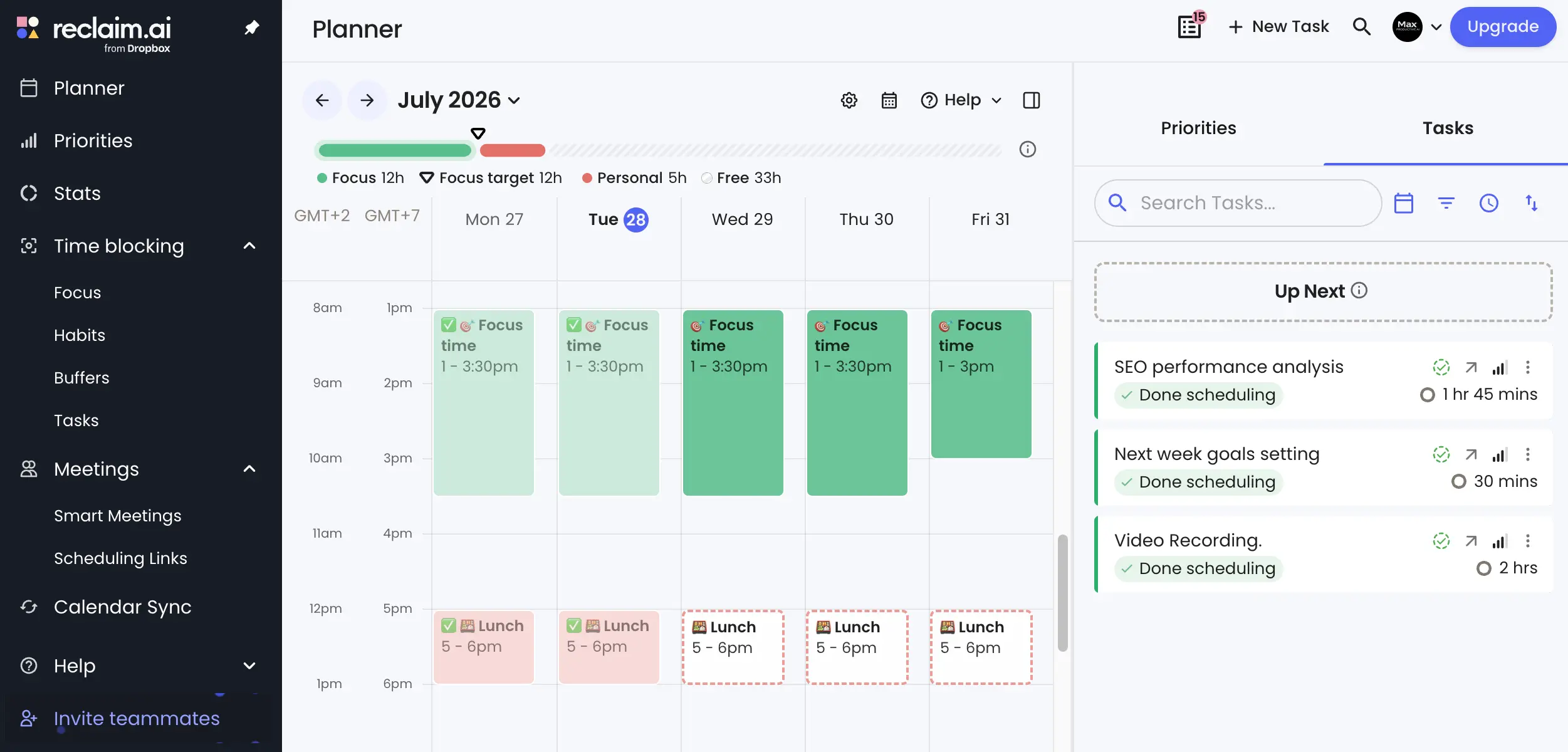
Automatic Time Defense
for Meeting-Heavy Calendars
As of August 2026, Reclaim AI does one job better than anything else on the market: protecting your time without asking you to change tools. You tell it your rules once (a weekly focus goal, a protected lunch, buffers between calls) and its AI Agents keep re-securing that time as your week shifts. The free Lite plan is usable for real work, paid tiers undercut every direct competitor, and since Clockwise shut down in early 2026, nothing else does calendar defense at this level. The catches: there's still no mobile app, and it won't touch your email or projects beyond scheduling them.
✓ What We Love
- Habit and focus-time protection no competitor matches
- A permanent free plan you can actually work in
- AI Agents that adapt to conflicts instead of breaking
- Roughly half the price of Motion's entry tier
! Could Be Better
- No native mobile app—browser only
- Calendar-only scope; you'll still need a task manager
- Cancelling or downgrading takes more effort than it should
What Is Reclaim AI?
Where it came from, what problem it solves, and why it's suddenly the last tool standing in its category.
Reclaim AI is an AI scheduling assistant that connects to the calendar you already use—Google Calendar or Microsoft Outlook—and automatically finds time for your tasks, habits, meetings, and focus blocks around everything else on your plate. It doesn't replace your calendar or your task manager. It sits on top of them, applying rules you define once (a weekly deep-work goal, a protected lunch break, buffers between calls) and re-securing that time continuously as your week fills up.
The product has been through more corporate drama than most productivity tools survive. Dropbox acquired Reclaim in August 2024, and two years on, the deal looks like a rare success story: Reclaim still ships under its own brand (you'll spot "from Dropbox" under the logo), updates keep landing, and neither pricing nor support has been disrupted. Today it counts more than 600,000 users across roughly 70,000 companies, including GitHub, Zapier, and Zendesk.
Its closest rival wasn't so lucky. Clockwise, the meeting-defragmentation tool that competed with Reclaim for years, was shut down by Salesforce on March 27, 2026, with all customer data deleted. Reclaim was named the official migration partner for displaced Clockwise teams, which effectively makes it the last dedicated AI calendar-automation tool standing. Worth knowing before you evaluate alternatives: this category consolidated hard over the past year.
What actually separates Reclaim from the tools it gets compared to is philosophy, not features. Motion AI takes full control: you feed it tasks and it rebuilds your entire day, every day. Akiflow and Sunsama sit at the other extreme: powerful manual planning tools where a human drags every item onto the calendar. Reclaim occupies the middle ground: you set the guardrails, the AI does the placement and defense, and your calendar stays recognizably yours. In our experience, this single distinction predicts whether someone will love or abandon a scheduling tool better than any feature checklist.
Our Testing
The screenshots in this Reclaim AI review come from our own Max Productive AI account, running on the free Lite plan connected to Google Calendar through July and August 2026. We set a 12-hour weekly Focus Time goal, a protected lunch Habit, and let Reclaim auto-schedule real site work—SEO analysis, video recording, weekly planning. No demo data, no press-kit screenshots.
Who Is Reclaim AI Best For?
Meeting-heavy professionals and small-to-midsize teams who live in Google Calendar or Outlook and want their focus time defended without daily effort or migrating to a new all-in-one platform. It's a particularly good fit for consultants, engineers, and managers juggling internal meetings, and for teams stranded by Clockwise's shutdown. If your bigger problem is task chaos across many apps rather than calendar pressure, a different category of tool will serve you better.
Be clear-eyed about scope, though. Reclaim manages your calendar and nothing else: it won't triage email, won't pull action items out of your inbox, and its built-in task list stays light on purpose. Most users pair it with a dedicated task manager—Todoist and Asana both sync with it directly, so tasks flow onto the calendar on their own. Think of it as a specialist, not a suite.
See Reclaim AI in Action
Real screenshots from our own account—free plan, live calendar, actual site work.
Planner Week View
Your whole week, arranged and re-arranged automatically
This is where you'll spend most of your time. The green blocks are Focus Time that Reclaim placed and keeps defending. Note how Friday's block ends earlier than the others because the AI worked around a conflict. The right panel holds tasks with time estimates ("SEO performance analysis, 1 hr 45 mins") that get dropped into open slots on their own, and completed items keep their checkmarks on the calendar. The dual-timezone column is a quiet highlight for anyone working across regions.
Focus Time Dashboard
Tracking your deep-work goal week by week
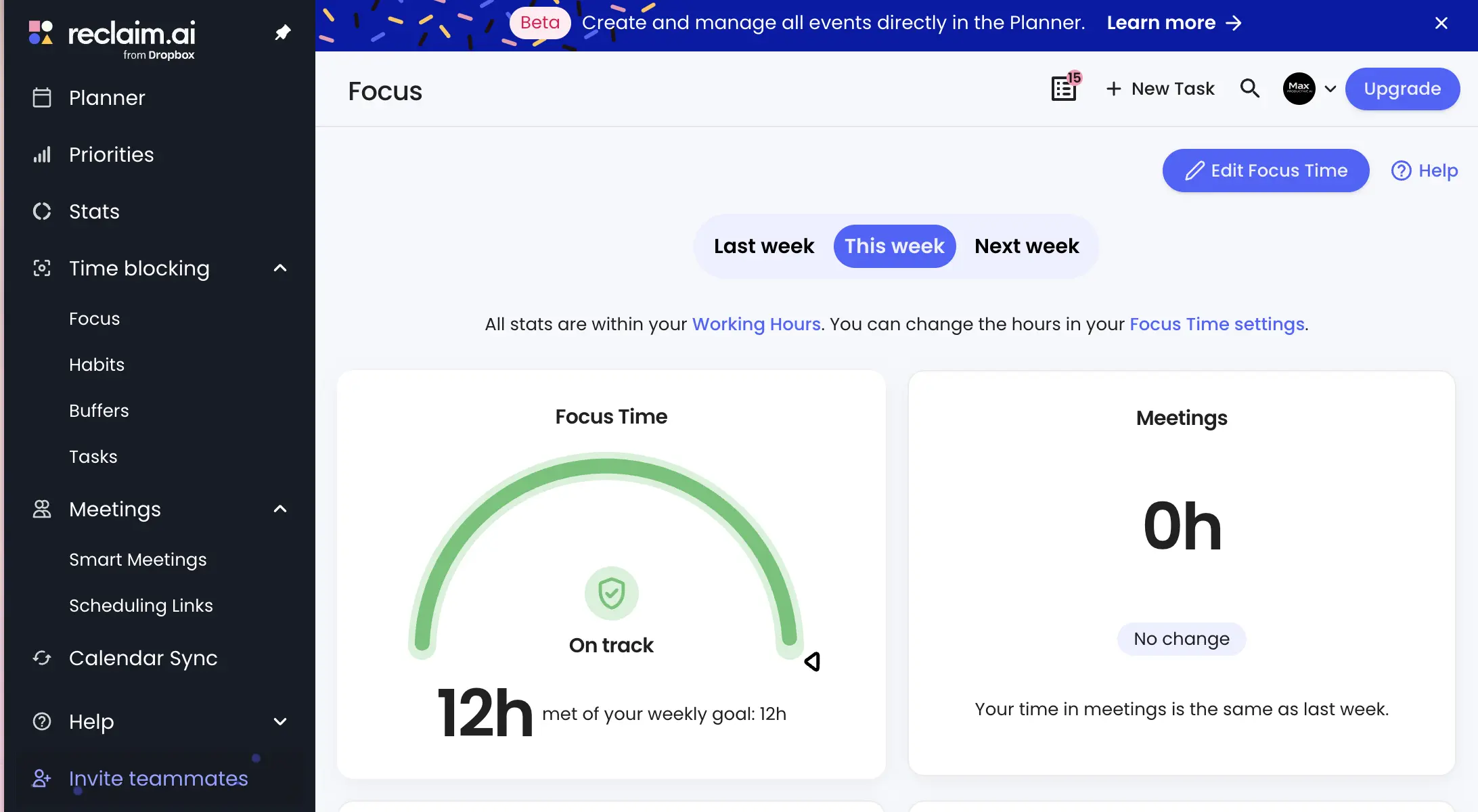
The Focus dashboard keeps score: how much protected time you've hit against your weekly goal, and how your meeting hours compare to the previous week. It's deliberately simple—a progress arc and a couple of cards, not a full analytics suite. Honestly, that's the right call for a tool you're supposed to glance at, not live in. Deeper people analytics exist, but they're reserved for the Business tier.
Smart Meetings
Recurring meetings that reschedule themselves
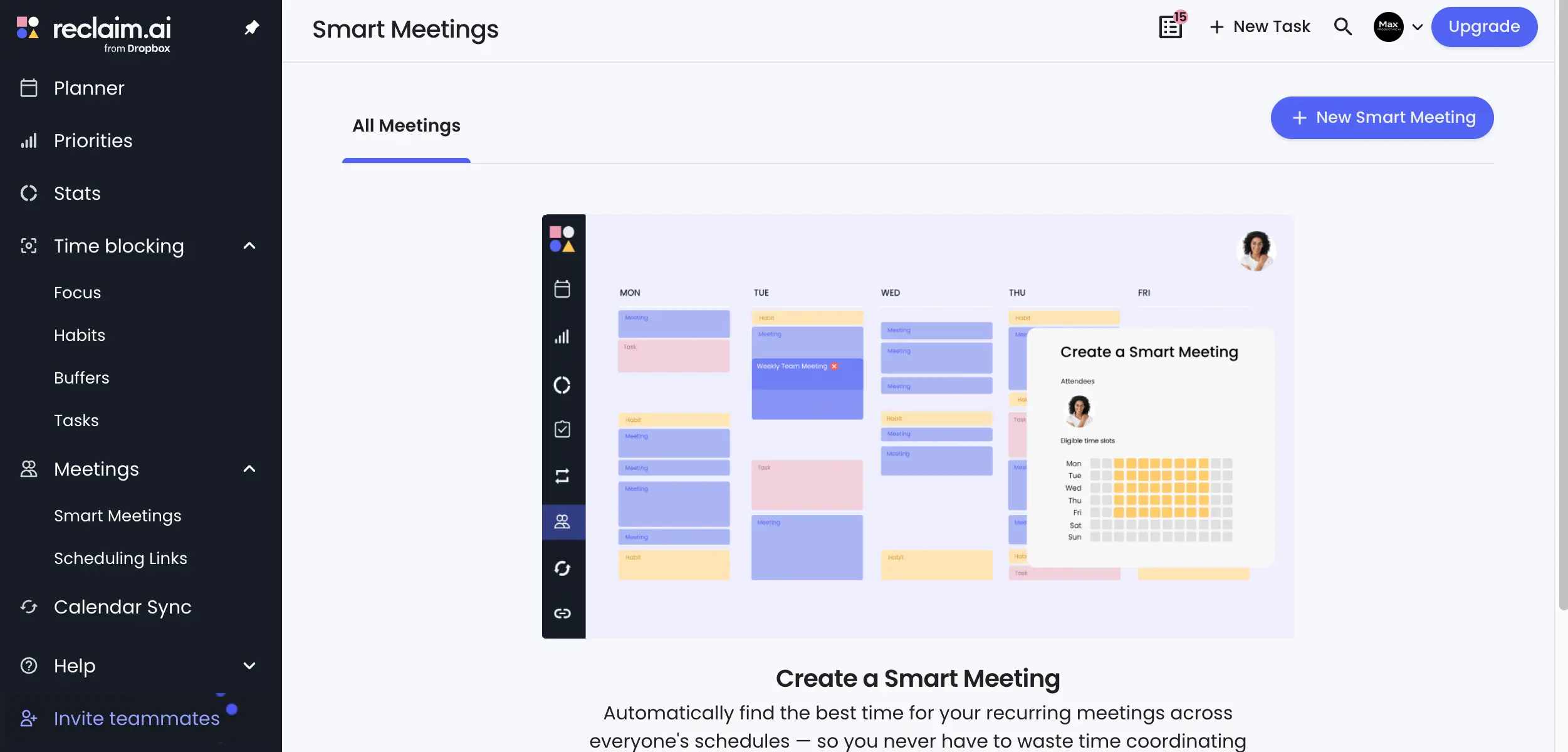
Smart Meetings tackle the recurring-meeting problem: instead of a fixed Tuesday 10am that collides with something every other week, the AI finds the best slot across every attendee's calendar and moves the meeting on its own when conflicts appear. You define eligible time windows; Reclaim handles the coordination. For teams, this feature alone can justify the seat price.
Tired of playing calendar Tetris with your recurring meetings?
See Smart Meetings →Works with your existing Google or Outlook calendarScheduling Links
Booking pages that respect your priorities
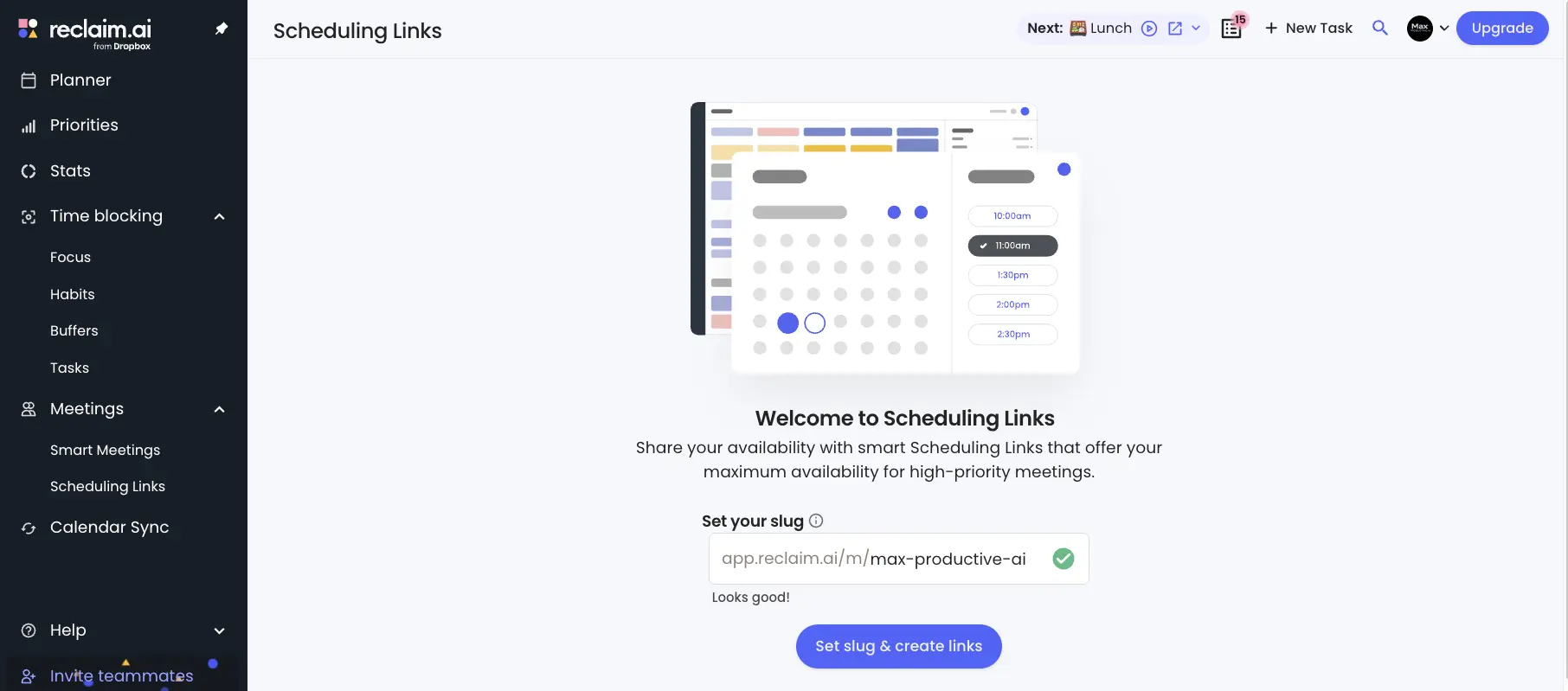
Scheduling Links work like a Calendly page with one meaningful twist: because Reclaim knows your priorities, a link can expose maximum availability for high-priority meetings while still guarding your focus blocks from everyone else. Setup starts with claiming a custom URL slug. The Lite tier includes a single link, enough for a personal "book time with me" page. Teams will want the higher limits on paid plans.
How Reclaim AI Works
From calendar connection to a self-defending week in four steps.
Connect Your Calendar
Sign up, connect Google Calendar or Outlook, and Reclaim starts reading your existing commitments. Sync runs in both directions, everything happens in the browser, and there's nothing to install. One honest caveat before you start: while Outlook is fully supported, the experience is noticeably deepest on Google Calendar; more on that in the cons.
Set Your Rules Once
This is the setup investment that pays off later. You define a weekly Focus Time goal, create Habits with acceptable windows (lunch between noon and 2, gym three mornings a week), set buffer preferences between meetings, and connect a task source. Budget 20-30 minutes to do it properly. It's a one-time cost; afterward the system mostly runs itself.
AI Agents Place and Defend Your Time
Once the rules exist, Reclaim's AI Agents take over: they place flexible blocks for focus, habits, and tasks in open slots, then keep moving and re-securing them as meetings land. The key word is flexible: a conventional calendar block dies the first time someone books over it, while Reclaim's blocks step aside and immediately find new homes. Even the free plan includes agents, so this isn't a paywalled gimmick.
Layer On Meetings and Booking
With the defensive layer running, Smart Meetings optimize your recurring calls across attendees' calendars, and Scheduling Links give outsiders a booking page that respects your priorities. The result is a calendar that fills up in the right order: your priorities first, everyone else's requests second.
Why "Flexible" Beats "Blocked"
The classic focus-time strategy—manually blocking Tuesday mornings—fails because a single urgent meeting breaks it and nothing puts the time back. Reclaim treats focus time as a weekly quota to be defended wherever it fits, not a fixed appointment. When a conflict lands, the time moves instead of vanishing. It's a small conceptual shift with a large practical payoff.
A Note on Data Since the Acquisition
Reclaim now runs on Dropbox's AWS infrastructure, and your calendar metadata falls under Dropbox's privacy policy rather than Reclaim's original standalone terms. We haven't seen anything concerning in practice, but if your organization has strict data-governance requirements, review the current policy before rolling it out. Calendar patterns are unusually revealing data.
Key Features
What Reclaim actually does—and, just as importantly, what it deliberately doesn't.
Habits
The feature that hooks people. Recurring personal commitments—lunch, exercise, learning time, weekly planning—get scheduled inside windows you define and protected against meeting encroachment. Independent reviewers consistently call this Reclaim's strongest differentiator, and we agree: nothing else in the category treats personal routines as first-class calendar citizens.
Focus Time
Set a weekly deep-work goal and the AI continuously finds and defends blocks for it around everything else. Unlike a fixed block, the time relocates when conflicts appear. We took a closer look at the related timer in our Reclaim AI Pomodoro timer review.
Smart Meetings
AI-scheduled recurring meetings that find the best time across every attendee's calendar and re-book themselves around PTO and conflicts. The bigger your team, the more painful this problem—and the more this feature earns its keep.
Task Scheduling & Integrations
Pull tasks from Todoist, Asana, Linear, and others, and Reclaim drops them into open slots with time estimates. The free plan allows one integration; paid tiers remove the cap. The built-in task list works, but it's intentionally basic—this is a scheduler, not a project manager.
Scheduling Links
Booking pages with a priority twist: high-priority meeting types can see more of your availability than routine ones, so an important prospect books faster than a vendor call. One link on Lite, more on paid plans.
Buffer Time
Automatic decompression and travel time between meetings. A one-line feature that quietly prevents the back-to-back-to-back days that wreck an afternoon.
AI Agents
The automation layer underneath everything: agents manage scheduling flexibility per task and event, deciding what moves and when. Limits scale by tier, from a handful on the free plan to 100 per seat on Business and unlimited on Enterprise.
Stats & Team Analytics
Personal stats show where your hours really go; Business and Enterprise tiers add people analytics showing how the whole organization spends calendar time. Useful for managers auditing meeting load; overkill for individuals.
A few things you won't find: no email features, no meeting transcription or notes, no mobile app (yes, still; see the cons), and no attempt at full project management. Reclaim has clearly chosen depth on calendar automation over breadth, which we'd rather see than a tool that does eight things adequately. Whether that trade suits you depends on how much of your pain is calendar-shaped.
Curious whether a lunch Habit would survive your calendar?
Try Reclaim Habits →Included on the free Lite planReclaim AI Pricing Plans
Four tiers, one genuinely free. Per-seat pricing that undercuts every direct competitor.
Lite
- ✓ 5 AI Agents
- ✓ 1 connected calendar
- ✓ 1-week scheduling range
- ✓ 1 Scheduling Link
- ✓ Habits, Focus Time & tasks
- ✓ Free with no time limit
Starter
- ✓ 10 AI Agents per seat
- ✓ 8-week scheduling range
- ✓ 3 connected calendars
- ✓ Unlimited integrations
- ✓ Up to 10 seats
- ✓ $12/seat billed monthly
Business
- ✓ 100 AI Agents per seat
- ✓ 12-week scheduling range
- ✓ Team & people analytics
- ✓ Admin controls
- ✓ Up to 100 seats
- ✓ $18/seat billed monthly
Good to know: the Lite plan requires no payment details and never expires.
Pricing last verified August 2026. Visit Reclaim AI for current rates.
Is It Worth Paying For?
Independent reviewers consistently land in that half-hour-to-hour weekly range for people whose weeks are wall-to-wall meetings. Reclaim's own marketing claims up to 40% of your work week recovered (treat that number with healthy skepticism), but even at the conservative end, a Starter seat pays for itself in its first week. And if you stay on the free tier, the math is hard to argue with.
For context: Motion AI runs $19-29 per seat monthly with no free plan and a card-required 7-day trial. Sunsama is about $16/month billed annually. Akiflow lands near $19/month annually, or $34 if you pay monthly. Reclaim is the only one you can run indefinitely for free, and its paid entry point is roughly half of Motion's. The fair counterpoint: each of those competitors bundles something Reclaim doesn't: Motion adds project management, Sunsama adds a daily planning ritual, Akiflow adds a task inbox spanning dozens of apps.
Detailed Pros & Cons
An honest breakdown after running Reclaim on our own calendar and digging through independent reviews.
✓ Pros
Lunch breaks, workouts, learning time—Reclaim schedules and defends them when meetings try to steamroll them. Competitors treat personal routines as an afterthought (recurring tasks at best); Reclaim treats them as the point. If you've ever watched your gym slot get booked over three weeks running, this feature alone justifies a trial.
No trial countdown, no expiry, nothing to cancel. The Lite tier includes the core features—Habits, Focus Time, task scheduling, agents—with real limits (one calendar, a one-week window) that are restrictive but honest. You can evaluate the product properly before spending anything, which neither Motion nor Akiflow allows.
Static scheduling rules break the moment reality intervenes. Reclaim's agents respond to changes (a meeting moves, PTO appears, a deadline shifts) by re-planning the affected blocks rather than leaving debris on your calendar. It's the difference between automation and actual assistance.
The most underrated advantage. Motion wants to become your planning system; Akiflow wants to become your inbox. Reclaim works inside the calendar your whole company already uses, which means zero migration, zero team retraining, and an easy exit if it doesn't stick. Adoption friction is close to nil.
A permanent free tier plus paid plans from ten dollars a seat, roughly half of Motion, and below Sunsama and Akiflow too. For software this differentiated, the pricing is unusually reasonable.
Acquisitions kill products—ask any Clockwise customer. Reclaim is the counterexample: two years post-acquisition it still ships updates under the Reclaim name, with unchanged pricing. Betting on a scheduling tool means betting on its survival, and right now Reclaim looks like the safe bet in this category.
✗ Cons
This is the most cited complaint across review platforms, and it's valid. Reclaim runs only in a web browser; on your phone you'll see its blocks in your regular calendar app, but you can't manage tasks, tweak Habits, or adjust settings. Motion, Akiflow, and Sunsama all ship native apps. For a product this mature, the gap is hard to excuse.
Both calendars are supported, but feature depth, polish, and community feedback all skew Google. If your organization is Outlook-first, test carefully on the free tier and confirm the specific features you need behave as advertised before buying seats.
No email triage, no pulling action items from your inbox, no daily briefing, and task management that's thin by design. Reclaim assumes you already have a task system and a workflow; it just schedules them. That's a defensible design choice, but it means one more tool in your stack, not one fewer.
Trustpilot sentiment sits around 2.1 out of 5, driven by churned users citing intrusive upgrade pop-ups, a downgrade-to-free option buried near account deletion, and calendar events lingering after cancellation. Active subscribers rate the product far higher. But how a company treats departing customers tells you something, and this pattern isn't flattering.
Some scheduling decisions arrive without explanation (why did that task land on Thursday afternoon? why did the focus block shrink?), and there's no clear reasoning trail to inspect. You either trust the algorithm or you fight it, and users who need to understand every move find this grating.
At least one experienced reviewer concluded Reclaim spreads across many scheduling use cases without going equally deep on all of them, and fits the corporate employee drowning in internal meetings far better than freelancers with quiet calendars. If your weeks aren't crowded, there's less here for the AI to defend—and less reason to pay.
Reclaim AI vs Alternatives
The best Reclaim AI alternatives follow different planning philosophies. Here's how they stack up.
Reclaim AI vs Motion is the matchup most readers come here for, so the table leads with it. But the manual planners deserve a look too; picking the wrong philosophy is the most common regret in this category.
| Feature | Reviewed Reclaim AI | Motion AI | Akiflow | Sunsama |
|---|---|---|---|---|
| Core approach | Assistive calendar defense | Full AI auto-scheduling | Manual command center | Guided daily ritual |
| Free plan | ✓ Permanent | ✗ 7-day trial | ✗ 7-day trial | ✗ Trial only |
| Entry price (annual) | Free · $10/seat paid | $19-29/seat/mo | ~$19/mo | ~$16/mo |
| Native mobile app | ✗ Web only | ✓ | ✓ | ✓ |
| Habit scheduling | ✓ Dedicated feature | Via recurring tasks | ✗ | Limited |
| Auto-rescheduling | ✓ Adaptive | ✓ Aggressive | ✗ Manual only | ✗ Manual |
| Project management | Light | ✓ Boards + Gantt | Task inbox only | Tasks + backlog |
| Best for | Defending an existing calendar | All-in-one replacement | Multi-app task consolidation | Intentional daily planners |
A note on Akiflow, since it doesn't have a card below: it's the strongest option if your problem is task fragmentation rather than calendar pressure. It consolidates to-dos from dozens of apps (Slack, Gmail, Notion, Jira) into one keyboard-driven inbox, and you drag each item onto the calendar yourself. Nothing reschedules automatically, which its fans consider a feature, not a gap. It's also the priciest way to plan manually, with a card-required trial. Reclaim and Akiflow are near-perfect opposites: automation with guardrails versus total manual control.
Which Tool Is Right For You?
Reclaim AI
ReviewedBest for: Professionals and teams on Google Calendar or Outlook who want focus time, habits, and recurring meetings handled for them, without adopting a new platform or moving their task stack. The permanent free tier makes it the lowest-risk starting point in the category, and since Clockwise's shutdown it's the only dedicated calendar-defense tool left standing. Crowded weeks benefit most.

Motion AI
Full ReplacementBest for: Teams that want projects, tasks, and calendar in one system, with the AI rebuilding the schedule daily. Motion goes far deeper on projects: boards, Gantt charts, dependencies. It also ships native mobile and desktop apps plus Apple Calendar support, all things Reclaim lacks. The trade: two to three times the price, no free plan, and a system that takes over rather than assists. One independent stress test that rebuilt an identical 34-event week in both tools found Reclaim configured in 31 minutes versus Motion's 52, with fewer manual corrections needed afterward.

Sunsama
Daily Planning RitualBest for: People who want intentional, guided daily planning rather than background automation. Sunsama walks you through a structured review each morning, tracks workload against what you actually finish, and runs everywhere: web, desktop, iOS, Android. It won't defend your calendar for you; you're the one doing the planning. It also costs more than Reclaim's paid entry point, with no free plan.

Todoist
Pairs With ReclaimBest for: Running alongside Reclaim rather than replacing it. Todoist remains one of the best pure task managers available, and it's one of Reclaim's native integrations; tasks you capture in Todoist land on your calendar with time estimates, no extra step. If Reclaim's thin built-in task list is your only hesitation, this combination solves it.

ClickUp
All-in-One SuiteBest for: Teams whose real need is a full work platform—projects, docs, goals, chat—with calendar and time management as one piece of it. ClickUp's AI calendar has improved a lot, but it's a suite-first product: you adopt ClickUp, then use its calendar, not the reverse. Powerful if you want consolidation; heavy if you only need scheduling.

Monday.com
Team Work OSBest for: Teams managing structured workflows—pipelines, campaigns, sprints—who need time planning attached to work items. Monday.com is a work management platform, not a scheduling assistant, so compare it to ClickUp rather than to Reclaim. It earns a mention here because plenty of teams solve "time management" at the process level instead of the calendar level.
Two more worth a sentence each: Vimcal, built for executives and assistants who need to book high volumes of meetings fast (manual speed, not automation), and Cal.com, which solves only the external booking-page problem at a lower price. And if you're curious how calendar AI stacks up against agent-style assistants, we ran this tool head-to-head against Anthropic's productivity agent in our Claude Cowork vs Reclaim AI comparison.
Frequently Asked Questions
Should You Try Reclaim AI?
Reclaim AI earns its rating because it does its narrow job better than anything else available in 2026: defending your time without making you switch calendars. The Habits system is still unmatched, the AI Agents genuinely adapt rather than follow scripts, and the free tier means evaluating it costs nothing but an afternoon. With Clockwise gone, it isn't just the best tool in this category; it's increasingly the category itself.
The flaws are real, and you should weigh them. No mobile app in 2026 is a bad look, full stop. The scope ends at your calendar, so you'll still need a task manager beside it. And the cancellation friction churned users report is the kind of thing we'd like to see Dropbox clean up. None of these undermine the core product, but they're why a near-perfect score isn't a perfect one.
Our Recommendation
Start on the Lite plan; it's free and needs no payment details. Connect your main calendar, set one Habit (lunch is the classic first test) and a weekly Focus Time goal, then just watch for a full week. If Reclaim places and defends time the way you'd want, and the short scheduling window starts to pinch, the Starter upgrade is low-risk. If you need mobile-first planning or full project management instead, you'll know within that same week.