
Best Sora Alternatives 2026: 10 AI Video Generators That Actually Work
Sora shut down on March 24, 2026. Here are the best AI video generators still available — including free options — tested and ranked by use case so you can find the right replacement for your workflow.
Best Overall
Kling AI 3.0 — The most complete Sora replacement in April 2026. Multi-shot cinematic generation, native audio, character consistency across scenes, and the most generous free tier (66 credits/day with daily refresh). Best for creators who need text-to-video with storytelling capability.
Best Free Option
Google Veo 3.1 — Available free through Gemini with approximately 5–10 generations per day. No watermark, strongest prompt fidelity and native audio-visual sync in the market. Limited to ~8 seconds per clip, but the quality-to-cost ratio is unmatched.
| Tool | Best For | Free Tier | Starting Price |
|---|---|---|---|
| Kling AI 3.0 | Cinematic text-to-video, multi-shot | 66 credits/day (daily refresh) | $6.99/mo |
| Google Veo 3.1 | Highest prompt fidelity + audio sync | ~5–10 gen/day via Gemini | $19.99/mo |
| HeyGen | AI avatars + multilingual dubbing | 3 videos/month | $24/mo |
| InVideo AI | YouTube videos + social drafts | 10 min/week + 4 exports | $25/mo |
| RunwayML Gen-4.5 | Pro filmmakers + production pipeline | 125 one-time credits | $12/mo |
When OpenAI shut down Sora on March 24, 2026, millions of creators suddenly needed a new AI video generator. If you were using Sora — or had been waiting for it to mature — this guide covers every viable replacement available right now, ranked by practical use case rather than hype.
We've been tracking AI video tools on this site since May 2025, and the landscape has shifted dramatically. Several tools have released major updates since Sora's closure, and the gap between what Sora promised and what competitors actually deliver has narrowed significantly. This updated guide covers ten AI video generators across two categories: text-to-video tools (for generating footage from prompts) and AI avatar tools (for presenter-style talking head videos). Each recommendation is based on hands-on testing, current pricing as of April 2026, and real-world use cases.
Why Sora Shut Down (And What It Means for Creators)
OpenAI posted its announcement on March 24, 2026 with a straightforward message: the Sora app would be discontinued. The consumer app and web interface will go fully offline on April 26, 2026, with the API following on September 24, 2026. Existing subscribers are currently in a maintenance mode with a visible service sunset banner, and any remaining Sora credits can be redirected to OpenAI's Codex product.
The shutdown also ended a concurrent $1 billion partnership with Disney, which confirmed it respects OpenAI's decision to exit the video generation sector.
The underlying economics tell the story. Sora's inference costs reportedly ran between $8–12 million per month, while subscription revenue never exceeded an estimated $2 million per month. Monthly active users peaked at approximately 4.2 million in January 2026, then declined 38% over just two months. OpenAI's head of applications told staff the company would stop pursuing what was described internally as "side quests" and refocus on coding tools, enterprise products, and AGI infrastructure. The video generation technology will be kept internally to train robots on physical-world simulation — it simply won't be available as a consumer product.
For creators, the practical impact is clear: Sora was never integrated into ChatGPT and will not be. If you're a ChatGPT Plus subscriber, there is no video generation feature coming. The alternatives listed below are your options — and several of them now exceed what Sora could do at its peak.
Quick Comparison: Top Sora Alternatives at a Glance
This table covers every tool in this guide — split between text-to-video generators (which create footage from prompts) and AI avatar tools (which produce presenter-style talking head videos). Use it to quickly narrow down which tool fits your workflow before diving into the detailed sections below.
Text-to-Video Generators
| Tool | Max Clip Length | Free Tier | Entry Paid Plan | Best For |
|---|---|---|---|---|
| Kling AI 3.0 | 15 sec | 66 credits/day (daily refresh, watermark) | $6.99–$10/mo | Multi-shot cinematic storytelling |
| Google Veo 3.1 | ~8 sec | ~5–10 gen/day via Gemini (no watermark) | $19.99/mo | Highest prompt fidelity + native audio |
| RunwayML Gen-4.5 | 10 sec | 125 one-time credits (not monthly) | $12/mo | Pro filmmakers + production pipeline |
| Pika AI | 3–10 sec | 80 credits/month | ~$8–10/mo | Stylized/experimental social clips |
| Luma AI Dream Machine | ~5 sec | ~30–50 gen/month (watermark) | $7.90–$30/mo | Quick product demos + social posts |
| InVideo AI | Minutes (script-based) | 10 min/week AI gen, 4 exports | $25/mo | YouTube videos + social content |
| Fliki | Up to 15 min (narrated) | 5 min/month (watermark) | $21–28/mo | Blog-to-video conversion |
AI Avatar & Talking Head Tools
| Tool | Max Video Length | Free Tier | Entry Paid Plan | Best For |
|---|---|---|---|---|
| HeyGen | Up to 30 min | 3 videos/mo (3 min max, 720p) | $24–29/mo | AI avatars + multilingual dubbing |
| Synthesia | 3–30+ min | 3 min/month, 9 avatars | $22–29/mo | Enterprise training + internal comms |
| Hedra | Short clips (seconds) | 400 credits/month (slower) | $8–15/mo | Hyper-realistic lip-sync from photos |
1. Kling AI 3.0 — Best Overall Sora Alternative
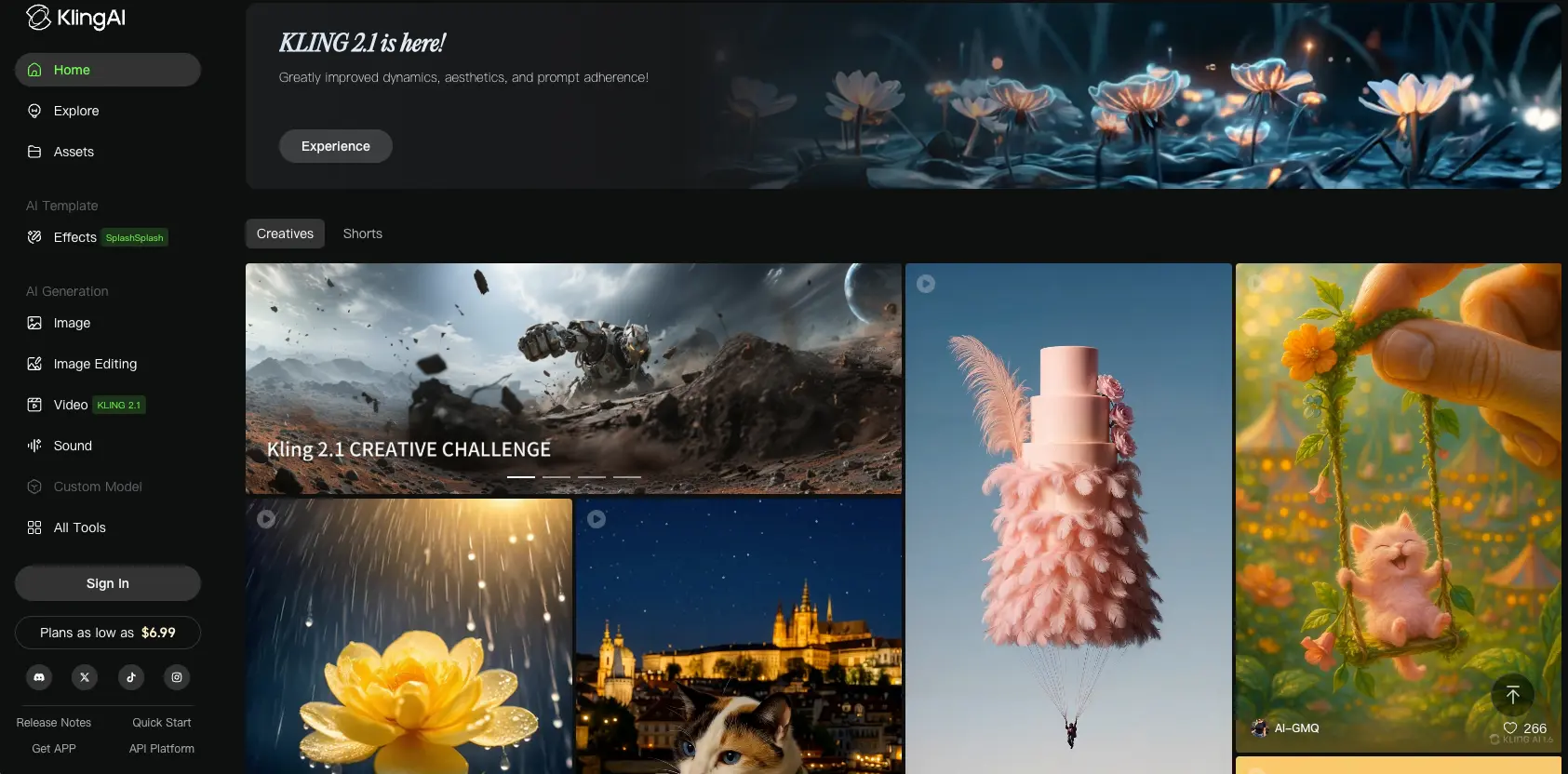
Kling AI, developed by Kuaishou, launched its 3.0 model on February 5, 2026 — and it represents a complete architectural overhaul rather than an incremental update. Kling 3.0 is the first AI video model to use a native multimodal unified training framework, meaning text, image, audio, and video are processed in a single model rather than separate stacked modules. The practical result is significantly better alignment between audio and visual generation, more coherent multi-scene scripts, and reliable character replication across scenes.
For creators coming from Sora, Kling 3.0 is the closest functional replacement available today. It generates up to 15-second clips (compared to Sora's 20 seconds), supports multi-shot generation with up to 6 cuts in a single prompt, and can maintain character consistency across scenes using its element reference system. The Video 3.0 Omni feature lets you upload a reference video, extract visual traits and voice characteristics, and replicate them in new scenes — though this is currently restricted to Ultra subscribers.
Key Features & What's New in 3.0
| Feature | Kling 2.6 | Kling 3.0 |
|---|---|---|
| Multi-shot generation (up to 6 cuts) | Not available | Available |
| Element reference (start frame) | Not available | Available |
| Multi-character coreference (3+ characters) | Not available | Available |
| Multilingual audio (CN/EN/JP/KR/ES + dialects) | Not available | Available |
| Max video length | 10 seconds | 15 seconds |
| Native audio generation | Partial | Enhanced |
| 4K/60fps image output (Image 3.0) | Not available | Available |
Pricing & Free Tier
Kling AI offers the most generous free tier among text-to-video generators: 66 credits per day with a daily refresh. That's enough to test the platform consistently without running out of credits after a few sessions — a significant advantage over RunwayML's 125 one-time credits or Pika's 80 monthly credits. Free tier clips are limited to 5 seconds at 720p with a watermark.
| Plan | Price | Key Features |
|---|---|---|
| Free | $0 | 66 credits/day (daily refresh), 5s clips, 720p, watermark |
| Standard | $6.99–$10/mo | More credits, higher resolution, faster generation |
| Pro | $25.99–$35/mo | Extended clip lengths, priority processing |
| Ultra | Premium tier | Video 3.0 Omni, full Kling 3.0 features |
What to watch out for: Kling's customer support has been a persistent pain point — tickets and emails frequently go unanswered. Some users also report that credits are charged for failed generations with no refund mechanism. And free-tier wait times can stretch to several hours during peak usage. These are real limitations worth knowing before committing to a paid plan.
2. Google Veo 3.1 — Most Powerful Engine (Veo 4 Expected May 2026)
Google Veo 3.1 delivers the strongest prompt fidelity and native audio-visual synchronization of any AI video generator currently available. When you describe a scene with ambient sounds, dialogue, or environmental audio, Veo 3.1 generates video with matching synchronized audio — something most competitors still handle as a separate step or not at all. It also has the best camera language understanding in the market, translating cinematic terminology (dolly shots, rack focus, crane movements) into accurate visual output.
A common question since Sora's shutdown: what about Veo 4? As of April 4, 2026, Veo 4 has not been publicly released. A Veo team researcher posted a suggestive emoji on March 28 in response to Veo 4 questions, but that's speculation, not confirmation. Prediction markets currently place an 18% probability on a Veo 4 launch before April 30, and most analysts point to Google I/O in May 2026 as the most likely announcement window. In the meantime, Veo 3.1 is what's actually available — and it's already one of the best options in the market.
Google also launched Veo 3.1 Lite on April 1, 2026, at under 50% of the Veo 3.1 Fast price — making it the most affordable entry point for high-quality AI video generation through the Vertex AI API.
| Plan | Price | Notes |
|---|---|---|
| Free (Gemini) | $0 | ~5–10 videos/day, 720p, rate-limited, no watermark |
| Google AI Pro | $19.99/mo | 1,000 credits/month |
| Google AI Ultra | $249.99/mo | Professional production tier |
| Vertex AI (API) | $0.15–$0.75/sec | Developer/enterprise usage |
Why it's not #1 despite being technically superior: Veo 3.1's clips max out at approximately 8 seconds — shorter than Kling's 15 seconds and RunwayML's 10 seconds. For creators needing longer clips or multi-shot storytelling, that's a meaningful limitation. Google AI Pro at $19.99/month is also more expensive than Kling or RunwayML's entry tiers. But the free access through Gemini — with no watermark — makes it the best free option for testing AI video generation today.
3. HeyGen — Best for AI Avatar & Talking Head Videos
HeyGen is the market leader in AI avatar video creation, offering 500+ stock avatars with support for 175+ languages and multilingual dubbing. If you need a realistic AI presenter speaking in multiple languages — for product demos, onboarding videos, social media content, or marketing — HeyGen is the most capable platform available.
This is a fundamentally different tool than what Sora offered. While Sora generated creative footage from text prompts, HeyGen creates presenter-style videos where an AI avatar speaks directly to the camera. The distinction matters: if you need someone "talking to the audience" rather than cinematic B-roll, HeyGen is the right category of tool entirely.
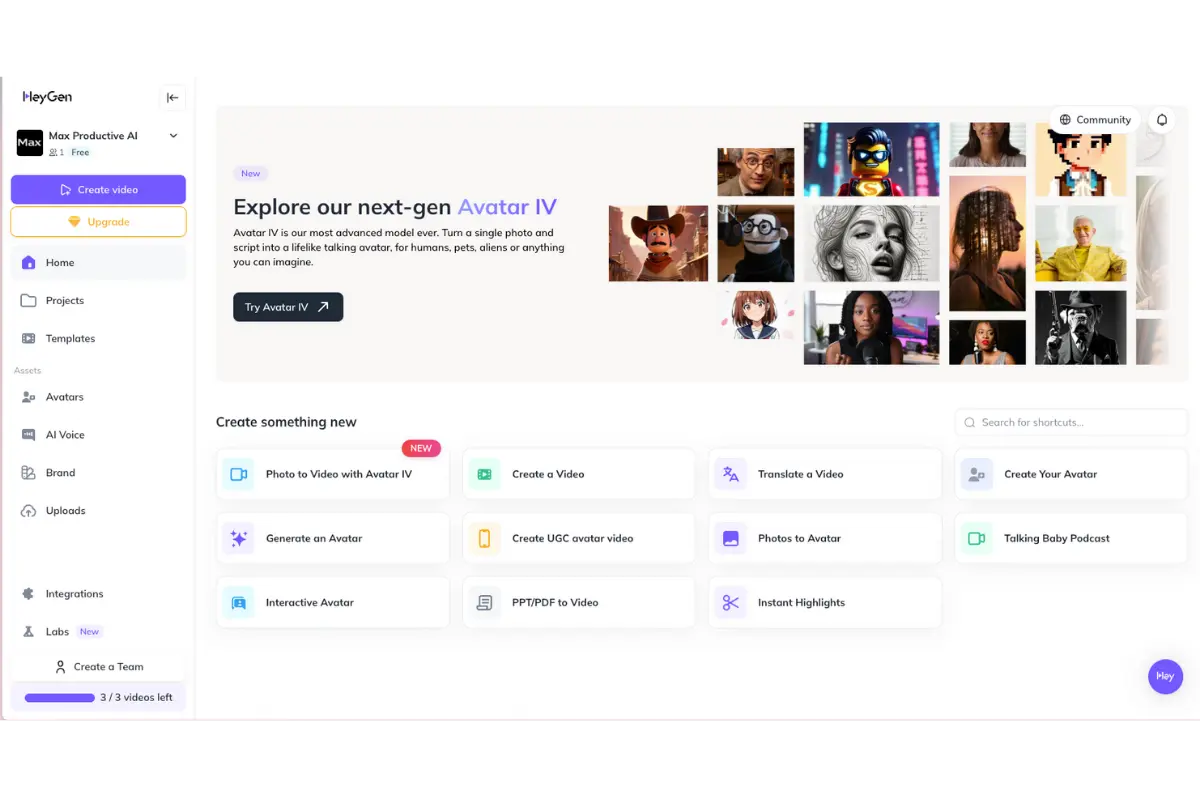
HeyGen's free plan includes 3 videos per month (up to 3 minutes each, 720p, with watermark). The Creator plan starts at $24–29/month and unlocks longer videos (up to 30 minutes), higher resolution, and access to the full avatar library. Facial quality is strong, though full-body avatar movement can still feel somewhat unnatural, and lip sync occasionally struggles with technical terms and proper nouns.
4. InVideo AI — Best Free Sora Alternative for YouTube
InVideo AI takes a different approach than pure text-to-video generators. Instead of generating individual clips from prompts, InVideo AI creates complete videos from scripts — combining AI-generated footage, stock media from a 2.5 million+ file library, AI voiceover, and automatic editing into finished content ready for YouTube, social media, or marketing.
For YouTube creators specifically, InVideo AI is often the most practical Sora alternative because it solves the full workflow problem. You don't just need a 10-second clip — you need a complete video with narration, transitions, b-roll, and structure. InVideo AI handles all of that from a single text prompt or script, which is why it's the go-to for creators who need volume output rather than cinematic perfection.
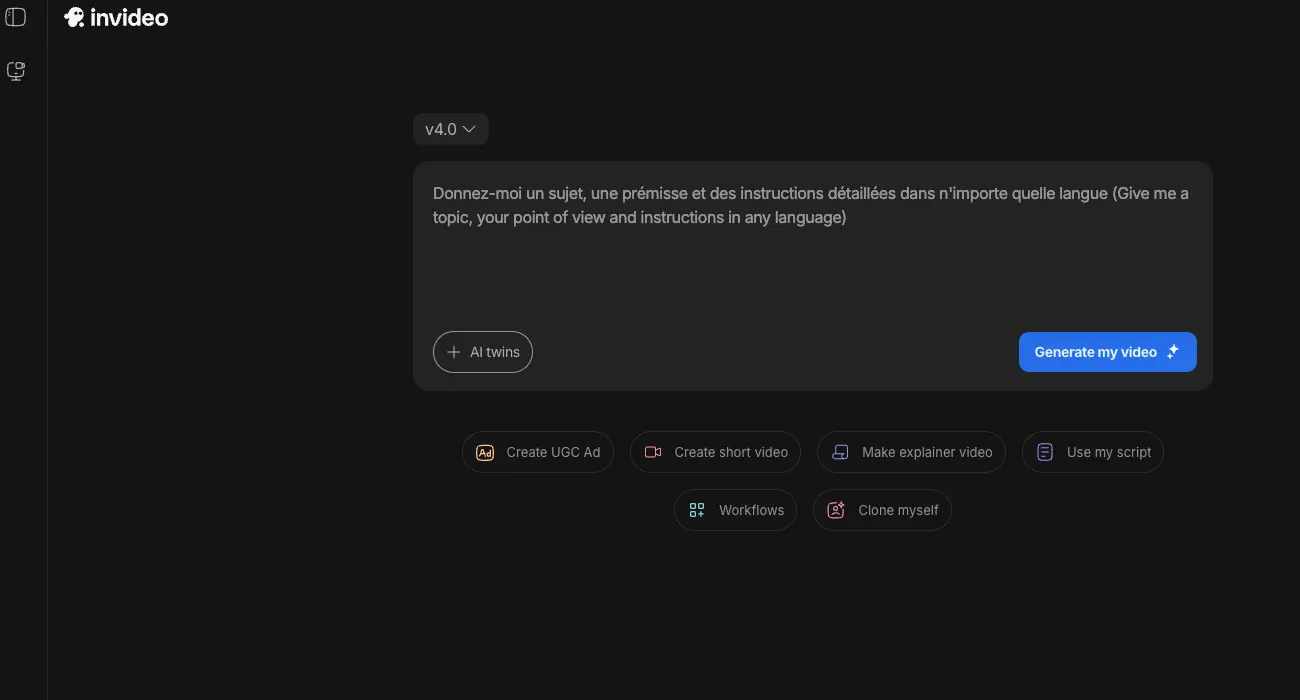
The free plan offers 10 minutes per week of AI generation with 4 exports, at 720p with a watermark. The Plus plan starts at $25/month and the Max plan at $60/month. Some users report that AI-generated visuals can be inconsistent throughout a video, and that credits are sometimes consumed for output that doesn't meet expectations — worth testing on the free tier first before committing.
5. Synthesia — Best for Business & Training Videos
Synthesia is the enterprise-grade AI avatar platform built specifically for corporate training, HR onboarding, internal communications, and instructional content. While HeyGen leads in avatar variety and multilingual capability, Synthesia's strength is its integration with corporate infrastructure — including LMS/SCORM compatibility for e-learning platforms, which makes it the default choice for L&D teams.
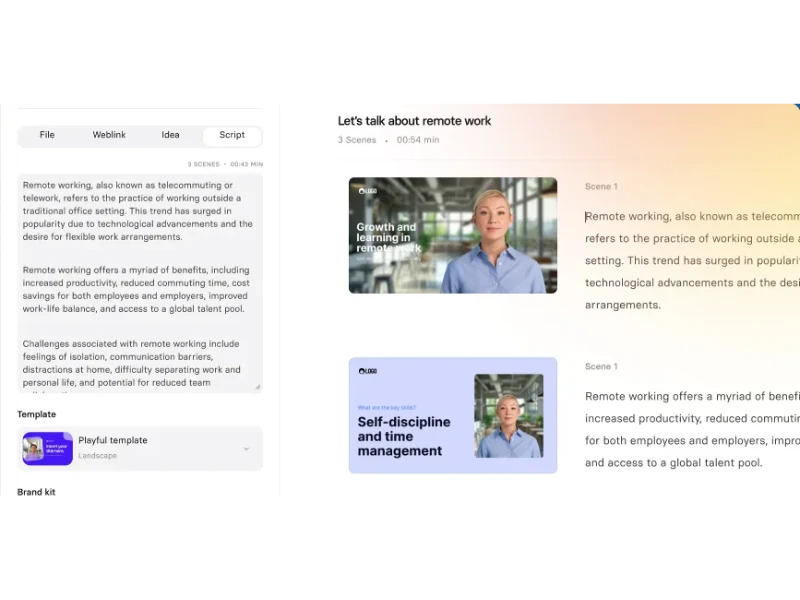
The free plan includes 3 minutes per month with access to 9 avatars and a watermark. Paid plans start at $22–29/month (Starter) and go to $67–89/month (Creator). Synthesia's avatars can feel somewhat stiff compared to HeyGen's more expressive output, and the platform has relatively strict content moderation — some users in healthcare and biotech have reported legitimate training content being blocked without clear recourse. Video rendering can also slow down during peak hours. For teams already embedded in corporate LMS ecosystems, though, these tradeoffs are worth the integration benefits.
6. Fliki — Best for Blog-to-Video Conversion
Fliki occupies a specific niche that none of the other tools on this list serve well: turning written content into narrated videos. If you have blog posts, articles, scripts, or documentation that you want to convert into video format with professional AI voiceover, Fliki is the most efficient tool for the job. It supports 300+ AI voices across multiple languages and can produce videos up to 15 minutes per project.
The free plan offers 5 minutes of video credits per month at 720p with a watermark and no commercial use. Paid plans start at $21–28/month. Fliki's main limitation is that the AI-generated video elements tend toward static or minimally animated — this is primarily a narration and voiceover tool with visual accompaniment rather than a full motion-video generator. The AI narrator can also mispronounce technical terms, and audio can be choppy at scene transitions. That said, the overall user satisfaction is high — the tool has a 4.8/5 rating on Product Hunt, primarily from users who value the voiceover and blog-to-video conversion workflow over pure visual generation quality.
7. Hedra — Best for Character Animation & Lip Sync
Hedra specializes in one thing and does it exceptionally well: generating hyper-realistic talking head videos from a single photo and an audio file. Its Character-3 engine produces micro-expressions and lip synchronization that are among the most convincing in the market — making it the tool of choice for creators who need a realistic talking character without filming a real person.
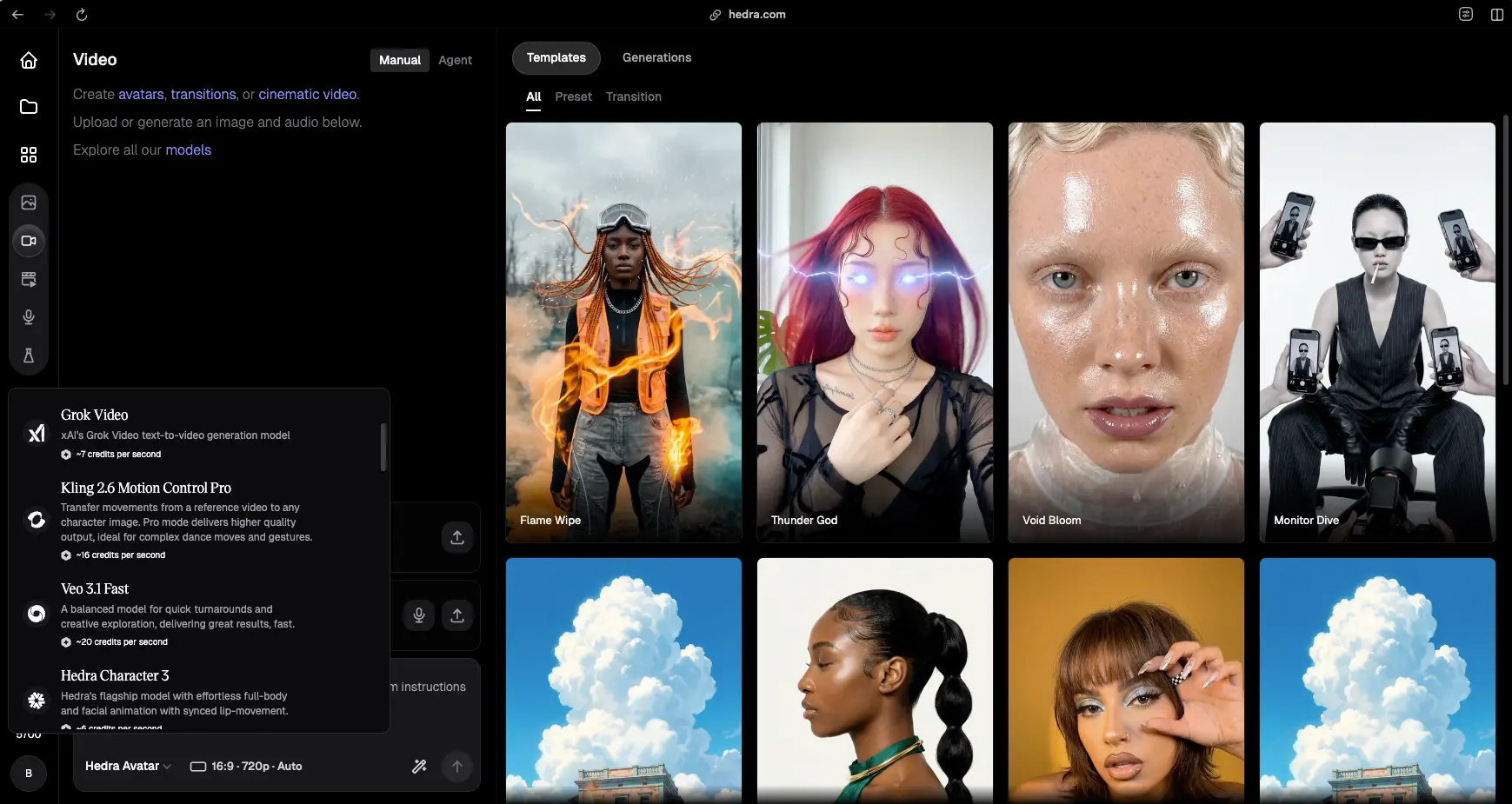
The free tier offers 400 credits per month with slower generation speeds and personal use only. Paid plans start at $8–15/month. Hedra has relatively few major user complaints compared to other tools on this list — the primary limitation is credit consumption speed, since models use 3–70 credits per second of generated video. That 400-credit free allocation can disappear quickly during active use. But for the quality of lip-sync output, Hedra punches well above its price point.
8. Pika — Best for Quick Creative Clips
Pika occupies the experimental, creative-effects end of the AI video spectrum. Its signature features — Pikadditions (add elements into existing video), Pikaswaps (replace objects in video), and Pikatwists (apply stylistic transformations) — make it a playground for social media creators who want eye-catching, shareable effects rather than realistic footage. If you're making content for TikTok, Instagram Reels, or creative social posts, Pika's effects toolkit offers things no other generator provides.
The free plan includes 80 credits per month. Paid plans start at approximately $8–10/month. Clips are short — 3 to 10 seconds — which limits narrative use but suits social content formats. It's worth noting that Pika has received mixed reception from users, with recurring feedback around scene consistency and output quality not always matching promotional examples. Customer support responsiveness has also been a common complaint. Test the free tier thoroughly before committing to a paid plan.
9. Luma AI Dream Machine — Best for Cinematic Shots
Luma AI's Dream Machine generates visually striking cinematic shots with a distinctive aesthetic quality. For product demos, short social content, and mood-driven visuals, Dream Machine can produce impressive results — particularly for scenes with dramatic lighting, atmospheric effects, and cinematic composition.
The free plan offers approximately 30–50 generations per month with a watermark and no commercial use. Paid plans range from $7.90/month to $300/month depending on output volume and resolution needs. The main limitation is clip length — even on paid plans, most outputs are around 5 seconds, which makes it difficult to use for narrative content. Users also report inconsistent output, where the same prompt can yield radically different results on successive tries, and every correction requires a full regeneration that consumes credits. Pricing documentation and licensing terms could be clearer.
10. RunwayML Gen-4.5 — Best for Pro Filmmakers
RunwayML Gen-4.5 is built for professional video production workflows. While its raw text-to-video output isn't necessarily superior to Kling 3.0 or Veo 3.1, Runway's strength is in its surrounding ecosystem: the Act Two feature for extending and editing generated clips, the Aleph editor for professional post-production, and a robust API for pipeline integration. For filmmakers and studios who need AI video generation as one component of a larger production workflow, Runway is the most mature platform.
The free plan includes 125 credits — but these are one-time only, not monthly, which makes the free tier essentially a trial rather than an ongoing testing ground. Paid plans start at $12/month (Standard) and go up to $76/month (Unlimited). Clips max out at 10 seconds per generation. Some users have reported temporal inconsistency issues — faces being re-generated frame by frame, motion quality falling short of promotional examples, and accounts being flagged for "unusual usage patterns." For production teams that need the editing and pipeline tools, these tradeoffs may be acceptable. For individual creators prioritizing generation quality and value, Kling or Veo may be stronger choices.
How We Tested These Sora Alternatives
We've been tracking AI video generation tools on Max Productive AI since May 2025. For this updated comparison, every tool was evaluated on its current version as of April 2026 — not legacy model performance. Our assessment considers the following dimensions:
Generation quality and prompt fidelity — how closely the output matches what you describe, including motion accuracy, visual consistency, and temporal coherence across frames. Free tier viability — whether the free plan offers enough credits and quality to meaningfully evaluate the tool before committing to a paid subscription. Practical use cases — which specific workflows each tool serves best, rather than ranking everything on a single "quality" score. Pricing transparency — how credit systems work, what's included at each tier, and whether there are hidden costs or gotchas. Known limitations — real user-reported issues including customer support quality, export reliability, and billing practices.
Screenshots throughout this guide are from our own testing of each platform. We don't fabricate benchmark scores, test results, or performance data — the information here comes from publicly available tool specifications, official pricing pages, and hands-on use. Where we reference user complaints, these are drawn from public feedback aggregated across forums and review platforms.
Quick Decision Guide: Which Tool Wins Per Scenario
| Use Case | Best Tool | Why |
|---|---|---|
| Cinematic text-to-video, multi-shot storytelling | Kling AI 3.0 | Multi-shot + character consistency + native audio |
| Highest quality free AI video generation | Google Veo 3.1 | Free via Gemini, no watermark, best prompt fidelity |
| AI avatar + multilingual dubbing | HeyGen | 500+ avatars, 175+ languages |
| YouTube videos + social drafts | InVideo AI | Full-video workflow, 2.5M+ media library |
| Enterprise training + internal comms | Synthesia | LMS/SCORM integrations, corporate ecosystem |
| Blog/article to narrated video | Fliki | 300+ AI voices, text-to-video workflow |
| Realistic talking head from a single photo | Hedra | Best lip-sync quality, Character-3 engine |
| Stylized/experimental social content | Pika AI | Pikadditions, Pikaswaps, Pikatwists effects |
| Quick product demos + social posts | Luma AI | Cinematic aesthetic, fast generation |
| Production pipeline + pro editing | RunwayML Gen-4.5 | Act Two, Aleph editor, API integration |
| Most generous daily free tier | Kling AI 3.0 | 66 credits/day with daily refresh |
| Best free tier with no watermark | Google Veo 3.1 | Free via Gemini, no watermark |
Pros and Cons: Top Picks Compared
Kling AI 3.0 (Best Text-to-Video)
Pros
- Most generous free tier: 66 credits/day with daily refresh — no other text-to-video tool matches this
- Multi-shot generation with up to 6 cuts in a single prompt for cinematic storytelling
- 15-second max clip length — longest among pure text-to-video generators
- Native multimodal unified training framework produces better audio-visual alignment
- Multi-character coreference tracks 3+ characters across scenes consistently
- Element reference system locks start frames for visual continuity
- Multilingual audio generation (Chinese, English, Japanese, Korean, Spanish + dialects)
- Video 3.0 Omni extracts and replicates character traits from reference video (Ultra plan)
- Lowest entry-paid price at $6.99–$10/month
Cons
- Customer support is consistently unresponsive — tickets, emails, and Discord messages frequently go unanswered
- Credits charged for failed generations with no clear refund mechanism
- Free-tier wait times can stretch to several hours during peak usage
- Prompt adherence can be inconsistent — action-heavy prompts sometimes produce static or barely-moving output
- Subscription cancellation process has been reported as difficult by multiple users
- Video 3.0 Omni restricted to Ultra subscribers only
- Free tier limited to 5-second clips at 720p with watermark
Google Veo 3.1 (Best Free Quality)
Pros
- Best prompt fidelity among all AI video generators — output closely matches descriptions
- Strongest native audio-visual synchronization in the market
- Free access through Gemini with no watermark — unique among competitors
- Best camera language understanding (dolly shots, rack focus, crane movements)
- Veo 3.1 Lite launched April 2026 at under 50% of standard pricing
- No watermark even on free tier — unlike every other tool on this list
- Commercial use permitted on paid plans
Cons
- Maximum clip length of approximately 8 seconds — shortest among top-tier generators
- Google AI Pro at $19.99/month is more expensive than Kling or RunwayML entry tiers
- Free tier is rate-limited to approximately 5–10 generations per day
- 720p resolution on free tier
- Veo 4 anticipated but not yet launched — current capabilities may feel incomplete for demanding workflows
- No multi-shot generation or storyboarding features yet (expected with Veo 4)
HeyGen (Best AI Avatar)
Pros
- Market leader in AI avatar video with 500+ stock avatars
- Support for 175+ languages with multilingual dubbing
- Strong facial quality and realistic expressions
- Videos up to 30 minutes on Creator plan
- Suitable for product demos, onboarding, marketing, and social content
Cons
- Full-body avatar movement can feel unnatural despite strong facial quality
- Lip sync occasionally struggles with technical terms and proper nouns
- Some plans advertise "unlimited" features but have hidden credit caps
- Platform updates can sometimes break existing workflows
- Entry price at $24–29/month is higher than most text-to-video tools
Final Verdict: Best Sora Alternatives in April 2026
| Best overall Sora replacement | Kling AI 3.0 |
| Best free quality (no watermark) | Google Veo 3.1 |
| Most generous free tier (daily refresh) | Kling AI 3.0 |
| Best for YouTube creators | InVideo AI |
| Best AI avatar platform | HeyGen |
| Best for enterprise training | Synthesia |
| Best lip-sync from photo | Hedra |
| Best for blog-to-video | Fliki |
| Best for pro filmmakers | RunwayML Gen-4.5 |
| Best creative effects | Pika AI |
| Best cinematic aesthetic | Luma AI |
| Longest clip length (15 sec) | Kling AI 3.0 |
| Best prompt fidelity | Google Veo 3.1 |
| Cheapest paid plan ($6.99/mo) | Kling AI 3.0 |
Bottom line: The Sora shutdown created a gap, but the alternatives have already filled it — and in several areas, surpassed what Sora offered. The right choice depends on your workflow:
- Text-to-video creators should start with Kling AI 3.0 for the best combination of generation quality, clip length, and free-tier generosity. Google Veo 3.1 is the strongest alternative if you value prompt fidelity and don't need clips longer than 8 seconds.
- Avatar and talking-head creators should choose between HeyGen (broadest avatar library, multilingual), Synthesia (enterprise/LMS integration), or Hedra (best lip-sync from a single photo).
- YouTube and social creators will get the most practical value from InVideo AI (full-video workflow) or Fliki (blog-to-video conversion).
Exploring More AI Video Tools?
The AI video space is evolving fast. If none of the tools above perfectly fits your needs, browse our complete AI video generators directory for additional options. For post-production workflows, our AI video editing tools guide covers editors that pair well with AI generators. And if you're producing content with voiceover or narration, check out our AI subtitles and captions tools for automated captioning.
For in-depth reviews of individual tools, read our full Kling AI review, HeyGen review, InVideo AI review, Synthesia review, Fliki review, and Hedra review.
Sora Alternatives FAQ
Explore more AI video creation tools: browse our AI video generators directory, AI video editing tools, and AI subtitles and captions tools. For individual tool deep-dives, read our full reviews: Kling AI, HeyGen, InVideo AI, Synthesia, Fliki, and Hedra.