Submagic vs SendShort 2026: Best AI Subtitle Tool Compared
One dominates caption quality with 100+ languages and AI voice dubbing. The other turns one long video into dozens of shorts on autopilot. Here's how to pick the right AI subtitle tool for your workflow.
Choose Submagic
If caption quality is non-negotiable — animated word-by-word highlights, 100+ transcription languages, AI voice dubbing via ElevenLabs, eye contact correction, and a polished Brand Kit workflow. Best for TikTok/Reels creators, multilingual brands, and agencies that need API access.
Choose SendShort
If volume and automation matter most — turn one long video into dozens of shorts, generate faceless AI videos from text prompts, and schedule content automatically. Best for podcast repurposers, faceless channels, and budget-conscious creators at $15/mo.
Last verified: April 2026
Who should skip both: If you need a full-featured desktop video editor with timeline control, multicam, and motion graphics, neither tool replaces Filmora or CapCut. These are AI-first short-form tools, not traditional NLEs. If you're weighing full video editors instead, check our VEED vs CapCut comparison.
| Feature | Submagic | SendShort |
|---|---|---|
| Best For | Caption quality, multilingual dubbing, polished short-form | Bulk repurposing, faceless videos, automated scheduling |
| Starting Price | $19/mo (Starter) | $15/mo (Starter) |
| Transcription Languages | 100+ | 50+ |
| Unique Strength | AI voice dubbing (ElevenLabs) + eye contact correction | Faceless video generation + DeepSeek script-to-video |
| Free Tier | 3 videos/month (recurring) | 3 videos total (one-time trial) |
Submagic and SendShort both promise to make short-form video creation faster with AI — but they've evolved in very different directions. Submagic has doubled down on caption polish, multilingual voice dubbing, and premium editing features like eye contact correction. SendShort has gone all-in on automation volume: one long video in, dozens of shorts out, with a faceless video pipeline that doesn't require a camera at all.
This isn't a "which is better" comparison. It's a "which one matches how you actually create content" comparison. In this Submagic vs SendShort breakdown, we'll cover caption accuracy, AI editing features, pricing, export options, and real-world use cases so you can pick the right AI subtitle tool without wasting money on the wrong one.
What Is Submagic?
Submagic is an AI-powered caption and short-form video editing platform that's grown past 4 million users since launching. The core pitch: upload a video, get trendy animated captions in one click, then layer on AI editing features — silence removal, B-roll insertion, auto-zoom, and audio cleanup — without touching a timeline editor.
What sets Submagic apart in 2026 is the stack of premium features that most caption tools don't touch. AI Eye Contact Correction digitally adjusts your gaze to the camera on Pro+ plans. The ElevenLabs partnership enables actual voice dubbing — not just translated text captions — into 40+ languages. And the new AI Avatar Studio lets you create videos by cloning your face and voice, so you can publish without filming at all.
Here's the thing — Submagic's user trust is strong. It holds a 4.6/5 on Trustpilot from 640+ reviews, with the team publicly responding to roughly 96% of negative feedback. That kind of review volume and engagement is unusual for a tool in this category.
Based on our hands-on testing and research across user feedback, Submagic excels at making short-form content look polished fast. Where it falls short: the Magic Clips feature (long-video-to-shorts clipping) is a paid add-on at +$19/month on top of your base plan, which feels like a nickel-and-dime move when competitors include it at the base tier.
What Is SendShort?
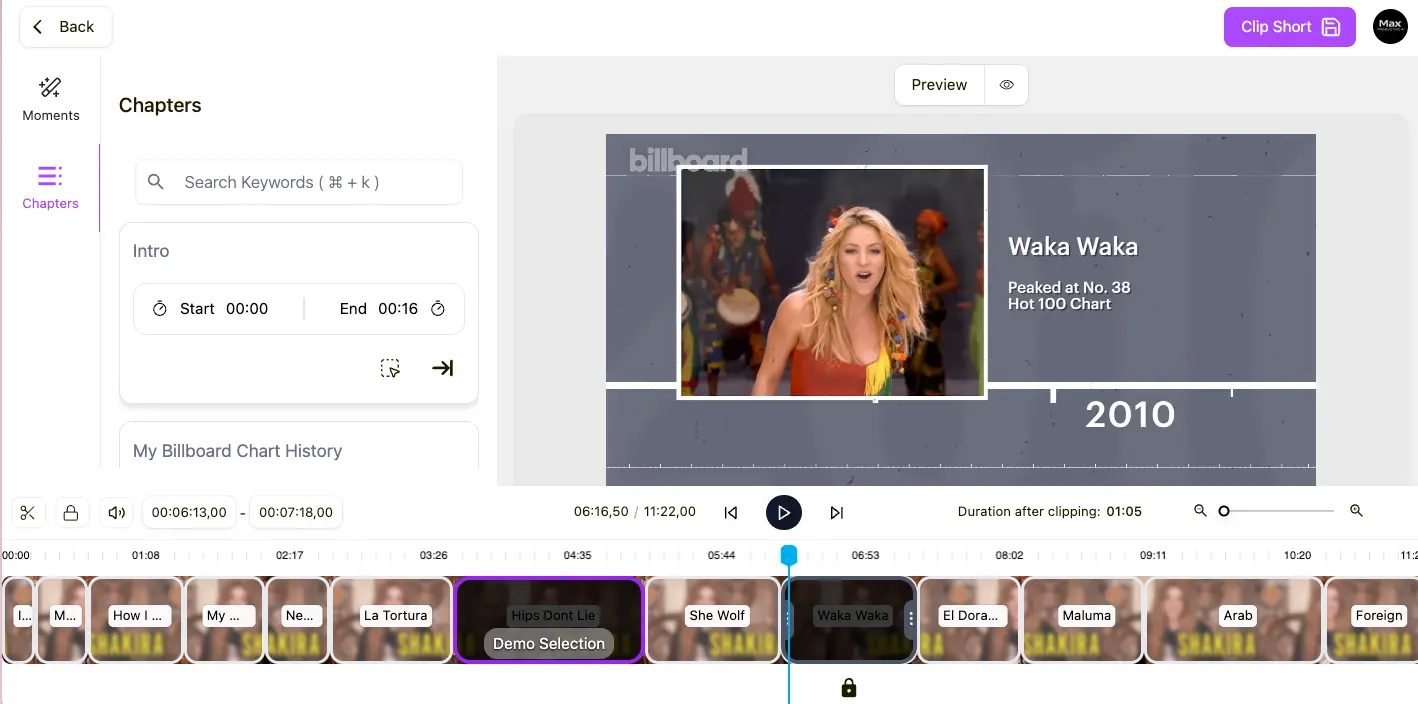
SendShort is an AI video tool built for volume. The core workflow: paste a YouTube URL or upload a long video, and SendShort's AI automatically clips it into multiple shorts with captions, B-roll, zoom effects, and transitions — ready to schedule across platforms. It also generates faceless videos from text prompts, powered by a DeepSeek integration that converts scripts directly into fully edited videos.
SendShort's niche is the creator who prioritizes quantity and automation over per-video polish. Podcast hosts repurposing hour-long episodes into 50+ clips, faceless channels running educational or niche content without appearing on camera, and TikTok accounts posting multiple times daily on autopilot — that's the target user.
Worth noting: SendShort has a very thin independent review footprint. As of April 2026, it has zero reviews on G2 and only 14 on Trustpilot. That's a significant trust gap compared to Submagic's 640+ reviews. It doesn't necessarily mean the tool is bad — third-party creators who've tested it praise the automation pipeline — but it does mean you're trusting a less-proven product. I'd have liked to see a more generous free trial to offset that uncertainty, but the 3-video one-time test drive is all you get.
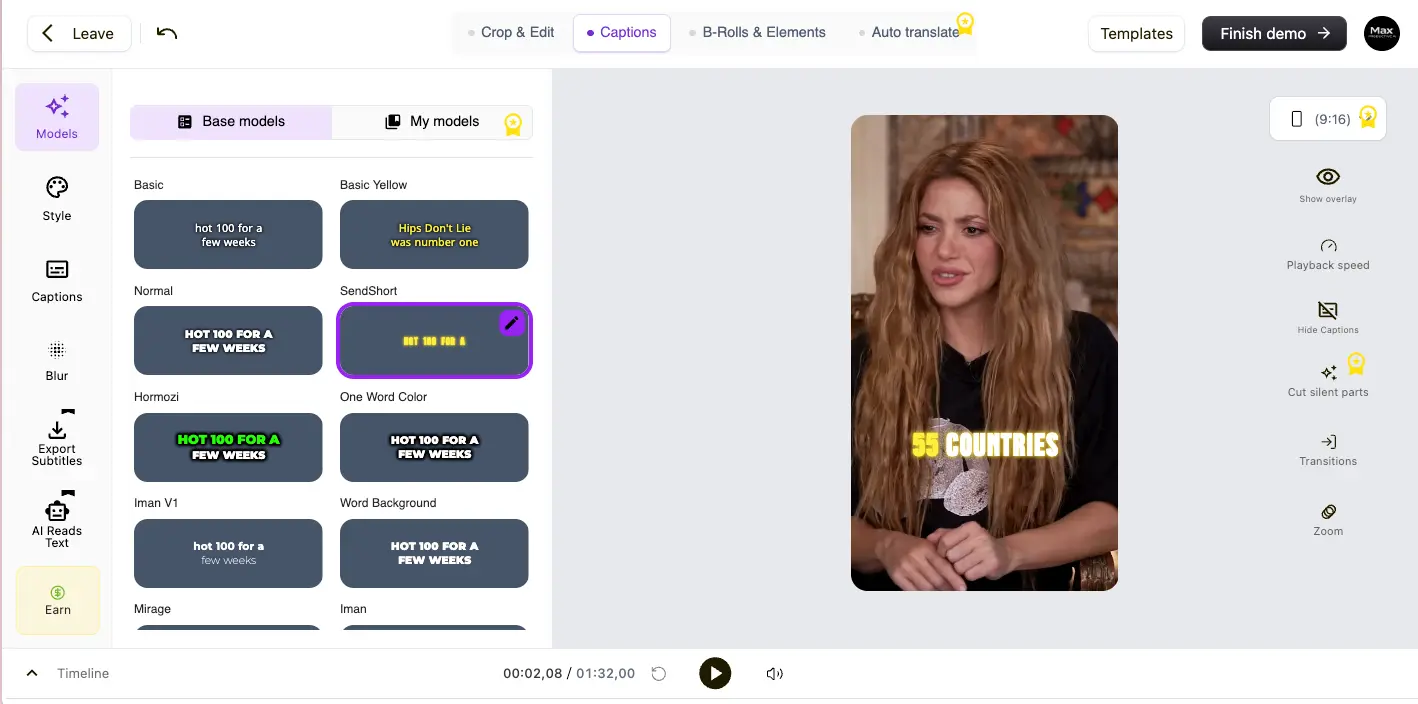
Feature Comparison
Caption Accuracy & Styles
Both tools claim high transcription accuracy — Submagic at 99%+, SendShort at 97–99% — across 50+ languages. In practice, the difference is subtle for English content but widens for non-English languages. Submagic supports 100+ transcription languages (expanded via a nano model in mid-2025) versus SendShort's 50+, and it highlights low-confidence words for manual review. That confidence-flagging feature is a real differentiator if you're creating professional content where a single misheard word matters.
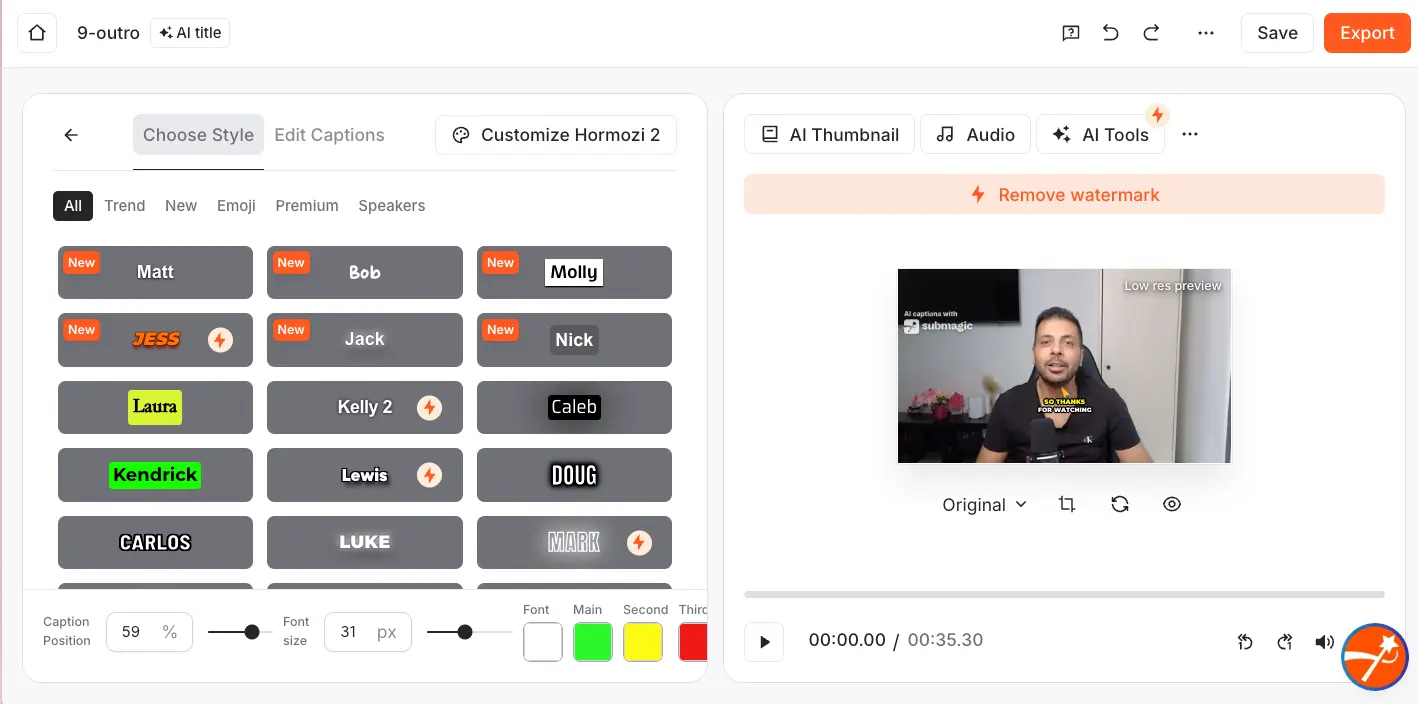
On the style front, Submagic has the edge. It offers a large template library with animated word-by-word highlights, the viral "Hormozi" style, per-word color emphasis, emoji overlays, and motion effects. Premium animated templates need Pro+. SendShort offers custom themes and fonts from Professional tier, but Starter is limited to standard styles. One detail that might catch you off guard: SRT file export is Business-only on SendShort ($47/mo), while Submagic includes it on all paid plans.
AI Video Editing
This is where the two tools diverge most clearly. Submagic's editing stack is deep and creator-focused:
| Feature | Submagic | SendShort |
|---|---|---|
| AI Auto Edit (one-click) | ✅ All paid plans | ❌ |
| Long video → shorts clipping | ✅ Add-on (+$19/mo) | ✅ Business only ($47/mo) |
| Faceless video generation | ❌ | ✅ Starter+ (3/week–unlimited) |
| AI Eye Contact Correction | ✅ Pro+ | ❌ |
| AI Avatar (face + voice clone) | ✅ Available | ❌ |
| AI Voice Dubbing (ElevenLabs) | ✅ 40+ languages | ❌ |
| Silence & filler removal | ✅ Pro+ | ❌ |
| AI Clean Audio | ✅ Pro+ | ✅ Professional+ (noise reduction) |
| Auto B-Roll insertion | ✅ Magic B-Roll | ✅ Auto B-Roll |
| Auto Zoom | ✅ Magic Zoom | ✅ Smart Auto-Zoom |
| AI Hook Generation | ❌ | ✅ |
| DeepSeek script → video | ❌ | ✅ |
| Automated Series & Scheduling | ❌ | ✅ Business |
| Content Analytics | ❌ | ✅ Business |
| Brand Kit | ✅ Pro (New) | ❌ |
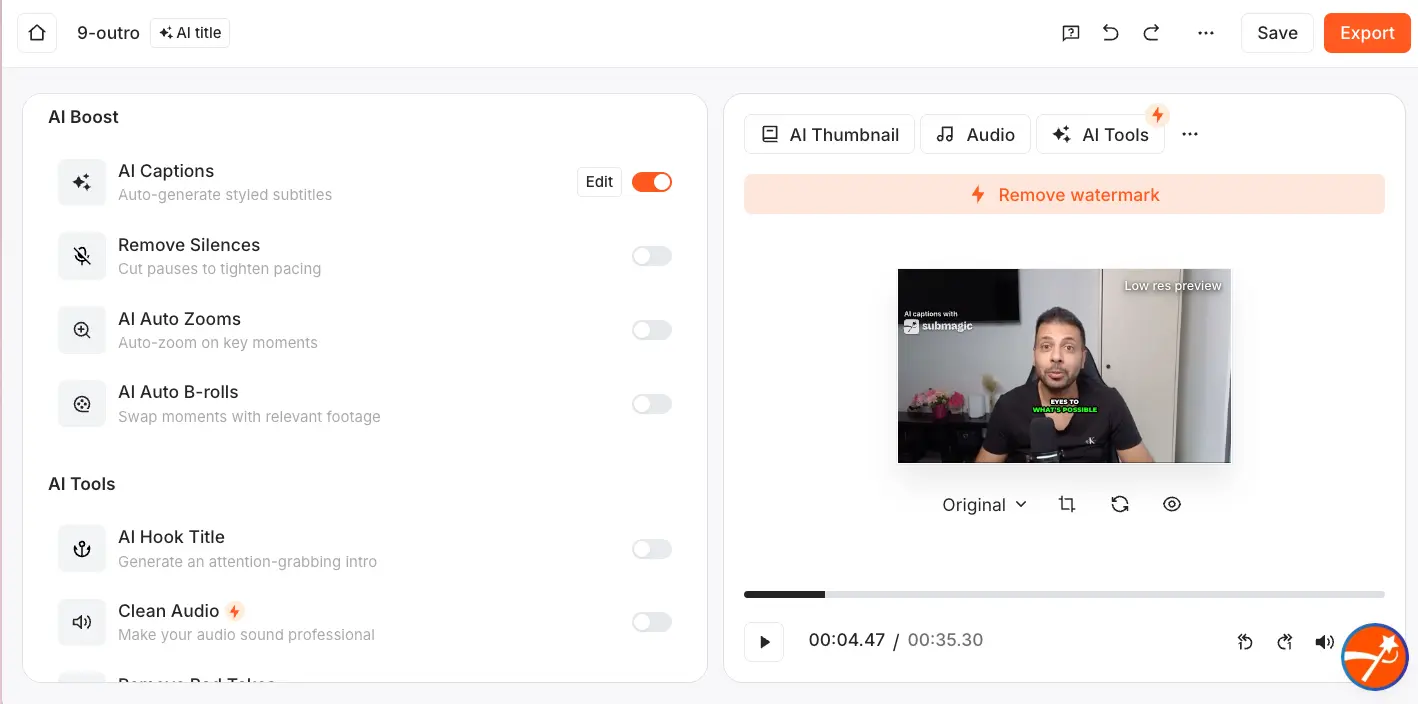
The pattern is clear. Submagic's features are about making each individual video as polished as possible — eye contact, clean audio, voice dubbing, filler removal. SendShort's features are about producing the maximum number of videos with the least manual effort — faceless generation, automated series, scheduling, script-to-video.
Platforms & Export
| Feature | Submagic | SendShort |
|---|---|---|
| 1080p / 30 FPS | All paid | All paid |
| 2K export | Pro+ | Professional+ |
| 4K export | Business+ | Business |
| 60 FPS | Business+ | Business |
| SRT subtitle export | All paid plans | Business only ($47/mo) |
| Watermark-free | All paid | All paid |
| Direct publish (TikTok/YT/IG) | Pro+ | Business |
| Content scheduling | Pro+ | Business |
| API access | Business (100 min/mo) | ❌ |
| YouTube URL input | ❌ | ✅ |
Submagic's API access on the Business tier is a real advantage for agencies automating workflows via n8n or Zapier. SendShort's ability to accept YouTube URLs and podcast feeds directly — no download step — is a small convenience that adds up when you're processing dozens of episodes. Both export watermark-free on all paid plans, which is table stakes in 2026.
Ease of Use
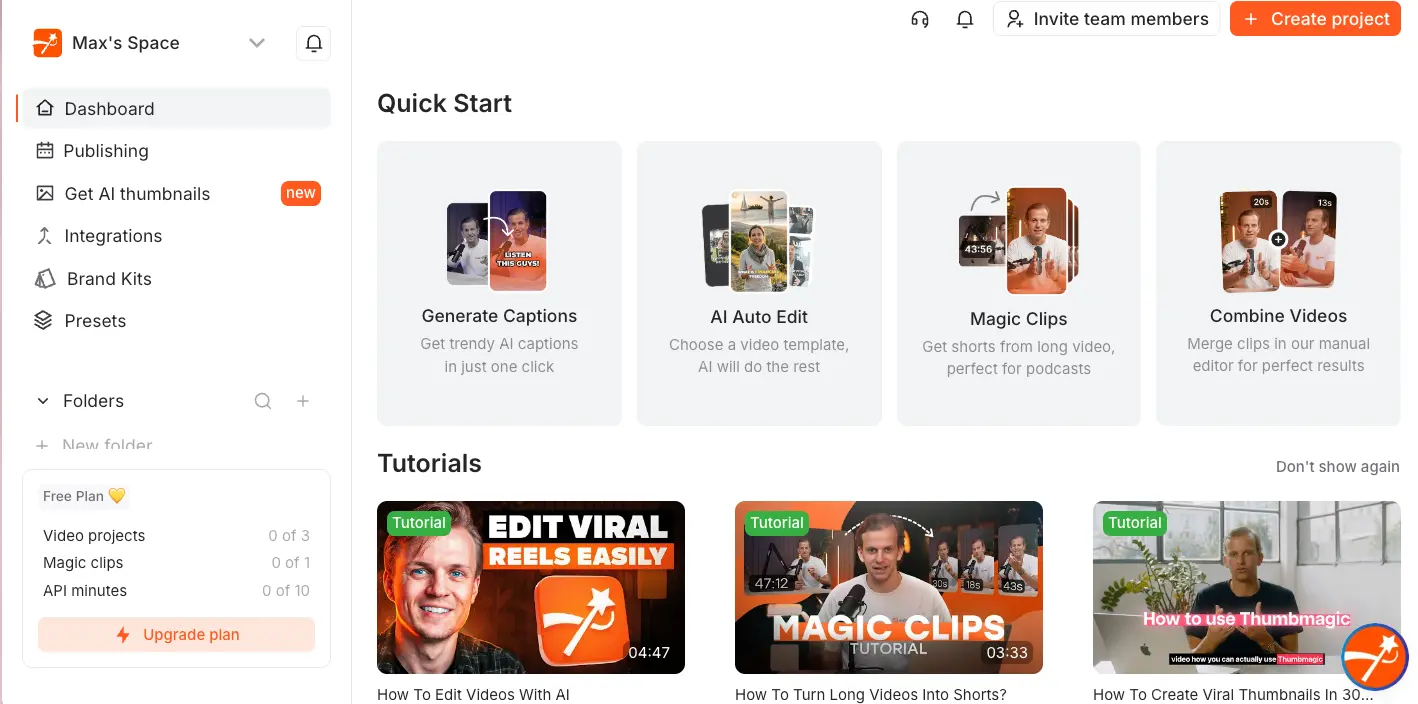
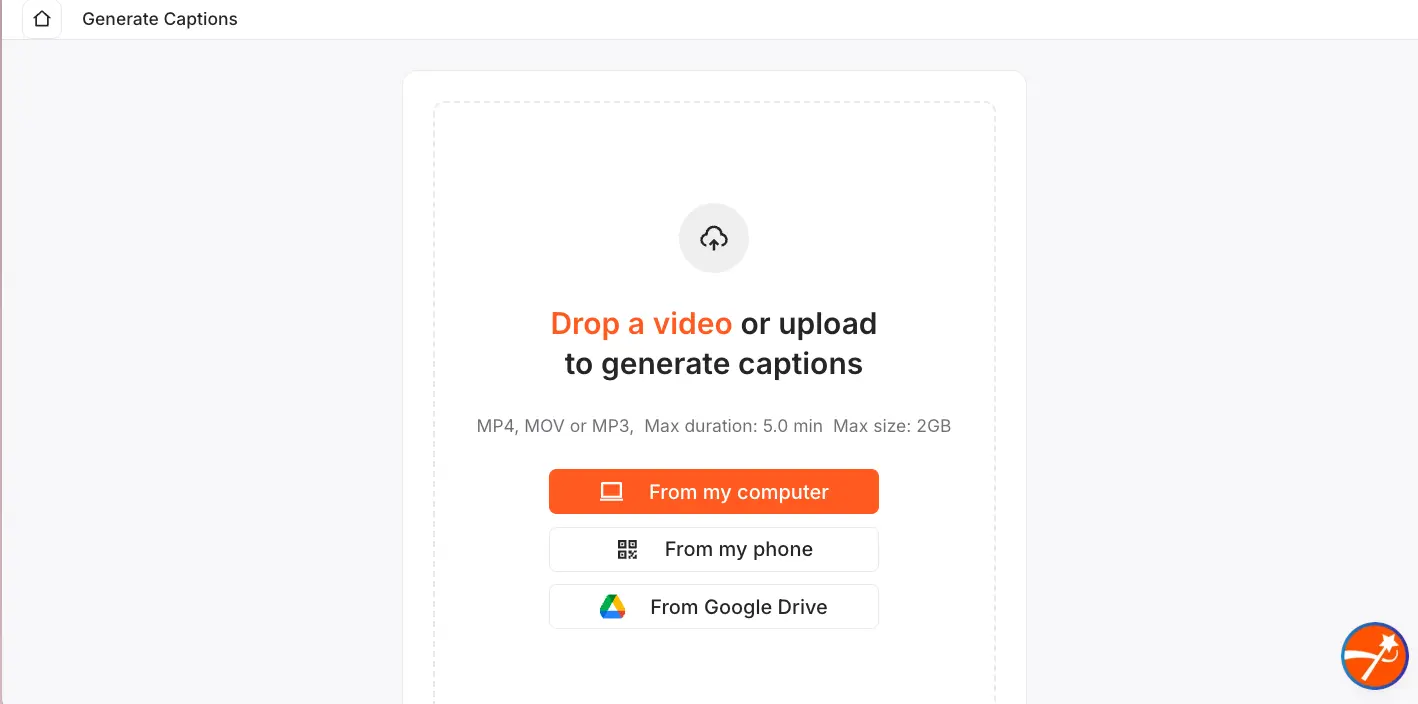
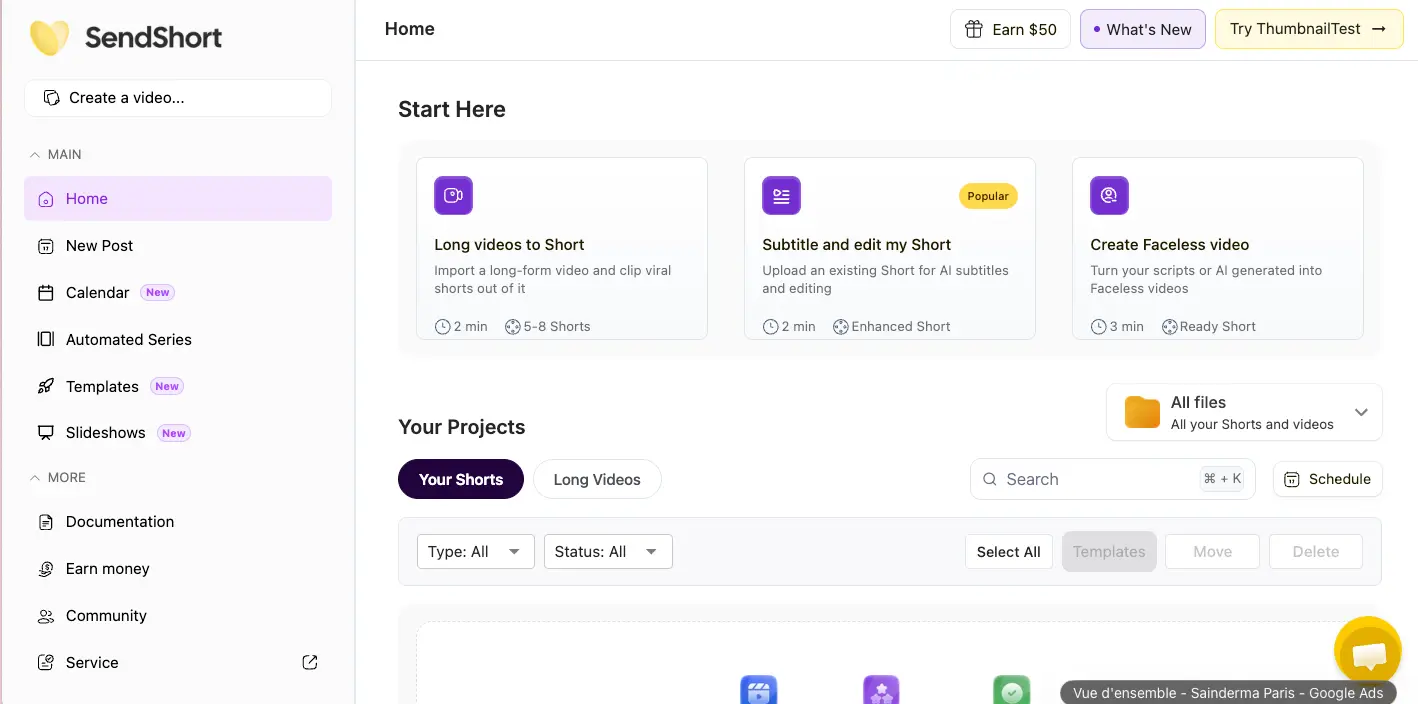
Both tools are genuinely easy to get started with. Submagic's onboarding drops you into a four-option dashboard — Generate Captions, AI Auto Edit, Magic Clips, Combine Videos — and the caption generation flow is upload → pick style → export. Two to three minutes for a basic captioned video. SendShort's dashboard similarly offers three starting paths: Long Videos to Short, Subtitle and Edit, or Create Faceless Video.
The learning curve difference shows up in the editing phase. Submagic gives you more controls — caption position, font size, color customization, B-roll and zoom toggles — which means more decisions per video but more polish. SendShort leans heavier on automation with fewer manual tweaks, which is faster when you're batch-processing but can feel limiting when you want one specific video to look just right.
Pricing Comparison
Submagic Pricing
| Plan | Monthly | Annual (per mo.) | Videos/mo | Max Duration |
|---|---|---|---|---|
| Free | $0 | — | 3 | 1 min 30 sec |
| Starter | $19 | $12 | 15 | 2 min |
| Pro | $39 | $23 | 40 | 5 min |
| Business | $69 | $41 | 100 | 30 min |
Magic Clips (long-video-to-shorts AI clipping) is a paid add-on: +$19/month (monthly) or +$12/month (annual), stacked on top of any base plan. Annual billing saves approximately 37%. The Brand Kit feature — custom logos and fonts — is newly listed on the Pro tier.
SendShort Pricing
| Plan | Monthly | Annual (per mo.) | Shorts/mo | Max Duration |
|---|---|---|---|---|
| Free Trial | $0 | — | 3 total | — |
| Starter | $15 | $12 | 20 | 1 min 30 sec |
| Professional | $23 | $18.40 | 50 | 3 min |
| Business | $47 | $37.60 | Unlimited | 10 min |
A critical detail: long-video-to-short conversion is locked to SendShort's Business tier ($47/mo). Starter and Professional can't access it. Faceless video generation starts at Starter (3/week) and scales to unlimited on Business.
Pros and Cons of Submagic
Pros
- Caption quality leads the category. Animated word-by-word highlights, the viral Hormozi style, emoji overlays, and motion effects give your shorts a professional, scroll-stopping look.
- 99%+ transcription in 100+ languages. The confidence-flagging for low-certainty words is a genuinely useful feature for multilingual creators who can't afford errors.
- AI voice dubbing via ElevenLabs. Actual audio dubbing in 40+ languages — not just translated text captions. This is unique among subtitle-first tools.
- AI Eye Contact Correction. Fixes gaze direction digitally on Pro+, which is valuable for script-reading creators who look at a teleprompter instead of the lens.
- Deep AI editing stack. Silence removal, filler word removal, clean audio, auto B-roll, auto zoom — all from one platform without switching tools.
- API access on Business. 100 min/month of API time opens the door for agency automation via n8n, Zapier, or custom workflows.
- Recurring free tier. 3 videos/month that reset — genuinely usable for light testing, unlike SendShort's one-time trial.
Cons
- Magic Clips is a paid add-on. The long-video-to-shorts feature costs an extra $19/mo on top of your plan. Competitors include this in the base price — it feels like a premium tax.
- No faceless video generation. If you want text-to-video without a camera, Submagic doesn't offer it. You'll need SendShort or a tool like InVideo AI.
- No YouTube URL input. You have to download your video first, then upload. It's a small friction that adds up during batch processing.
- Free tier has a watermark. The 3 free monthly videos all carry Submagic branding, and you can't actually download exports without upgrading. It's more of a preview than a true free plan.
- Premium features gated to Pro+ ($39/mo). Eye contact correction, silence removal, filler removal, and clean audio all require the Pro tier or higher.
- No content analytics or scheduling automation. You can publish to TikTok/YouTube/Instagram from Pro+, but there's no performance tracking or automated series scheduling.
Pros and Cons of SendShort
Pros
- Cheapest watermark-free entry point. $15/mo Starter is the lowest-priced paid plan among AI caption tools that doesn't slap a logo on your exports.
- Faceless video generation from Starter. Text prompt → full video with AI visuals and voiceover, starting at 3/week on the cheapest plan. No camera or filming required.
- DeepSeek script-to-video pipeline. Converts an AI-generated script directly into a fully edited video — a workflow that's unique to SendShort in this price range.
- YouTube URL and podcast feed input. Paste a link and go — no download step. Meaningful time saver when you're processing dozens of episodes.
- Automated series creation and scheduling. On Business, you can set up multi-video series that generate and post on autopilot. This is built for high-frequency TikTok accounts.
- Unlimited shorts on Business ($47/mo). No per-video caps at the top tier, which matters for high-volume repurposing workflows.
Cons
- Very limited independent reviews. Zero G2 reviews and only 14 Trustpilot reviews as of April 2026. You're betting on a less-proven product compared to Submagic's 640+ reviews and 4M+ user base.
- Long-video clipping locked to Business ($47/mo). Starter and Professional can't clip long videos into shorts at all. That's the core value prop for many creators, and it's only available at the highest tier.
- SRT export is Business-only. If you need subtitle files for external editors, you're paying $47/mo. Submagic includes SRT on all paid plans.
- Caption styles are less polished than Submagic. Custom themes and fonts require Professional+; Starter gets standard styles only. The animated template library isn't as deep.
- No AI eye contact correction or voice dubbing. If you need these premium creator features, SendShort simply doesn't offer them.
- Free trial is 3 videos total — not recurring. Once you've used your three test videos, they're gone. Submagic gives you 3/month indefinitely.
- No API access. Agencies and automation-heavy workflows can't integrate SendShort programmatically.
Who Should Choose Submagic?
- TikTok / Reels creators who want the best-looking captions available — animated word highlights, emoji overlays, and trending styles that stop the scroll
- Script-reading creators who need AI Eye Contact Correction to maintain audience connection while reading from a teleprompter
- Multilingual brands and international creators needing actual voice dubbing into 40+ languages, not just translated text
- Agencies requiring API access, Brand Kit support, and multi-member team workspaces for client work
- No-camera creators using the AI Avatar Studio (face + voice cloning) to publish without filming
- High-polish YouTube Shorts producers who want 4K, 60fps, clean audio, and filler-free editing from one platform
Who Should Choose SendShort?
- High-volume repurposers — podcast hosts, webinar producers, and YouTubers who want to turn one hour of content into 50+ shorts automatically
- Faceless channel operators — educational, niche, or dropshipping channels using AI visuals and voiceover without appearing on camera
- Budget beginners — the $15/mo Starter is the cheapest watermark-free entry in this category
- Script-first creators — the DeepSeek integration turns a text topic into a fully edited video with no filming or editing skills required
- TikTok auto-schedulers — automated series creation and posting pipeline for accounts that need multiple daily uploads
Final Verdict: Submagic vs SendShort
| Best caption styles & accuracy | Submagic |
| Voice dubbing (40+ languages) | Submagic |
| AI Eye Contact Correction | Submagic |
| AI Avatar (no-camera content) | Submagic |
| API access for automation | Submagic |
| Lowest entry price | SendShort ($15/mo) |
| High-volume bulk clipping | SendShort (Business) |
| Faceless AI video pipeline | SendShort |
| Script/DeepSeek to video | SendShort |
| Auto content scheduling | SendShort (Business) |
| Better free plan | Submagic (3/mo recurring) |
| User trust & review volume | Submagic (4.6★, 640+ reviews) |
| Language support breadth | Submagic (100+ vs 50+) |
| Content analytics | SendShort (Business) |
Bottom line: Submagic is the quality play — best captions, deepest editing features, and the only option for voice dubbing and eye contact correction. SendShort is the volume play — cheapest entry, strongest automation, and the only option for faceless video generation and script-to-video. Pick quality if each video matters. Pick volume if total output matters. Neither replaces the other.
Frequently Asked Questions
Learn more about AI video tools in our subtitles & captions directory and video editing tools directory. For deeper analysis, read our full Submagic review and SendShort review, or compare related tools in our VEED vs CapCut comparison. You can also explore our AI video generators directory for additional alternatives.