The 8 Best AI Avatar Generation Tools in 2026 — Tested, Ranked & Compared
From HeyGen's Avatar V breakthrough to Hedra's $0.05/min live avatars and GoEnhance AI's stylization engine — the avatar tools that actually deliver in 2026.

Top Pick: HeyGen
HeyGen is our #1 overall pick after the April 8, 2026 release of Avatar V — the first model to solve identity drift across long videos. It produces a studio-quality digital twin from a 15-second phone clip, hits a 0.840 face similarity score, and supports phoneme-level lip-sync in 175+ languages. For most marketers, course creators, and YouTube creators, this is the right starting point.
Best Alternatives by Use Case
Synthesia for corporate training and SOC 2 Type II compliance. Hedra for real-time AI agents at $0.05/min. VEED.io if you want a full editor plus avatars in one tab. Kling AI for cinematic long-form character video. GoEnhance AI for video-to-video stylization that turns real footage into anime, Ghibli, or 3D cartoon styles.
| Tool | Best For | Entry Price (annual) | Rating |
|---|---|---|---|
| HeyGen | Marketing & social video | $24/mo Creator | 4.6 / 5 |
| Synthesia | Corporate training & L&D | $18/mo Starter | 4.5 / 5 |
| Hedra | Real-time AI agents | $15/mo Basic | 4.2 / 5 |
| VEED.io | Editor + avatars in one tool | $12/mo Lite | 4.2 / 5 |
| Fliki | Blog/URL/PPT to video | $21/mo Standard | 4.3 / 5 |
| InVideo AI | Full AI video pipeline | $20/mo Plus | 4.3 / 5 |
| Kling AI | Cinematic character video | $10/mo Standard | 4.5 / 5 |
| GoEnhance AI | Video-to-video stylization | $8/mo Basic | — |
Last verified: April 2026
Who should NOT use any of these: If you're producing high-end cinematic narrative film with real actors or need broadcast-grade VFX, none of these tools replace traditional production. AI avatars in 2026 are excellent for spoken-word, marketing, training, and short-form social — they're not yet a substitute for trained on-screen talent in feature work.
The AI avatar market changed in April 2026. HeyGen's Avatar V release on April 8 reset the realism benchmark, Hedra rolled out interactive live avatars at $0.05 per minute, and Synthesia's Express-2 model brought full-body gestures to enterprise training. At the same time, the budget end of the market matured — you can now get genuinely usable avatar video for under $15/month.
This guide ranks the 8 tools that actually matter in 2026. Each one is good at something specific, and the right pick depends entirely on what you're trying to make. We've included pricing at every tier, the technical specs that matter (face similarity scores, lip-sync benchmarks, language counts), and the limitations each tool quietly hopes you don't notice. For deeper individual reviews, see our full HeyGen review, Synthesia review, and Hedra review.
What Is an AI Avatar Generator?
An AI avatar generator creates synthetic video of a digital person speaking from a script, an audio file, or a real-time conversation. The category splits into three engine types in 2026: script-to-avatar tools that take typed text and produce a presenter video (HeyGen, Synthesia, Fliki); image-plus-audio models that animate a static image to match a voice clip (Hedra, Kling); and video-to-video stylization that transforms real footage into a stylized character (GoEnhance AI). Each solves a different problem.
The use cases have widened well beyond corporate training. Marketers use avatars to localize ad creative into 20+ languages without re-shooting. Course creators record once and deploy in any language. Customer-support teams now build live-streaming avatar agents that handle real conversations. The defining shift in 2026 isn't a single feature — it's that the quality finally crossed the threshold where most viewers stop noticing they're watching synthetic video.
Quick Comparison: All 8 AI Avatar Generators
Before the deep dives, here's how the 8 tools line up across the dimensions that actually drive a buying decision. Notice that "avatar on free plan" is not consistent — half these tools gate avatar features behind paid tiers, which matters if you want to test before subscribing.
| Tool | Avatar on Free? | Entry Paid (annual) | Languages | Standout 2026 Feature |
|---|---|---|---|---|
| HeyGen | Yes — 3 Avatar V videos/mo | $24/mo Creator | 175+ | Avatar V (April 8, 2026): 0.840 face score, no identity drift |
| Synthesia | Yes — 9 avatars, 3 min/mo | $18/mo Starter | 140+ | Express-2: full-body gestures + lip-sync via diffusion transformer |
| Hedra | Yes — 300 credits/mo | $15/mo Basic | Multi | Live Avatars at $0.05/min, sub-100ms latency |
| VEED.io | No — Pro plan required | $12/mo Lite | 120+ | Personal clone in 120+ languages, eye-contact correction |
| Fliki | No — Premium required | $21/mo Standard | 80+ | Playground v2 with Kling 3.0 and Seedance 2.0 |
| InVideo AI | No — Plus plan required | $20/mo Plus | 50+ | AI Video Agent autonomous production from one prompt |
| Kling AI | Yes — 66 credits/day | $10/mo Standard | EN/ZH/JP/KO | Avatar 2.0: 5-min identity consistency from one image |
| GoEnhance AI | Yes — watermarked | $8/mo Basic | N/A (visual only) | Video-to-video stylization with temporal consistency |
One announcement reset the rankings while we were finalizing this guide — and it's worth pausing on before the tool reviews:
1. HeyGen — Best Overall AI Avatar Generator in 2026
Best for: Marketers, content creators, and YouTube channels who want the most realistic digital twin with the lightest setup. Rating: 4.6 / 5
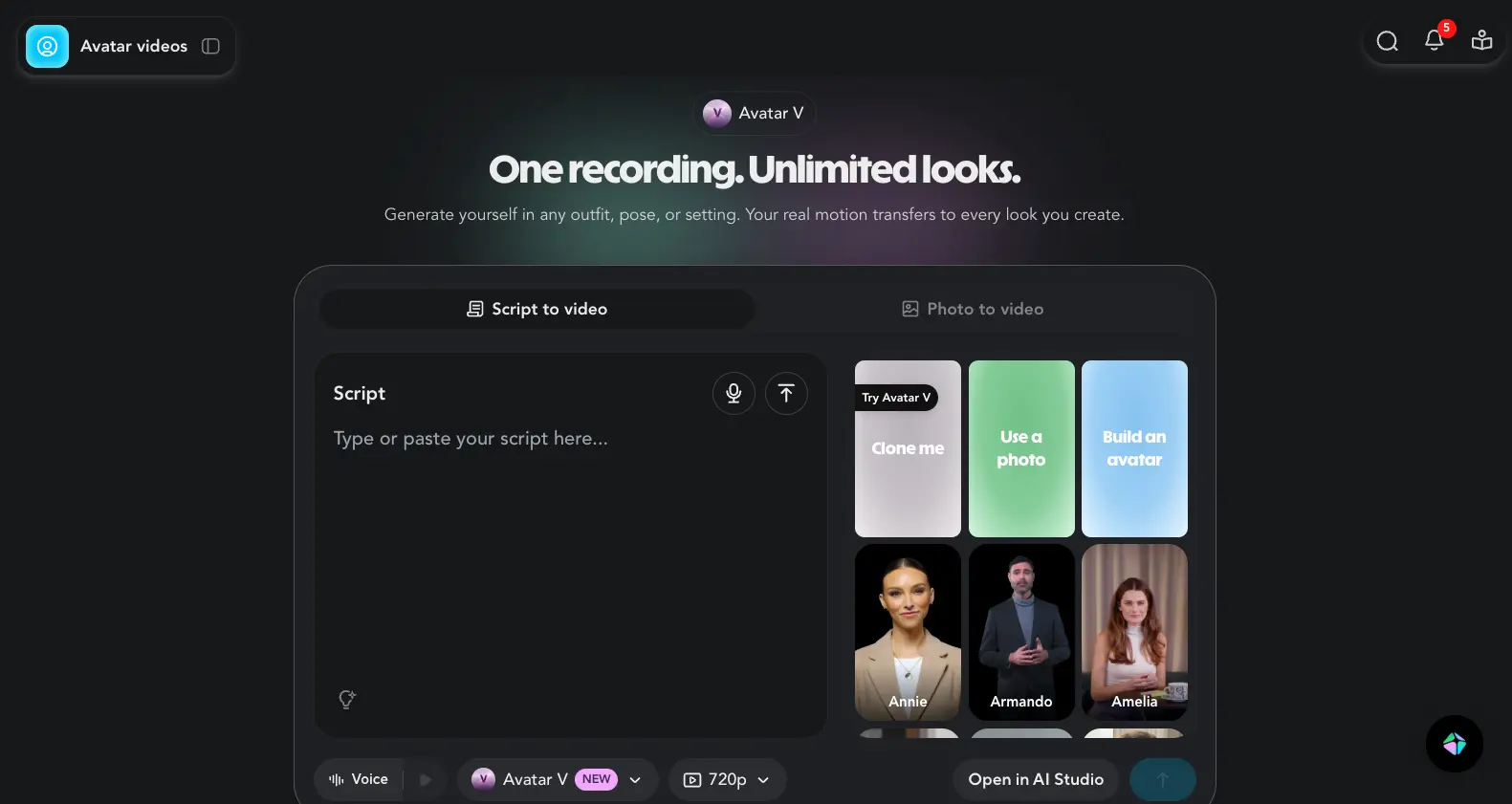
HeyGen claimed the top spot in this guide on April 8, 2026, when Avatar V launched. The shift wasn't subtle. Avatar IV needed a 30-second guided studio recording and showed visible identity drift on long clips — a small but unmistakable "wandering" of the face after a few minutes. Avatar V cuts the input requirement to a 15-second selfie clip from any phone, lifts face similarity from roughly 0.78 to 0.840 (Veo 3.1 sits at 0.714 for context), and pushes lip-sync LSE-C from ~7.9 to 8.97. On 4+ minute clips, identity drift simply doesn't happen anymore.
Try HeyGen Free →Key Features
The headline feature is Avatar V, but HeyGen quietly built a much wider stack around it during 2025–2026. The platform now ships an AI Video Agent that produces full videos from a single prompt, gesture control with context-timed hand movements, native face swap, and Topaz video upscaling. There's a built-in integration with Gamma for slides-to-video, and interactive avatars for live customer service or streaming use cases.
The 300+ stock avatar library is the largest in this guide. Voice cloning is included on every paid tier. Audio dubbing went unlimited across all paid plans in February 2026 — a notable move when most competitors still meter dubbing minutes. Phoneme-level lip-sync runs in 175+ languages, which beats every other tool in this list. Worth flagging: Premium Credits on the Creator plan are limited and the system can feel opaque — multiple users describe burning through credits faster than expected.
Pricing in 2026
| Plan | Monthly | Annual/mo | Key Features |
|---|---|---|---|
| Free | $0 | $0 | 3 videos/mo, watermarked, 720p |
| Creator | $29 | $24 | Unlimited videos, 1080p, 1 custom avatar, voice cloning |
| Pro | $99 | $79 | 4K, 2,000 Premium Credits, 3 custom avatars |
| Business | $149 | ~$119 | Team seats, 5 custom avatars, SCORM export |
| Enterprise | Custom | Custom | Unlimited everything, dedicated support |
HeyGen deprecated its Team plan in January 2026, so Business is now the team entry point. Honestly, the Premium Credits on the Creator plan are the one part of HeyGen's pricing that feels off in 2026 — the system has been confusing enough that it shows up repeatedly in user feedback.
Pros
- Avatar V solves identity drift. The full video context window approach genuinely fixes the "face wandering" problem that broke immersion on long clips. Combined with the 0.840 face similarity score, this is the most realistic avatar output available in 2026.
- 15-second setup is the fastest in class. A phone selfie clip is enough — no studio, no lighting, no guided recording session. For creators who need a digital twin without production overhead, this alone is the reason to choose HeyGen.
- 175+ languages with phoneme-level lip-sync. Wider language coverage than Synthesia (140+), Fliki (80+), or Kling (4 languages). Critical if you're localizing content for global markets.
- Unlimited audio dubbing on all paid plans. The February 2026 update made dubbing genuinely uncapped — most competitors still meter this. For agencies repurposing content, this is a real cost saver.
- Largest stock avatar library at 300+. Useful when you don't want to clone yourself but need a presenter who fits a specific demographic or industry.
Cons
- Premium Credits feel opaque. The credit system on Creator is genuinely confusing — users routinely report not understanding what consumes credits at what rate. The pricing page is clear; the in-app consumption isn't.
- 4K export requires the Pro plan ($79/mo annual). If you publish to YouTube or any platform where 4K matters, the Creator tier won't cut it.
- User-reported billing complaints. Reviewers have flagged subscription and refund friction in independent coverage. Worth knowing before committing to annual billing.
- No SOC 2 Type II certification. For regulated industries — healthcare, finance, government — Synthesia's compliance posture is meaningfully stronger.
- Free plan is restrictive. Three videos a month is enough to test, not enough to evaluate a real workflow. If you want a longer trial, the Creator tier with annual billing is where HeyGen actually starts.
2. Synthesia — Best for Corporate Training & Enterprise
Best for: L&D teams, regulated industries, and any company that needs SOC 2 compliance plus SCORM export. Rating: 4.5 / 5
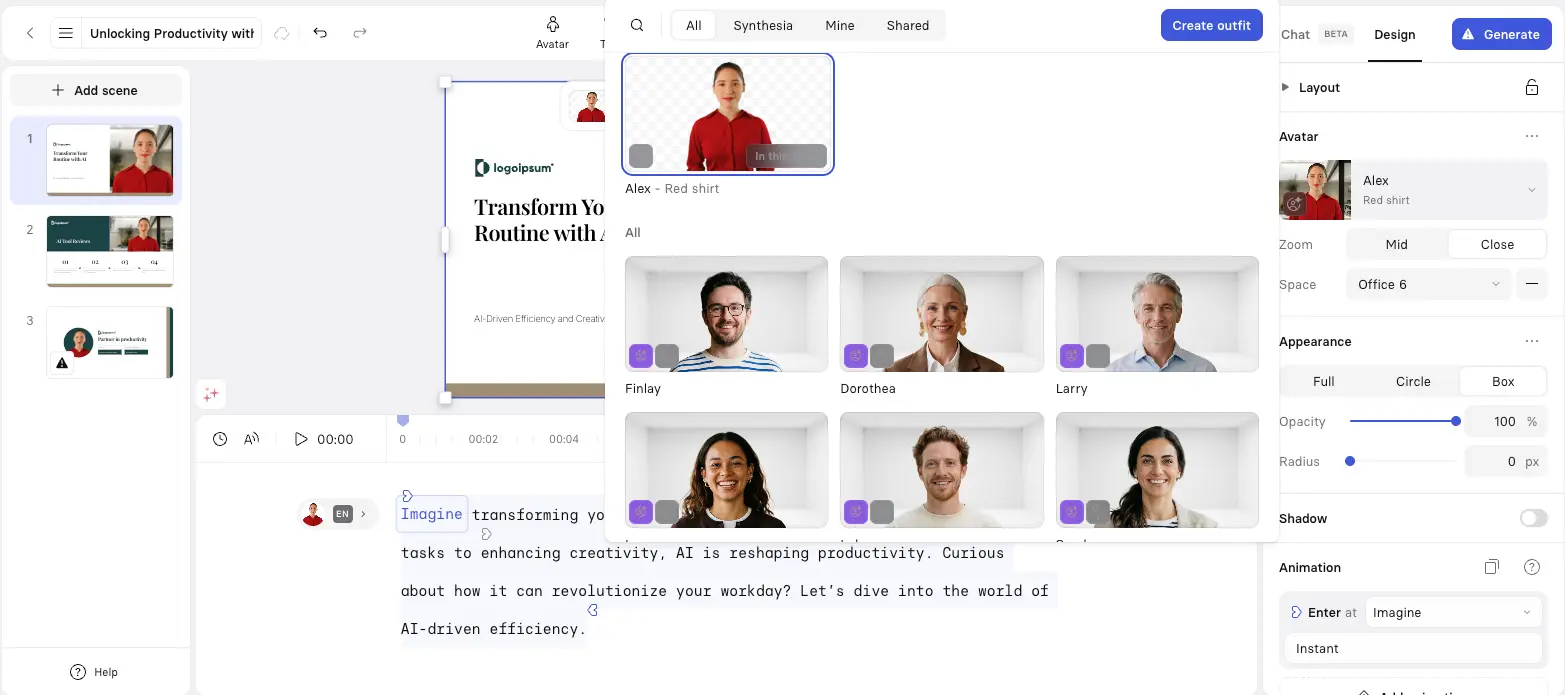
Synthesia is the only tool in this guide with a $4 billion valuation and Google Ventures backing — and that institutional weight shows up in the product. Where HeyGen optimizes for raw realism on short clips, Synthesia optimizes for consistency across long-form, multi-presenter, multilingual training content. The Express-2 model uses a diffusion transformer (DiT) architecture to combine facial expressions, lip sync, and natural body gestures, which makes 10+ minute training videos feel coherent in ways most avatar tools don't manage.
Try Synthesia Free →Key Features
The stock avatar library sits at 240+ across ethnicities, ages, and professional contexts — second only to HeyGen. Gen-4 micro-expression technology adds eyebrow raises, breathing patterns, and subtle facial movements that make the avatars read as alive rather than animated. AI Dubbing covers 140+ languages with a Secure Editing mode for manual correction (a thoughtful detail for compliance-focused buyers).
The AI Playground gives every user — including free-tier users — access to Google Veo 3.1 and OpenAI Sora 2 for B-roll. PowerPoint-to-Video preserves your original deck design and auto-converts speaker notes into avatar scripts, which is genuinely useful for corporate use cases. Instant Voice Clone needs only 10 seconds of audio. The compliance posture — SOC 2 Type II, GDPR, SSO/SAML, SCIM provisioning — is unmatched in this list.
Where Synthesia falls short: it doesn't do real-time interactive avatars, and on short creative social content the output reads as more "presenter" than "personality" compared to HeyGen.
Pricing in 2026
| Plan | Monthly | Annual/mo | Key Features |
|---|---|---|---|
| Free | $0 | $0 | 3 min/mo, 9 avatars, 160+ languages, watermark |
| Starter | $29 | $18 | 10 min/mo, 125+ avatars, no watermark |
| Creator | $89 | $64 | 30 min/mo, custom personal avatar, API access |
| Enterprise | Custom | Custom | Unlimited min, SSO, SCORM, SCIM, team collab |
Median enterprise annual spend lands around $30,000 based on industry benchmarks — useful context if you're sizing a budget. The minute-based limits on every paid plan are the main friction point: even Creator's 30 min/month gets tight if you're producing more than one video a week. For comparison, HeyGen's Creator plan offers unlimited videos at $24/mo annual versus Synthesia Creator at $64/mo for 30 minutes.
Pros
- Express-2 produces the most consistent long-form output. Full-body gestures plus lip-sync via diffusion transformer architecture means 10+ minute training videos hold together visually. No competitor matches this for L&D use cases.
- SOC 2 Type II + GDPR + SCORM = unmatched compliance posture. If you're in healthcare, finance, government, or any regulated industry, Synthesia is the only enterprise-grade option in this guide.
- Veo 3.1 + Sora 2 in the AI Playground for everyone. Even free-tier users get B-roll generation from the two strongest video models of 2026 — a notable choice that flips the usual paywall pattern.
- $4B valuation and Google Ventures backing. For enterprise buyers worried about platform stability, Synthesia is the safest bet for multi-year commitments.
- PowerPoint-to-video with original design retention. Speaker notes auto-convert to scripts; your deck design stays intact. This is the most polished slides-to-video pipeline among the tools tested.
Cons
- Minute-based limits on every paid plan. Unlike HeyGen's unlimited videos on Creator, Synthesia meters output. For high-volume creators this gets expensive fast.
- Custom avatar locked to Creator plan ($64/mo annual). The Starter tier is significantly cheaper but doesn't include personal avatars at all.
- No real-time or interactive avatar capability. If you need a live conversational avatar for customer service, Synthesia can't help — Hedra is the answer instead.
- Less expressive on short creative social content. Synthesia avatars lean professional. For TikTok or Instagram Reels with personality, HeyGen output reads better.
- 10 min/month on Starter is genuinely tight. One short weekly video and you're at the cap. Plan accordingly.
3. Hedra — Best for Real-Time AI Agents & Budget Quality
Best for: Developers building AI customer service agents, conversational tutors, or real-time avatar streams — and budget-conscious creators who want premium quality at $15/month. Rating: 4.2 / 5
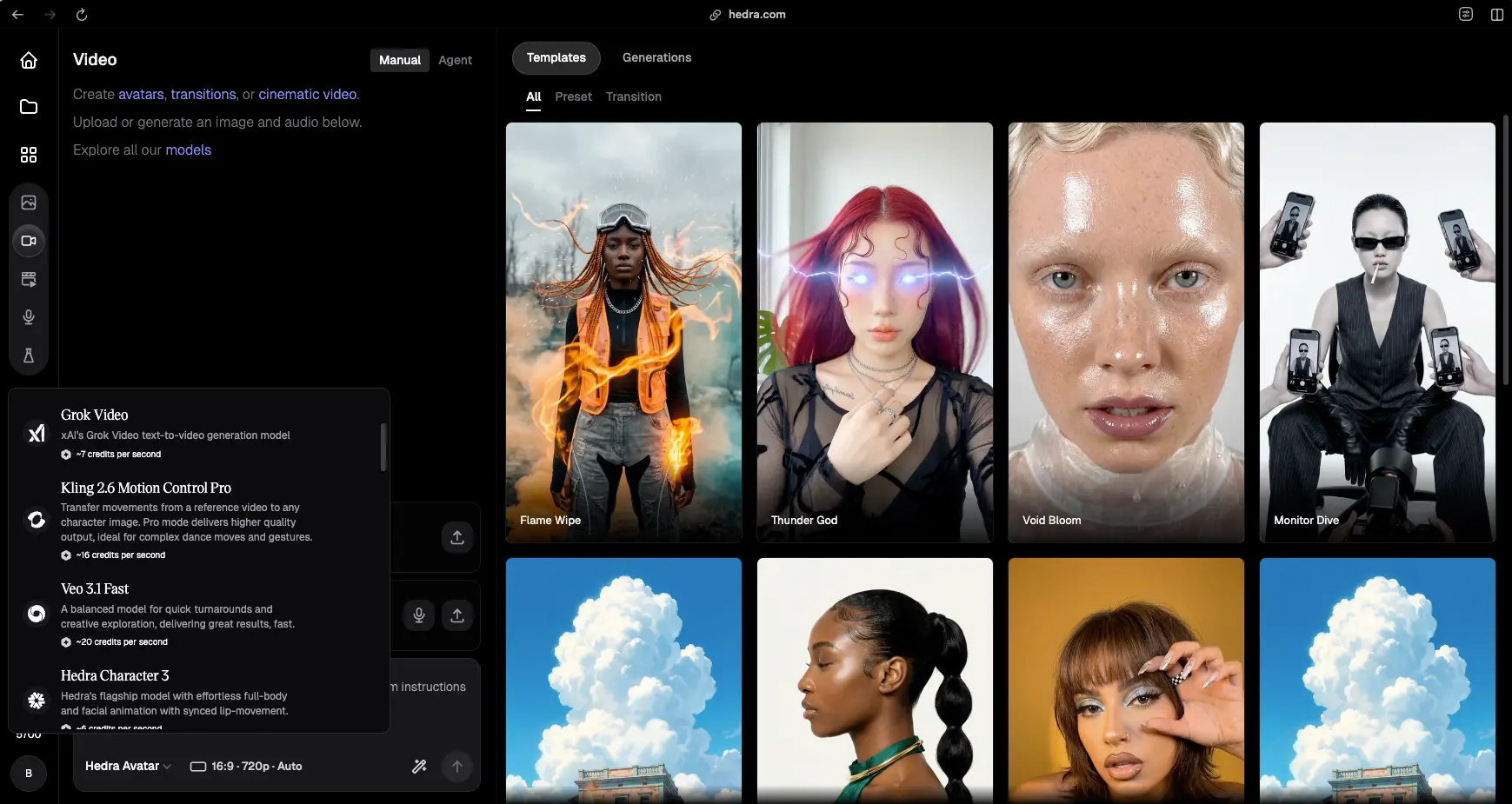
Hedra hit 20 million users by leaning into one specific bet: a static image plus an audio file should be enough to generate quality avatar video. The Character-3 model delivers state-of-the-art lip-sync, micro-expressions, and full-body movement from that minimal input — and at $15/month, the output rivals platforms charging 5x more.
Then in July 2025, Hedra Labs shipped something nobody else has matched: Live Avatars at $0.05 per minute. That's roughly 15x cheaper than existing real-time solutions, with sub-100ms latency through LiveKit's global infrastructure. One hour of streaming costs $3. For AI agents, virtual tutors, and interactive product demos, this completely changes what's economically feasible to build.
Key Features
The Live Avatars infrastructure is what's actually new. It works with whatever LLM you prefer — OpenAI GPT, Google Gemini, Anthropic Claude — and any major TTS provider including ElevenLabs, Cartesia, and OpenAI. Integration is via LiveKit Agents framework, a Node.js library, or REST API. Stream resolution is 512×512 square video. The use cases this enables — AI customer service agents, interactive onboarding flows, conversational product demos — were previously $100K+ custom builds.
Beyond live avatars, one Hedra subscription gets you multi-model access to Kling, Google Veo 3.1, Grok Video, Wan, and Flux Dev. That's unusual — most competitors lock you into their own model. The credit system is granular: a 10-second Character-3 video costs 60 credits, while a 10-second Veo 3.1 standard video costs 550. Voice cloning kicks in at the $30/mo Creator plan from a 30-second audio clip.
Pricing in 2026
| Plan | Monthly | Credits | Key Features |
|---|---|---|---|
| Free | $0 | 300/mo | Character-3, watermarked, no commercial use |
| Basic | $15 | 1,500/mo | No watermark, commercial use, premium voices |
| Creator | $30 | 5,400/mo | Voice cloning (30s audio), faster generation |
| Professional | $75 | 14,400/mo | Priority GPU, team access |
| Enterprise | Custom | Custom | Private deployment, SSO |
Live Avatar streaming is billed separately at $0.05/min on top of the subscription. For context, this is the cheapest paid entry point to a real Character-3 quality output — Basic at $15/mo undercuts HeyGen Creator ($24/mo) and Synthesia Starter ($18/mo) while delivering output that holds up against both for image-plus-audio workflows.
Pros
- Live Avatars at $0.05/min are unprecedented. No other tool in this guide offers real-time conversational avatars at this price. For developers, this opens up application categories that were previously impossible to budget for.
- Sub-100ms latency through LiveKit. Real-time means real-time — the response feels conversational, not transactional. For voice-first AI agents this is the threshold that separates "demo" from "deployable."
- Multi-model access in one subscription. Kling, Veo 3.1, Grok Video, Wan, Flux Dev — all from one platform. If you're experimenting with different models for different use cases, this consolidates billing nicely.
- $15/mo Basic delivers quality that rivals $100+/mo competitors. Honest assessment: for image-plus-audio workflows, Character-3 output is competitive with HeyGen and Synthesia at a fraction of the cost.
- 20 million users. Mature platform with active community resources and stable infrastructure.
Cons
- Smaller stock avatar library. No comparable presenter library to HeyGen's 300+ or Synthesia's 240+. You'll be supplying your own reference images for most workflows.
- Limited language support vs HeyGen/Synthesia. If multilingual content with phoneme-level lip-sync is a primary use case, HeyGen (175+ languages) is the better pick.
- No SOC 2 Type II certification. Not suitable for regulated industries that require formal compliance attestation.
- Credit system gets restrictive at lower tiers for high volume. The free tier's 300 credits/month and Basic's 1,500 fill up fast if you're generating multiple videos a week.
- Live Avatars are billed separately. Worth flagging — the $0.05/min Live Avatar pricing is on top of your subscription, not included in it.
4. VEED.io — Best All-in-One Video Editor With Avatars
Best for: Creators who already edit video and want avatar features inside the same browser tool — without paying for two subscriptions. Rating: 4.2 / 5
VEED.io is the only tool in this guide that's primarily a full-featured video editor with AI avatars added on. That positioning matters. If your workflow is "edit video, add captions, optionally include an avatar," VEED collapses three subscriptions into one. If your workflow is "make 50 avatar videos a month for global ad campaigns," it isn't the right pick — that's where HeyGen wins.
Try VEED.io Free →Key Features
The 60+ stock avatar library covers most demographic needs. The personal Digital Clone speaks 120+ languages from a single recording — more languages than Hedra or Kling, though fewer than HeyGen's 175+. Auto-subtitles run at up to 99.9% accuracy across 120+ languages. The eye-contact correction feature is a small but genuinely useful detail: it adjusts your gaze toward the camera in post, which makes presenter videos feel more engaging without re-recording.
The 2026 AI Playground rollout brought Sora 2 and Veo 3 into VEED via a credit-based access model. Beyond avatars, you get a screen recorder, brand kits, intro/outro builders, background removal in bulk, and video sharing analytics on Pro+ tiers. It's a real video editor — that's the point.
The catch: AI avatars are locked to the Pro tier ($21–24/mo annual), and Pro avatar usage maps to roughly 4–6 hours per year — not unlimited. Power users hit that cap fast. For a comparison of how VEED stacks up against other browser-based editors, read our VEED vs CapCut comparison.
Pricing in 2026
| Plan | Monthly | Annual/mo | Key Features |
|---|---|---|---|
| Free | $0 | $0 | 10-min videos, watermark, basic tools |
| Lite/Creator | $18 | $12 | 1080p, no watermark, 20GB |
| Pro | $30 | $21–24 | 1080p, AI avatars, brand kit, 100GB |
| Business | $59 | $49 | 4K, 200GB, advanced team collab, analytics |
Pros
- One tool for editing and avatars. If your output mixes traditional edited video with occasional avatar segments, VEED is significantly more efficient than running HeyGen and Premiere side by side.
- 99.9% accurate auto-subtitles across 120+ languages. Best-in-class subtitle accuracy for a generalist video editor. Worth the subscription on its own for many creators.
- Eye-contact correction is genuinely useful. Most presenters don't read perfectly to camera; VEED's post-recording gaze adjustment fixes that without re-takes.
- Sora 2 + Veo 3 B-roll via the AI Playground. Generate B-roll inside the same editor that's cutting your video — no exporting prompts to a separate tool and re-importing.
- $12/mo Lite is the cheapest avatar-capable entry price in this guide. Caveat: you don't actually get avatars on Lite — but as a video editor, this tier is excellent value.
Cons
- Avatars locked to Pro tier ($21–24/mo annual). The cheaper Lite tier is avatar-free. Worth understanding before subscribing.
- Pro avatar usage caps at ~4–6 hours/year. Frustrating for active producers — you'll need Business tier or a dedicated avatar tool if you generate avatar content frequently.
- Avatar realism trails dedicated platforms. Side-by-side, HeyGen and Synthesia produce visibly more realistic output. VEED's avatars are good enough for casual use; they're not best-in-class.
- 4K requires Business tier ($49/mo annual). The price step from Pro to Business is steep if 4K is the only feature you need.
- Editor-first, avatar-second. If avatars are 80% of your workflow, you're paying for editor features you don't use. Pick a dedicated avatar tool instead.
5. Fliki — Best for Content Repurposing (Blog/URL/PPT to Video)
Best for: Marketers and content teams who want to turn an existing library of blog posts, decks, and articles into narrated avatar video at scale. Rating: 4.3 / 5
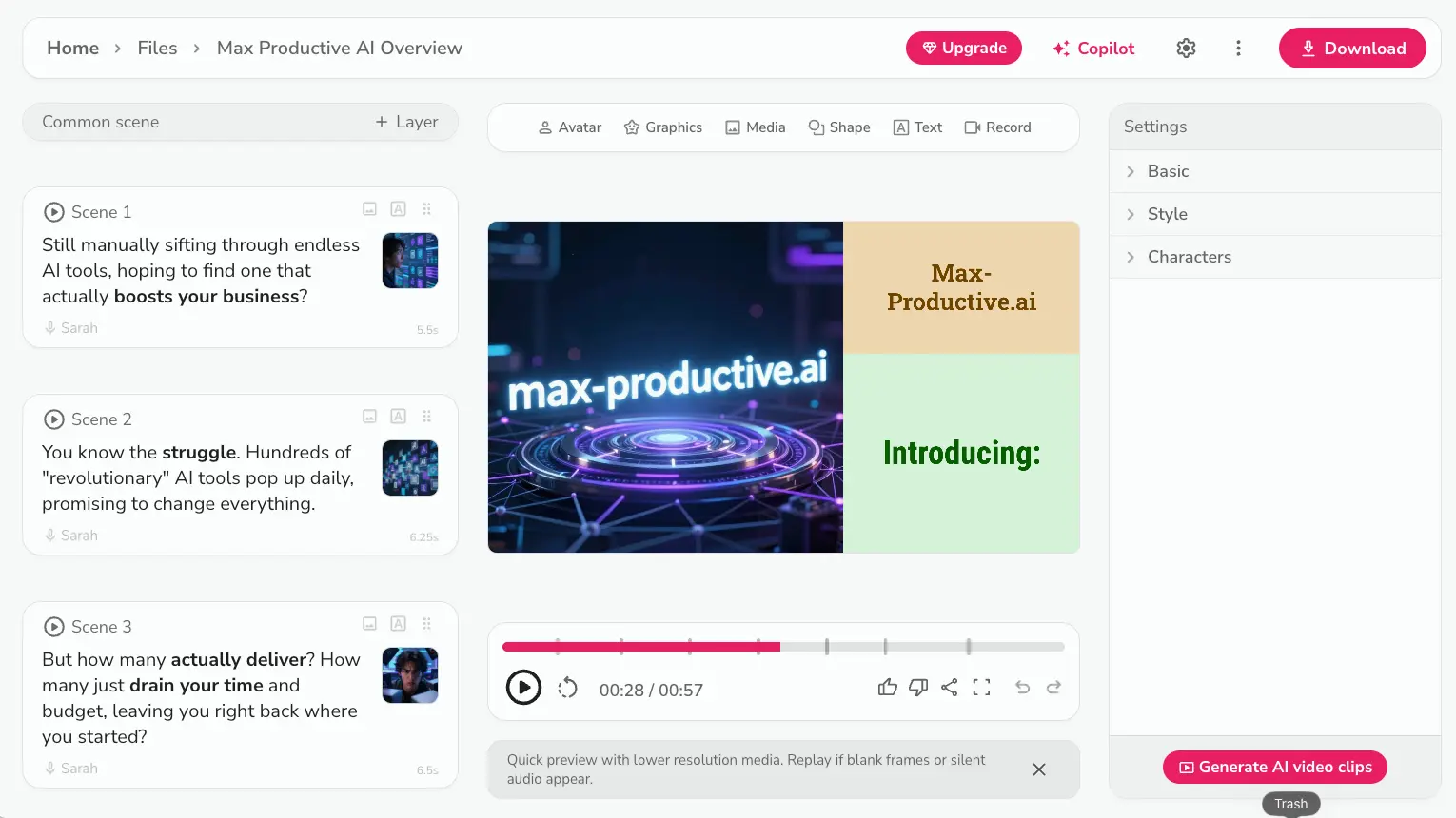
Fliki's pitch is narrow and specific: paste a blog URL, a PowerPoint, or a script, and you get a complete narrated video with voiceover, B-roll, and an avatar in minutes. It's the best tool in this list for one specific workflow — taking an existing written content library and producing video at scale.
Try Fliki Free →Key Features
The January 2026 Playground v2 launch brought Kling 3.0 (4K/60fps, 8-language lip-sync), Seedance 2.0, P-Video, and PixVerse into Fliki. That moved it from "decent text-to-video tool" to "competitive multi-model platform." The 2026 voice library expanded by 130+ new voices across 20+ languages, with 2,000+ total voices on Premium including 1,000+ ultra-realistic options.
Character consistency tools keep the same avatar look across a multi-video series — useful for episodic content, course modules, or branded social campaigns. Multiple brand kits on Premium support agency or multi-brand workflows. The Blog-to-Video, PPT-to-Video, and URL-to-Video pipelines are the differentiator versus general avatar tools — paste, generate, edit, export.
Pricing in 2026
| Plan | Monthly | Annual/mo | Credits | Avatars |
|---|---|---|---|---|
| Free | $0 | $0 | 5 min/mo | No |
| Standard | $28 | $21 | 2,160 min/yr | No |
| Premium | $88 | $66 | 7,200 min/yr | Yes — full-body + cloning |
| Enterprise | Custom | Custom | Custom | Personalized avatars |
The Premium step is the catch. Avatars don't exist on Free or Standard — only Premium at $66/mo annual, which is a big jump from Standard's $21/mo. If avatars aren't your primary need, Standard is a perfectly capable text-to-video tool without them. If avatars are essential, the price-per-feature ratio is less favorable than HeyGen Creator at $24/mo.
Pros
- Best blog/URL/PPT-to-video pipeline. Nothing else in this guide does content repurposing this well. For content teams with existing libraries, Fliki saves hours per video.
- Playground v2 brought serious models in January 2026. Kling 3.0 at 4K/60fps and Seedance 2.0 give Fliki real generative chops beyond its core text-to-video workflow.
- 2,000+ voices including 1,000+ ultra-realistic on Premium. The voice library is genuinely deep — useful when you need a specific accent, age, or tone for character work.
- Character consistency across multi-video series. Same avatar look across episode 1 and episode 12 — a real differentiator for course creators and serial content.
- Multiple brand kits on Premium. Helpful for agencies and multi-brand operators — switch presets per client without rebuilding settings.
Cons
- Avatars require Premium ($66/mo annual). Big price step from Standard. If avatars are the only thing you need, HeyGen Creator at $24/mo is a meaningfully better deal.
- No avatar access on Free or Standard. You can't test the avatar feature meaningfully without committing to Premium.
- 2,160 min/year on Standard works out to ~180 min/mo. Tight for active producers — you'll feel the cap.
- Avatar realism trails dedicated platforms. For talking-head work, HeyGen and Synthesia produce more realistic output. Fliki avatars are functional, not best-in-class.
- Custom avatar requires Enterprise pricing. No transparent path to a fully personalized avatar at the standard tiers.
6. InVideo AI — Best Full AI Video Pipeline
Best for: YouTube creators, agencies, and social teams who need a complete production platform — avatars are one feature among many, not the headline. Rating: 4.3 / 5
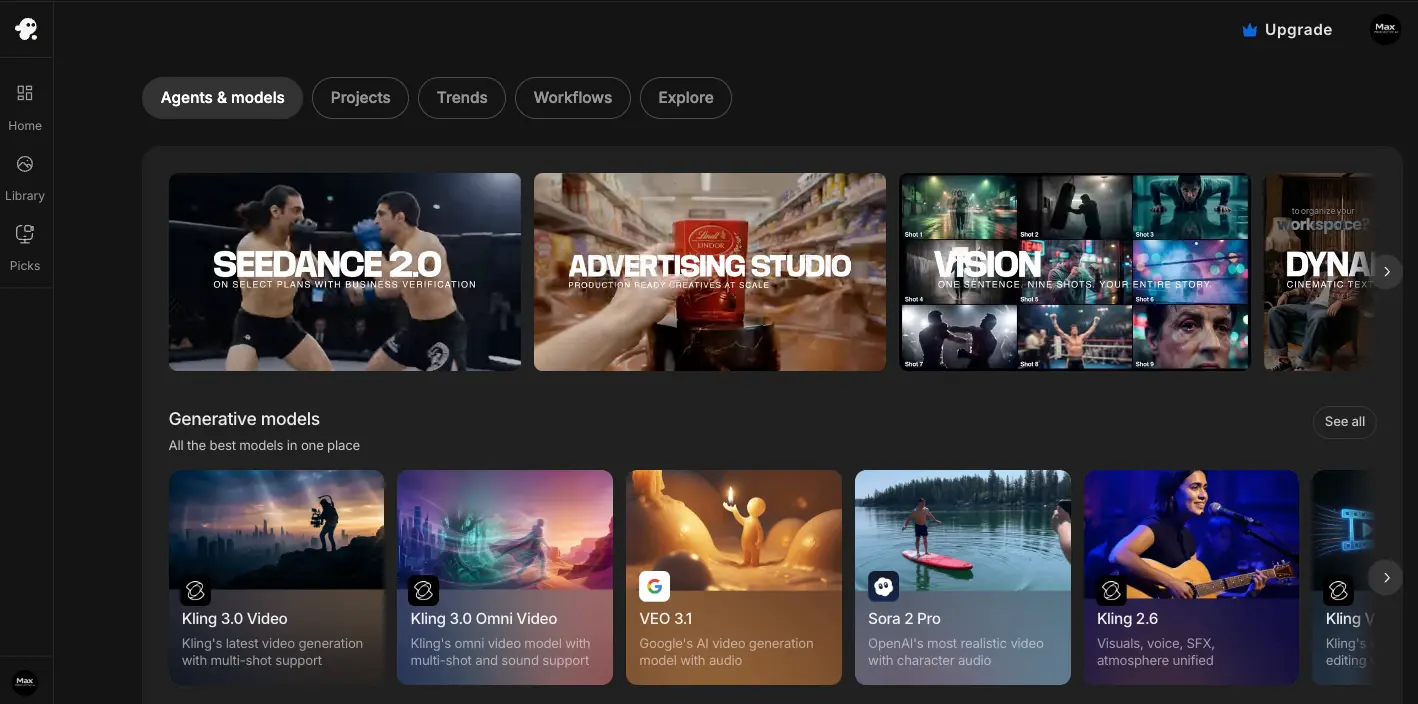
InVideo AI's 2026 flagship feature is the AI Video Agent — autonomous video creation from a single conversational prompt. You describe what you want; it picks the assets, drafts the script, lays out the scenes, color-grades the result, and renders a 5-minute video in under 60 seconds. Avatars are part of this stack, but they're not the main attraction.
Try InVideo AI Free →Key Features
One subscription bundles Sora 2, Veo 3.1, Seedream, and Nano Banana — that's a serious lineup for any single tool. The VFX House adds Relight (relight any scene post-production), Prop Swap, and AI Colorist for film-grade color grading. The semantic editing layer is what makes the AI Video Agent feel different: tell it "make the intro more exciting" and it actually changes pace, transitions, and music BPM accordingly.
Avatar features include Express Clone (created in under 5 minutes from a webcam recording or YouTube link), Pro Avatars (studio-quality, requires 30+ minutes of source footage), a UGC Avatar library of AI human actors for talking-head UGC content, and AI Twin with full emotional voice range. With 5,000+ templates and 50+ language voiceover, this is the most production-complete tool in the list — but the language count trails HeyGen significantly.
Pricing in 2026
| Plan | Monthly | Annual/mo | Key Features |
|---|---|---|---|
| Free | $0 | $0 | 2 min/week, 4 exports/week, watermarked |
| Plus | $25 | $20 | 50 min/mo, 4 avatars, no watermark, 1080p |
| Max | $60 | $48 | 200 min/mo, 16 avatars, 4K, priority rendering |
Pros
- AI Video Agent is genuinely autonomous. A 5-minute complex video from a single prompt in under 60 seconds is the kind of capability that changes workflows. No other tool in this guide does this end-to-end.
- Sora 2, Veo 3.1, Seedream, Nano Banana in one sub. The model bundle is the strongest of any platform here — and the cost is competitive with single-model competitors.
- Express Clone in under 5 minutes. Faster setup than Synthesia or VEED for personal avatars; almost as fast as HeyGen Avatar V's 15-second clip.
- VFX House adds enterprise post-production. Relight, Prop Swap, and AI Colorist are features you'd otherwise license separately at significant cost.
- 5,000+ templates and 7M+ users. Mature platform with deep template coverage for nearly any niche.
Cons
- Avatar is secondary, not primary. If avatars are 80% of what you need, InVideo AI is wider than your use case requires. HeyGen or Synthesia is more focused.
- Pro Avatar requires 30+ min of source footage. Time-intensive setup compared to HeyGen's 15-second clip.
- Avatar lip-sync occasionally drifts. Some scene/model combinations produce off-sync output more often than dedicated avatar tools. Worth reviewing every video before publishing.
- Free plan is heavily restricted. 2 min/week with watermarks isn't enough to evaluate properly.
- Complex projects burn through generation credits fast. The bundled-model advantage shows up here — using Sora 2 and Veo 3.1 isn't free internally, and your credits reflect that.
7. Kling AI — Best for Cinematic Long-Form Character Video
Best for: Filmmakers, animators, and advanced creators producing long-form character-driven video from a single image plus audio. Rating: 4.5 / 5
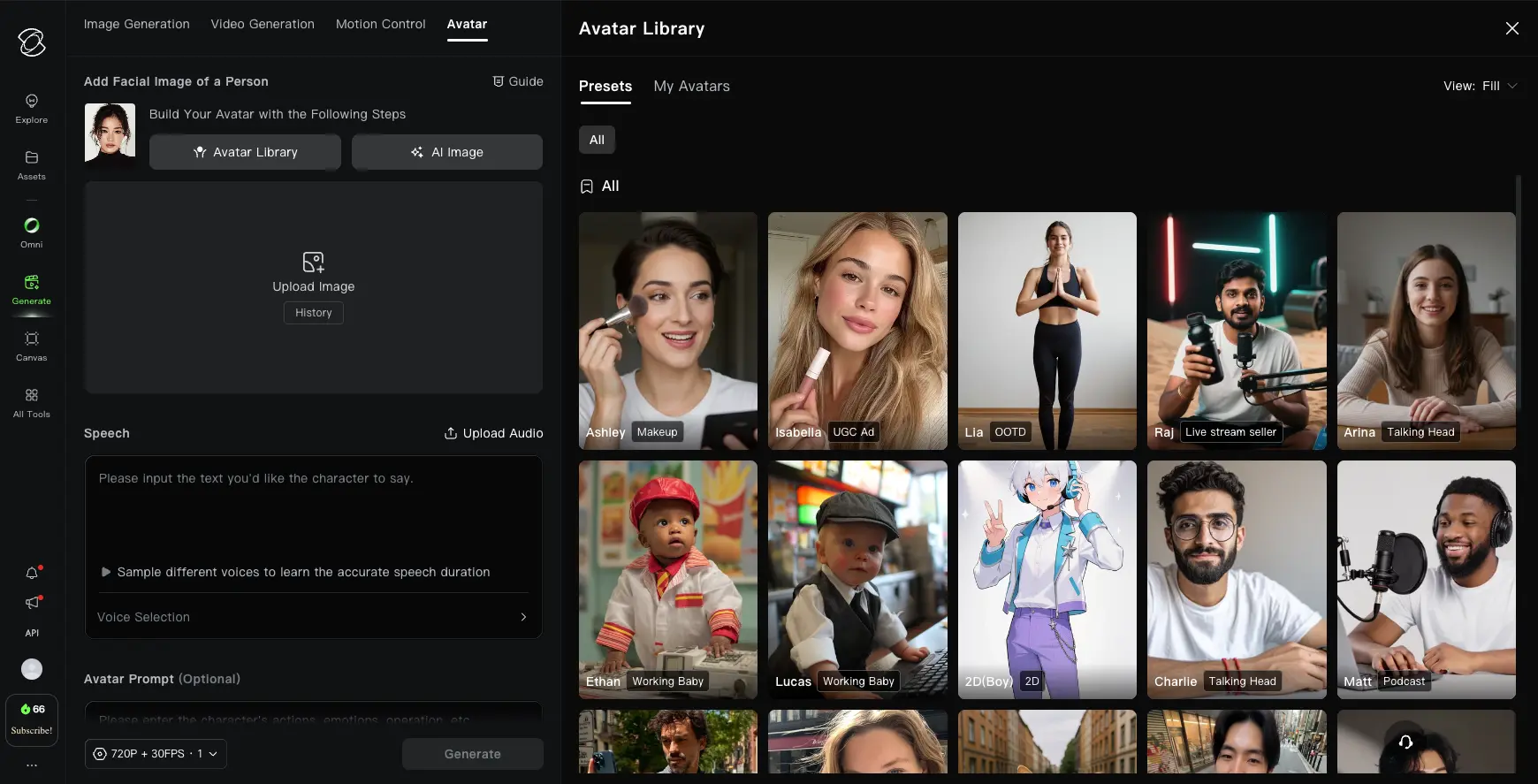
Kling, built by Kuaishou Technology, is a different kind of avatar tool. It doesn't do script-to-presenter video. It takes an image plus an audio file and produces motion-consistent character video — and as of December 2025's Avatar 2.0 release, it can hold identity consistency across 5 continuous minutes. That's the longest coherent character video any tool in this guide produces from a single reference.
Try Kling AI →Key Features
Avatar 2.0's "Unified Character Memory" architecture handles identity, dynamic outfit consistency (clothing and accessories stay stable), and micro-expression retention (natural blinking, subtle movement). Multilingual lip-sync covers English, Chinese, Japanese, and Korean — a much narrower set than HeyGen but well-tuned for those four. The API runs at $0.0562/second via fal.ai for developers.
Then April 2026 brought VIDEO 3.0 with native 4K/60fps output, native audio support (music, ambient sound, narration in the same generation call), 8-language lip-sync, deep multimodal instruction parsing, and full camera trajectory control — dolly, orbit, tilt, custom keyframe paths. The motion brush lets you mask regions and control motion independently. This is the closest tool in this guide to a real cinematography toolkit.
The trade-off is workflow: Kling needs an image and audio, not a script. If you want to type "Hello, I'm explaining how to use our product" and get a presenter, this is the wrong tool. For that, see how Kling stacks up against other generators.
Pricing in 2026
| Plan | Monthly | Annual | Credits | Best For |
|---|---|---|---|---|
| Free | $0 | $0 | 66/day (~1,980/mo) | Testing |
| Standard | $10 | ~$79/yr | 660/mo | Light personal use |
| Pro | $37 | ~$293/yr | 3,000/mo | Regular creators |
| Premier | $92 | ~$729/yr | 8,000/mo | Heavy production |
API pricing is $0.0562/sec for Avatar v2 Standard via fal.ai. Credits don't roll over month-to-month, which is worth flagging — heavy production months get expensive if you under-buy credits. The $10/mo Standard tier is the cheapest watermark-free 1080p output in this entire guide.
Pros
- 5-minute identity consistency is unmatched. No other tool in this guide holds character coherence across 5 continuous minutes from a single image. For long-form character work, Kling is in a category of one.
- VIDEO 3.0 brings native 4K/60fps with audio. Music, ambient sound, and narration in the same generation call — most competitors require separate audio post-production.
- $10/mo Standard is the cheapest watermark-free 1080p in this list. Excellent value if you mostly need 1080p output and don't need a presenter-style script-to-video flow.
- Camera trajectory and motion brush controls. Real cinematography controls inside an AI video tool — dolly, orbit, tilt, masked motion regions. This is closer to a directing toolkit than a presenter generator.
- 66 daily free credits is the most generous testing allowance. Roughly 1,980/month on the free tier — more room to evaluate than any other tool here.
Cons
- Only 4 languages with native lip-sync. EN/ZH/JP/KO — dramatically narrower than HeyGen's 175+ or Synthesia's 140+. If you localize globally, this is a hard limitation.
- Requires image + audio input — no text-to-avatar workflow. If you want to type a script and get a video, Kling can't do it. Use HeyGen, Synthesia, or InVideo AI instead.
- Credits expire monthly with no rollover. Heavy production months can get expensive. Plan credit purchases against your actual schedule.
- Not suited to corporate training or presenter format. The output is cinematic, not didactic. For training, Synthesia is the clear pick.
- Less polished UI for non-technical users. The interface is powerful but assumes a level of comfort with video terminology that HeyGen and Synthesia don't require.
8. GoEnhance AI — Best for Video-to-Video Stylization
Best for: Creators who want to transform real footage into stylized avatar characters — anime, Ghibli, 3D cartoon, pop art — rather than generate synthetic presenters.
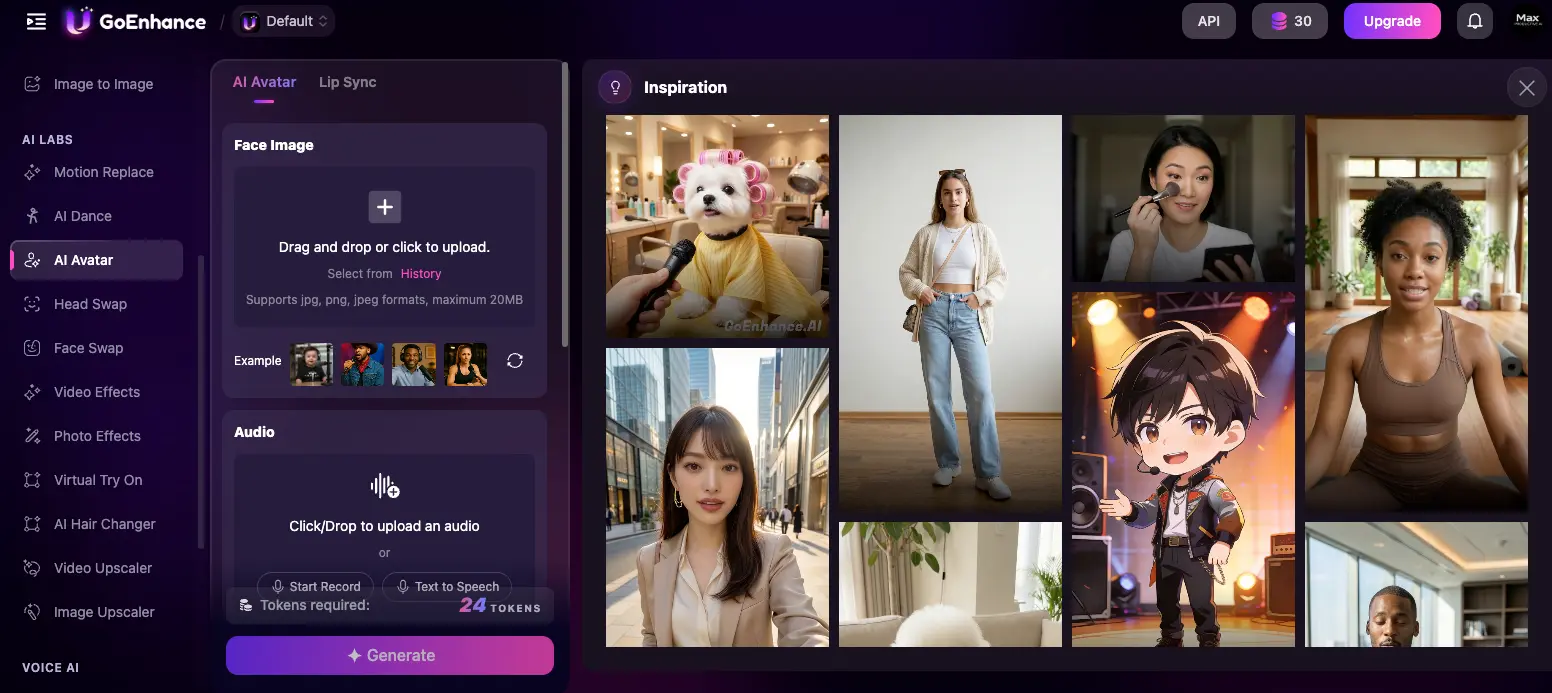
GoEnhance AI is fundamentally different from every other tool in this guide. It doesn't generate avatars from scratch. It takes existing video footage and transforms it into a stylized version — flat anime, Studio Ghibli, 3D cartoon, pop art, and dozens of other styles. Their tagline is "Input Reality, Output Art," and that captures the workflow exactly. If you film yourself talking and want to become an anime character, this is the tool.
Try GoEnhance AI Free →Key Features
The core capability is video-to-video stylization with industry-leading temporal consistency — meaning the output doesn't suffer the "flicker" that plagues most style-transfer tools. Beyond that, the platform handles text-to-video from prompts, video face swap, 4K upscaling and denoising, and color adjustment. Relax Mode on paid plans gives unlimited generations for non-urgent work, which is unusual at this price point.
The UI walks a useful line: simple enough that TikTok creators can stylize a clip in under a minute, detailed enough that pros can adjust denoising strength and motion consistency parameters. Concurrent jobs scale from 3 fast generations on Basic to 6 on Pro. Storage is 60 days on paid plans. It's been one of the most viral video transformation tools on social since 2025.
Pricing in 2026
| Plan | Annual/mo | Monthly | Tokens | Key Features |
|---|---|---|---|---|
| Free | $0 | $0 | 45 | Watermark, 7-day storage, 1 concurrent |
| Basic | $8 | $9.99 | 600/mo | No watermark, priority gen, 3 concurrent, Relax Mode |
| Standard | $20 | $24.99 | 1,600/mo | ~350 images / ~106 videos |
| Pro | $40 | $49.99 | 3,500/mo | ~840 images / ~233 videos, 6 concurrent |
Tokens cost roughly 5 per image and 15 per video. The $8/mo Basic plan is the lowest paid entry price in this entire guide — and Relax Mode gives unlimited non-priority generations on top of the token allowance.
Pros
- Best video-to-video stylization with temporal consistency. The flicker problem that breaks competing style-transfer tools is largely solved here. For consistent stylized output, GoEnhance is genuinely the leader in 2026.
- One platform covers stylization, face swap, upscaling, color. If your workflow involves transforming real footage rather than generating synthetic, this is more comprehensive than running three separate tools.
- Relax Mode = unlimited generations on paid plans. For non-urgent batch work, this effectively removes the credit cap. Rare at this price point.
- $8/mo Basic is the lowest paid entry price in this guide. If video-to-video transformation is what you need, this is the cheapest serious tool in the category.
- Most viral AI video transformation tool on social in 2025–2026. The output styles are recognizable and shareable in a way most AI-generated content isn't.
Cons
- Not a presenter or talking-head platform. No script-to-video workflow at all. You bring the footage; it stylizes the result. If you want a digital twin from scratch, this is the wrong category.
- Token system can cost more at scale. Compared to flat-rate unlimited tools like HeyGen Creator, heavy users may pay more on GoEnhance Pro.
- No multilingual voiceover or TTS integration. You handle audio elsewhere. For a complete avatar pipeline, you'll need a separate voice generator.
- Not suited to corporate training or L&D content. The output style is artistic and creative — not professional or didactic.
- Output quality varies with style complexity and source footage. Clean, well-lit source footage gives much better results than amateur footage. Worth setting expectations realistically.
Use Case Decision Matrix — Which Tool Fits Your Workflow?
The right pick depends entirely on what you're trying to make. Here's the cleanest mapping from use case to tool, with a second-choice fallback for when the top pick doesn't quite fit:
| Use Case | Best Pick | Second Choice | Why |
|---|---|---|---|
| Marketing & social video | HeyGen | Synthesia | Avatar V realism, 175+ languages, unlimited dubbing |
| Corporate training & L&D | Synthesia | HeyGen | SOC 2, SCORM, LMS integration, long-form consistency |
| Real-time AI agents | Hedra | HeyGen | $0.05/min Live Avatars, sub-100ms latency |
| All-in-one editor + avatars | VEED.io | InVideo AI | Full browser editor + avatars in one subscription |
| Content repurposing (blog/PPT to video) | Fliki | InVideo AI | Best-in-class blog/URL/PPT-to-video pipeline |
| Full AI video pipeline | InVideo AI | VEED.io | AI Video Agent, Sora 2 + Veo 3.1, 5,000+ templates |
| Cinematic character video | Kling AI | Hedra | 5-min identity consistency, 4K/60fps, VIDEO 3.0 |
| Stylized / animated avatar video | GoEnhance AI | Kling AI | Video-to-video stylization with temporal consistency |
| Best budget pick | Hedra | Kling AI | $15/mo Basic rivals $100+ competitors |
| Developer API access | Kling AI | Hedra | $0.0562/sec API; Hedra integrates with LiveKit |
Pricing Comparison — All 8 Tools at a Glance
Avatar pricing in 2026 is more granular than it looks at first glance. The headline monthly numbers don't tell the full story — what matters is which tier actually unlocks avatar features, how usage is metered, and whether the entry price gets you something usable or just the platform's marketing demo.
| Tool | Free Tier | Entry Paid (annual) | Mid Tier (annual) | Avatar on Free? |
|---|---|---|---|---|
| HeyGen | 3 videos/mo | $24/mo Creator | $79/mo Pro | Yes — 3 Avatar V videos |
| Synthesia | 3 min/mo, 9 avatars | $18/mo Starter | $64/mo Creator | Yes — 9 avatars |
| Hedra | 300 credits/mo | $15/mo Basic | $30/mo Creator | Yes — Character-3 |
| VEED.io | Unlimited, watermarked | $12/mo Lite | $21–24/mo Pro | No — Pro plan only |
| Fliki | 5 min/mo | $21/mo Standard | $66/mo Premium | No — Premium only |
| InVideo AI | 2 min/week | $20/mo Plus | $48/mo Max | No — Plus plan only |
| Kling AI | 66 credits/day | $10/mo Standard | $37/mo Pro | Yes — limited |
| GoEnhance AI | 45 tokens | $8/mo Basic | $20/mo Standard | Yes — watermarked |
The cheapest serious avatar work happens at Hedra Basic ($15/mo) and Kling Standard ($10/mo) — both deliver real production-quality output. The most realistic results require HeyGen Creator at $24/mo. For enterprise compliance, Synthesia is the only path, and you'll quote out at custom Enterprise pricing for unlimited use. The mid-market sweet spot — quality plus features plus volume — sits at HeyGen Creator ($24/mo) or Synthesia Creator ($64/mo) depending on whether you prioritize realism or compliance.
Pricing last verified April 2026. Visit each tool's official site for current rates.
Final Verdict — The Best AI Avatar Generators in April 2026
| Best overall AI avatar generator | HeyGen (Avatar V, 0.840 face score) |
| Best for enterprise & corporate training | Synthesia (SOC 2 + SCORM) |
| Best for real-time AI agents | Hedra ($0.05/min Live Avatars) |
| Best editor + avatars in one tool | VEED.io |
| Best content repurposing | Fliki (Blog/URL/PPT to video) |
| Best full AI video pipeline | InVideo AI (AI Video Agent) |
| Best cinematic character video | Kling AI (5-min consistency, VIDEO 3.0) |
| Best stylized / animated avatars | GoEnhance AI |
| Best language coverage | HeyGen (175+ phoneme-level) |
| Cheapest entry to quality output | GoEnhance AI ($8/mo) or Kling AI ($10/mo) |
Bottom line: HeyGen takes the overall crown in 2026 because Avatar V genuinely solved the identity drift problem that broke long-form avatar video everywhere else. For most marketers, content creators, and YouTubers, HeyGen Creator at $24/mo annual is the right starting point. Synthesia remains the only serious enterprise pick — if you need SOC 2 compliance, SCORM export, and consistency across 10+ minute training videos, nothing else qualifies. Hedra owns the new real-time avatar category at $0.05/min and offers the best budget quality at $15/mo. The other five tools are genuinely the best in their specific lanes — VEED.io for editor-plus-avatar workflows, Fliki for content repurposing, InVideo AI for full-pipeline production, Kling AI for cinematic long-form character work, and GoEnhance AI for video-to-video stylization. Pick the lane first, then the tool.
Exploring More AI Video Tools?
If avatar tools aren't quite the right fit, browse our full AI video generators directory for adjacent options, or read the best free AI video generators roundup for tools focused on text-to-video rather than presenters.